Your shopping cart is empty!

Search Navigator with diagnostics
Price: 500 ₽
From 2 purchase of this product, the price is: 450 ₽
From 5 purchase of this product, the price is: 400 ₽
Additional from the author:
Author: ТГ @Stas_Clear
Write to the author
Need paid help? Contact the site administration
Opencart version:
Need paid help? Contact the site administration
Opencart version:
OCStore 3.*OpenCart 3.*
Search Navigator
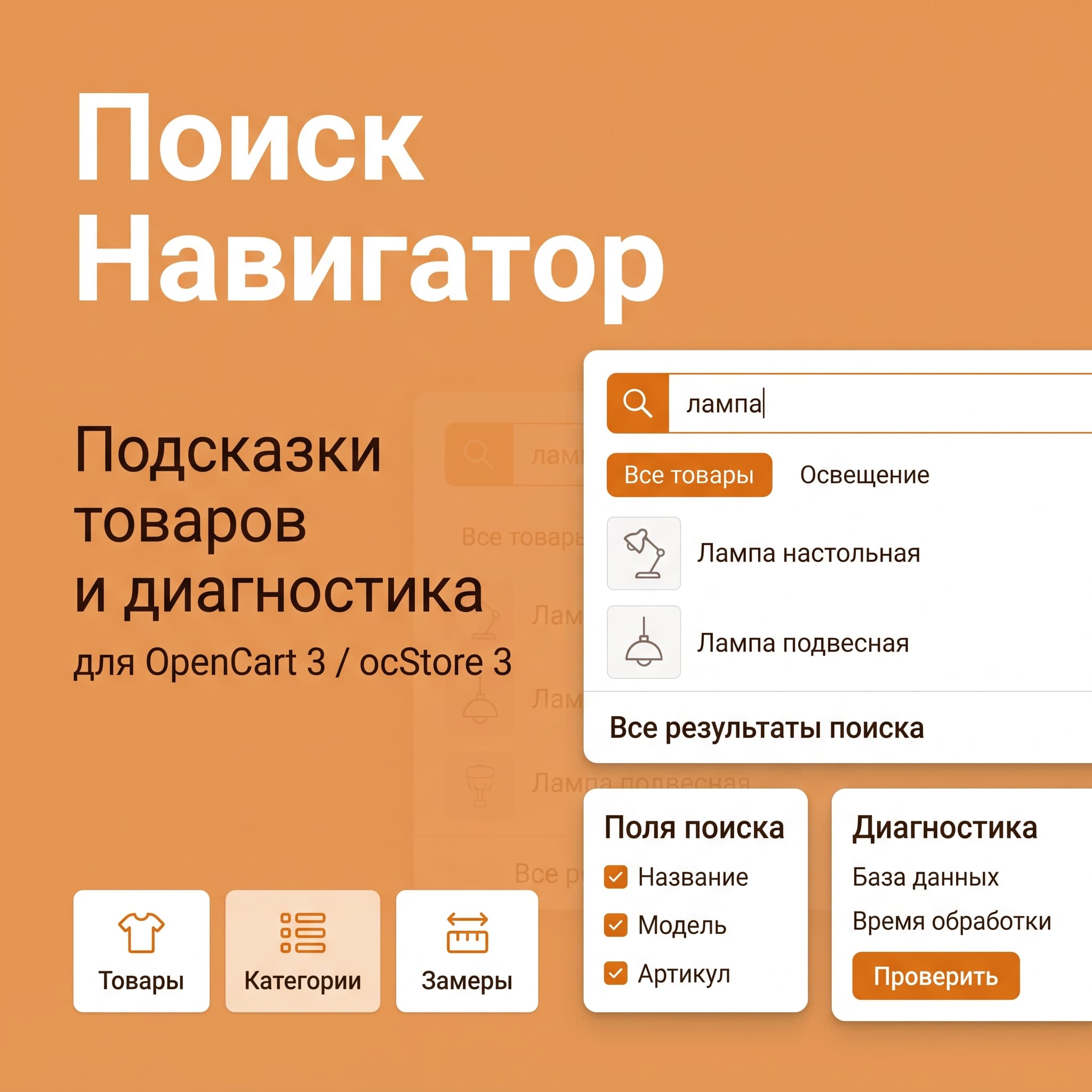
Product suggestions as you type and a standard results page with the same fields for OpenCart and ocStore 3. Image, price, promotion, availability, and one-click navigation through the entire product page.
Features
Usage and Installation
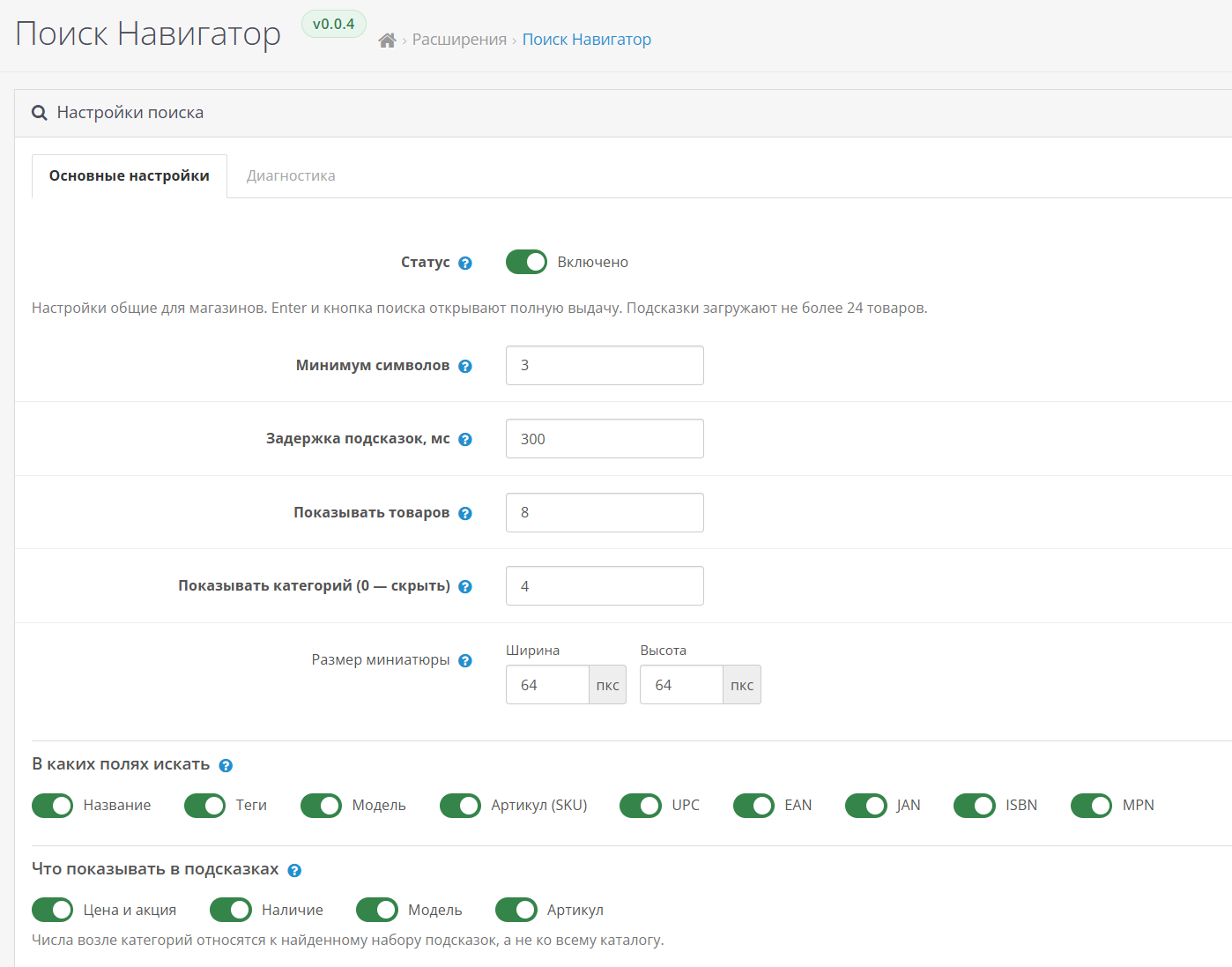
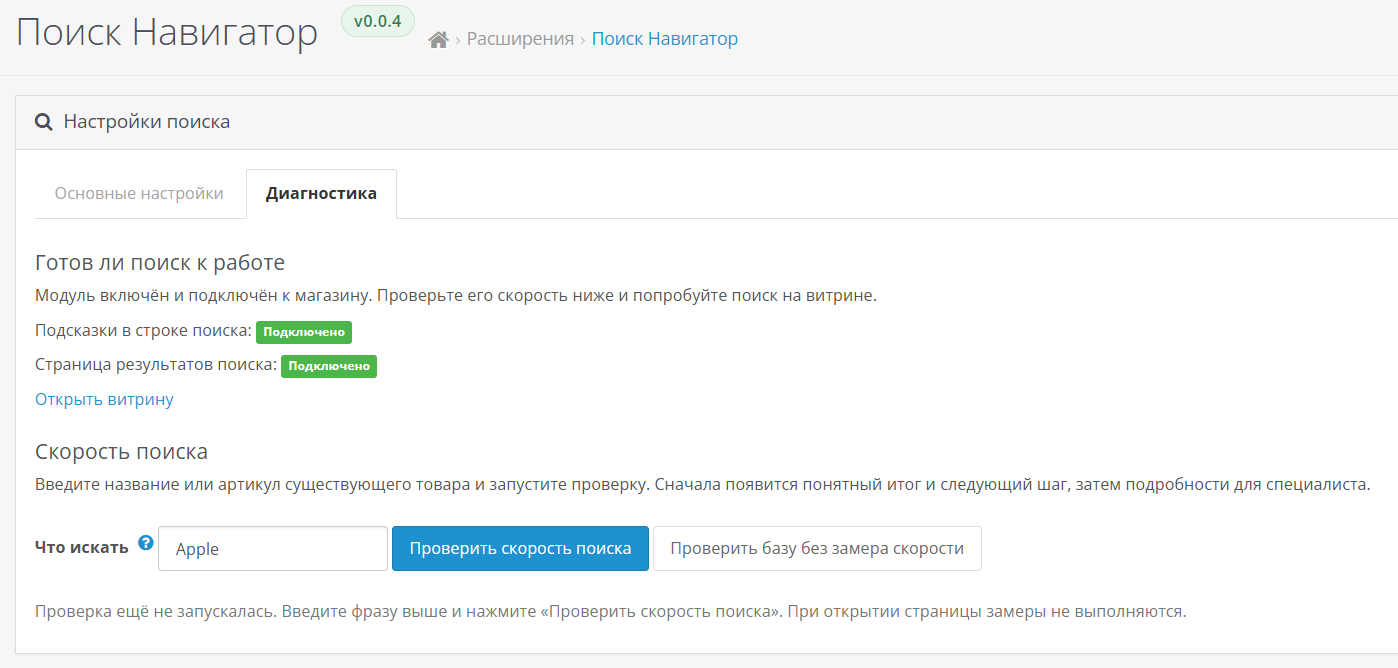
The admin panel has two tabs:"Basic Settings"and"Diagnostics". Parameter groups and diagnostic sections are expanded; indexes and EXPLAIN are immediately visible after verification.
Default: three characters, 300 ms pause, eight visible products, and up to 24 loaded products. "All Search Results" opens the regular search results for the original query; category suggestions are not carried over. The description is searched for on the full page when explicitly selected.
When updating, download the package and update the modifiers. Disabling it restores the default search. Removing a module deletes its events and settings; the modifier is removed separately, along with a cache update. The catalog and orders are not affected. Cron, API, or an external search server are not required.
Compatibility
Version 1.0.0: default, ocStore 3.0.3.9 / PHP 8.2, and OpenCart 3.0.4.1 / PHP 7.4. The theme's custom form requires an adapter instead of common/search. Other advanced search options should be disabled. OpenCart 4 and other themes require separate implementation or testing.
HTTPS and current friendly URLs have been tested on a demo with OpenCart 3.0.4.1 / PHP 8.2.33 / default.
Maximum 128 Unicode characters; broad search speed depends on the catalog and server.
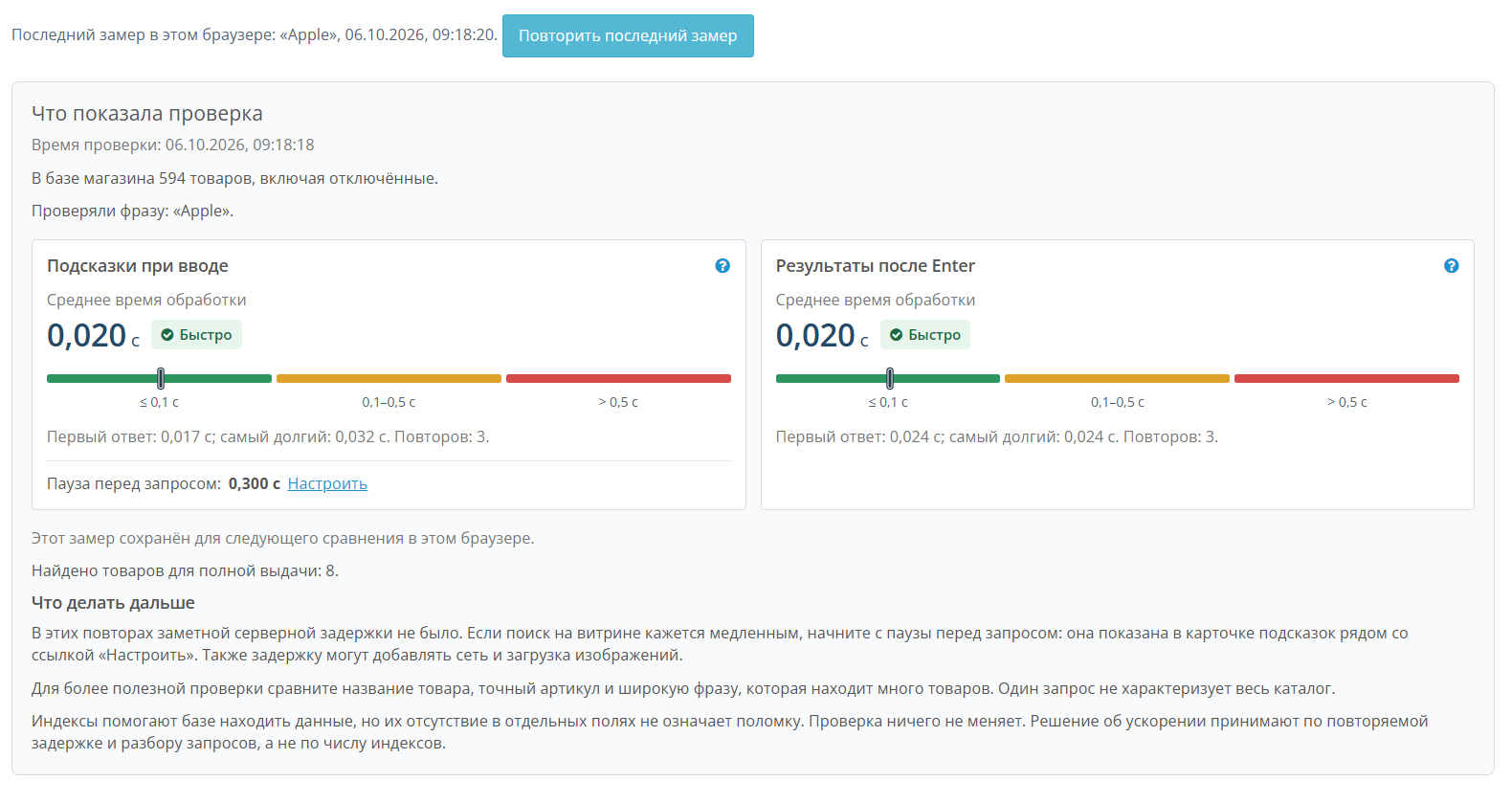
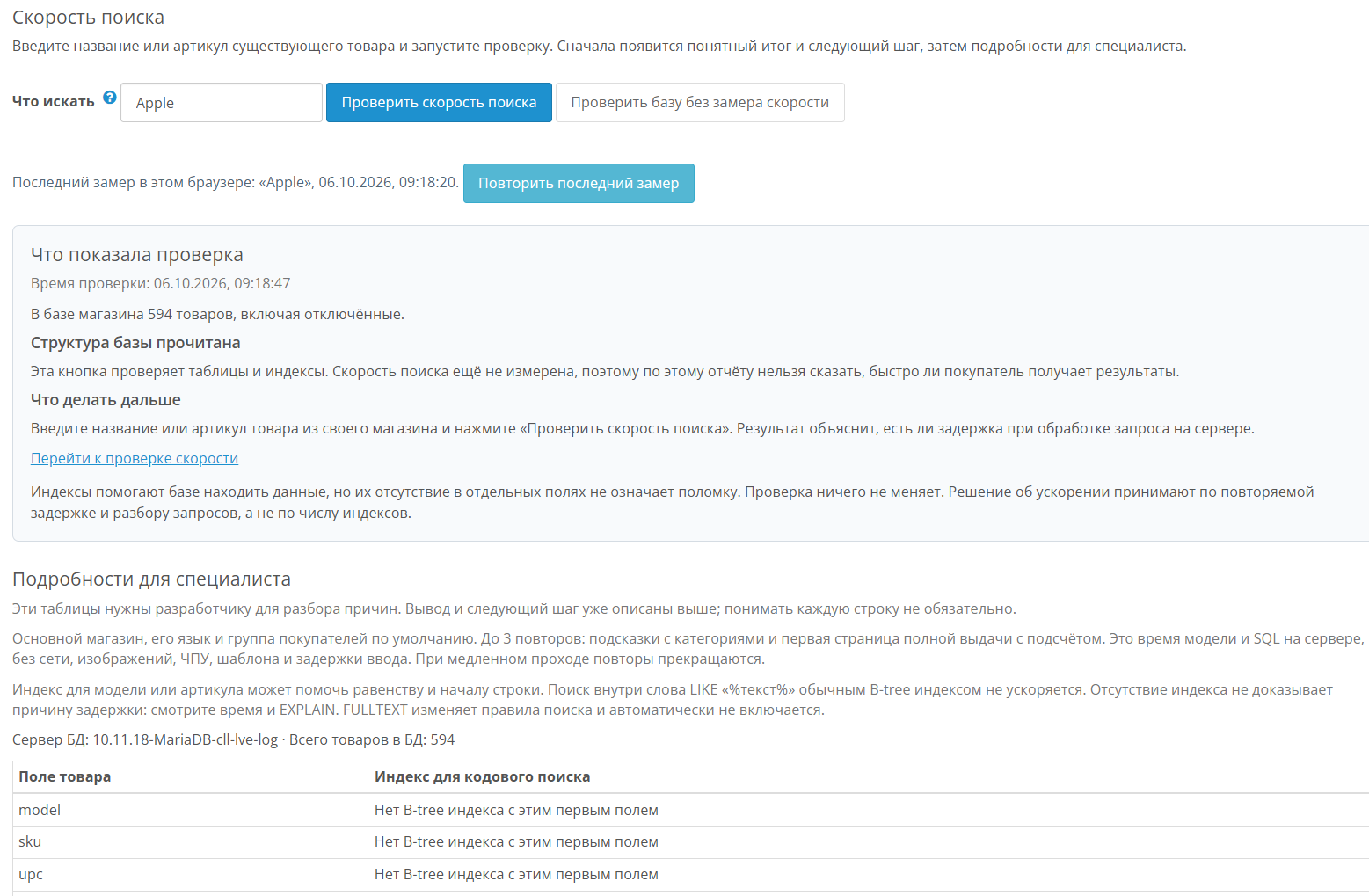
The diagnostics explain the results in plain language, displaying a color-coded server time estimate and a separate pause before the request. Links lead to the desired setting, unsaved changes block the measurement, and the latest result is saved in the browser for comparison under the same parameters.
Product suggestions as you type and a standard results page with the same fields for OpenCart and ocStore 3. Image, price, promotion, availability, and one-click navigation through the entire product page.
Features
- Name and Tags:All search terms in one field, word order is not important.
- Model/SKU:Exact and partial matches; UPC/EAN/JAN/ISBN/MPN — exact.
- Priority of exact codes and model start/SKUin default sorting; Standard sorting and pagination.
- Customizable minimum characters, delay, products/categories, thumbnails, and additional information.
- Categories switch the loaded set;Counters apply to tooltips, not the entire catalog.
- Store settings hide regular and promotional prices for guests.
- Enter/Tab/Arrows/Escape, external click, protection of outdated answers, closing on transitions, and return.
- Russian and English admin panel, diagnostics, and offline manual.
- Performance and database:structure/indexes, up to 3 replays of current samples, SQL/model time, number of queries, EXPLAIN, and comparison of the previous measurement. Without changing tables/indexes; Network, images, and HTML are not included in this measurement.
Usage and Installation
The admin panel has two tabs:"Basic Settings"and"Diagnostics". Parameter groups and diagnostic sections are expanded; indexes and EXPLAIN are immediately visible after verification.
Default: three characters, 300 ms pause, eight visible products, and up to 24 loaded products. "All Search Results" opens the regular search results for the original query; category suggestions are not carried over. The description is searched for on the full page when explicitly selected.
- Download the released package via "Extensions → Install Extensions."
- Install "Search Navigator" from the list of modules.
- Update modifiers, enable the module, and save the settings.
- Check the diagnostics and search in the storefront.
When updating, download the package and update the modifiers. Disabling it restores the default search. Removing a module deletes its events and settings; the modifier is removed separately, along with a cache update. The catalog and orders are not affected. Cron, API, or an external search server are not required.
Compatibility
Version 1.0.0: default, ocStore 3.0.3.9 / PHP 8.2, and OpenCart 3.0.4.1 / PHP 7.4. The theme's custom form requires an adapter instead of common/search. Other advanced search options should be disabled. OpenCart 4 and other themes require separate implementation or testing.
HTTPS and current friendly URLs have been tested on a demo with OpenCart 3.0.4.1 / PHP 8.2.33 / default.
Maximum 128 Unicode characters; broad search speed depends on the catalog and server.
The diagnostics explain the results in plain language, displaying a color-coded server time estimate and a separate pause before the request. Links lead to the desired setting, unsaved changes block the measurement, and the latest result is saved in the browser for comparison under the same parameters.
Демо-сайт:
https://demo.ocmarket.ru/
Distribution method:
Paid
Opencart version:
OCStore 3.*OpenCart 3.*
PHP verision:
PHP 7.4PHP 8.2
Activation:
Not required
Getting files:
On site, in the personal account
Protection system:
No
VQmod:
No
Ocmod:
Yes
Events:
No
Uploaded:
06.10.2026
Updated:
06.10.2026
Viewed:
303
Write a review
Your Name:Your Review: Note: HTML is not translated!
Rating: Bad Good
Enter the code in the box below:



Файлы будут доступны после покупки


