Your shopping cart is empty!

Quiz | Quiz for OpenCart
5 sales
Price: 2 990 ₽ 3 500 ₽

Author: knzv
Write to the author
Sales: 6 (Average rating 5 на основании 4 отзывов)
Need paid help? Contact the site administration
Opencart version:
Sales: 6 (Average rating 5 на основании 4 отзывов)
Need paid help? Contact the site administration
Opencart version:
LiveStore 3.*OCStore 3.*OpenCart 3.*
Quiz | Quiz for OpenCart 3 - Smart quizzes for collecting applications and selecting products
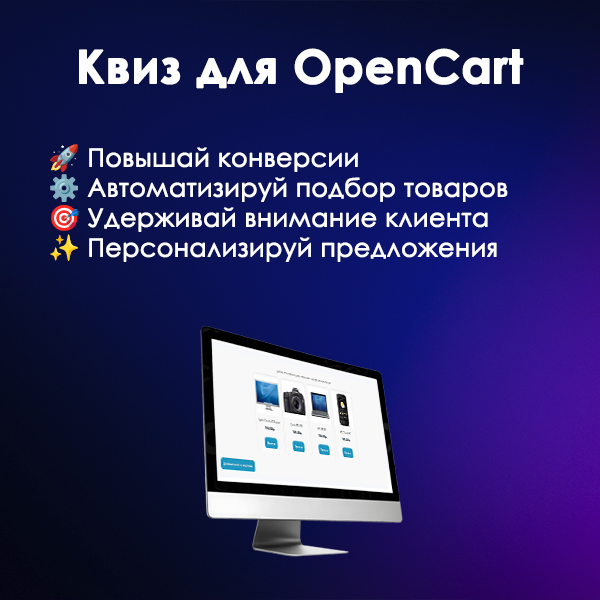
This module solves one of the key tasks of a modern online store - increasing conversion and engaging visitors. Instead of boring order forms, offer your customers an interactive quiz: test their preferences and automatically select the ideal products!
The module allows:
Who is this module for?
How does it work? Just 3 steps:
Key benefitsmodule
Demo:
demo front-end - https://knzv.tech/opencart/
demo backend - https://knzv.tech/opencart/admin login: demo password: demo
Technical features
Installation and use
License and support
This module solves one of the key tasks of a modern online store - increasing conversion and engaging visitors. Instead of boring order forms, offer your customers an interactive quiz: test their preferences and automatically select the ideal products!
The module allows:
- Create unlimited quantity quiz with unique questions and answers.
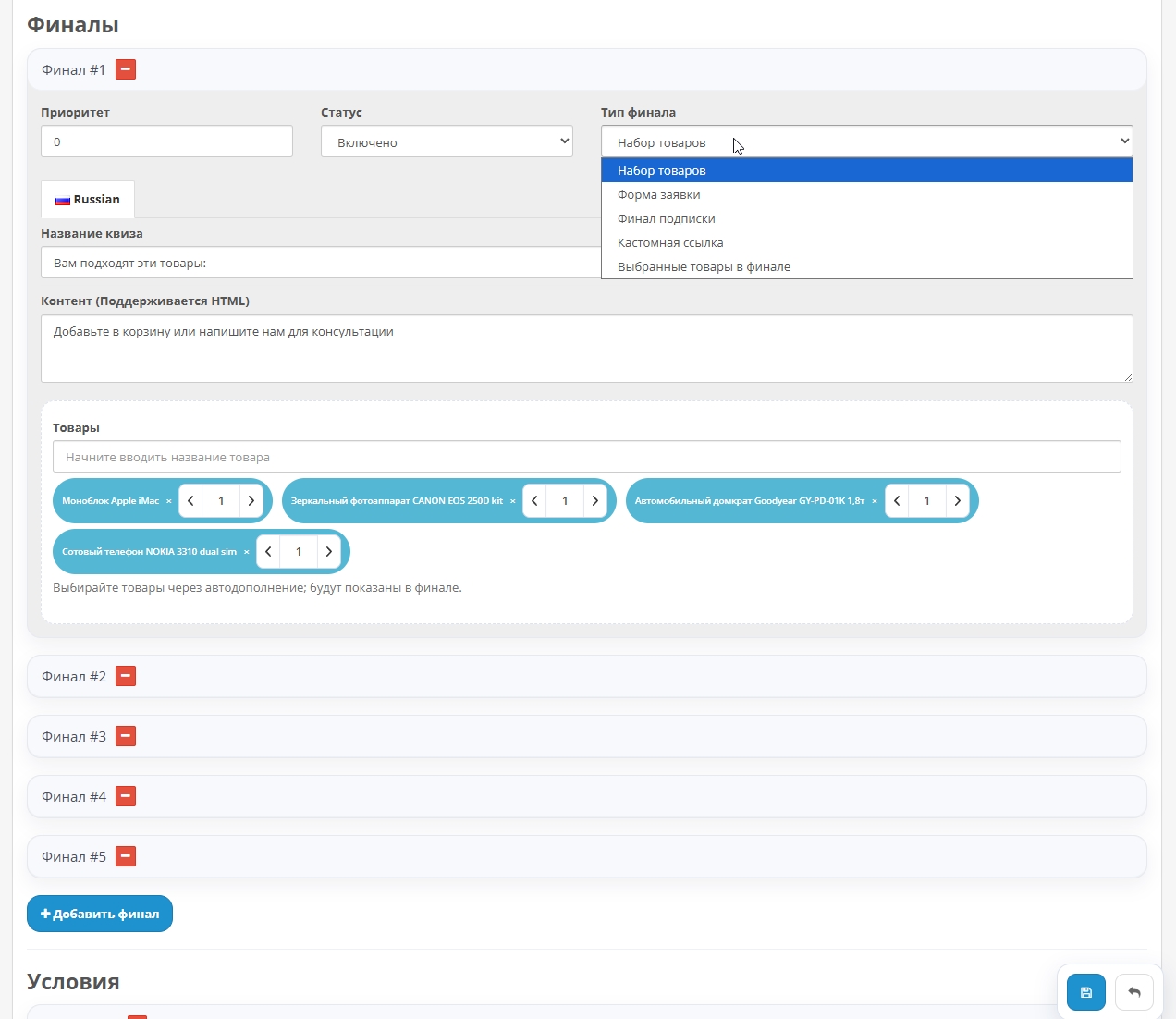
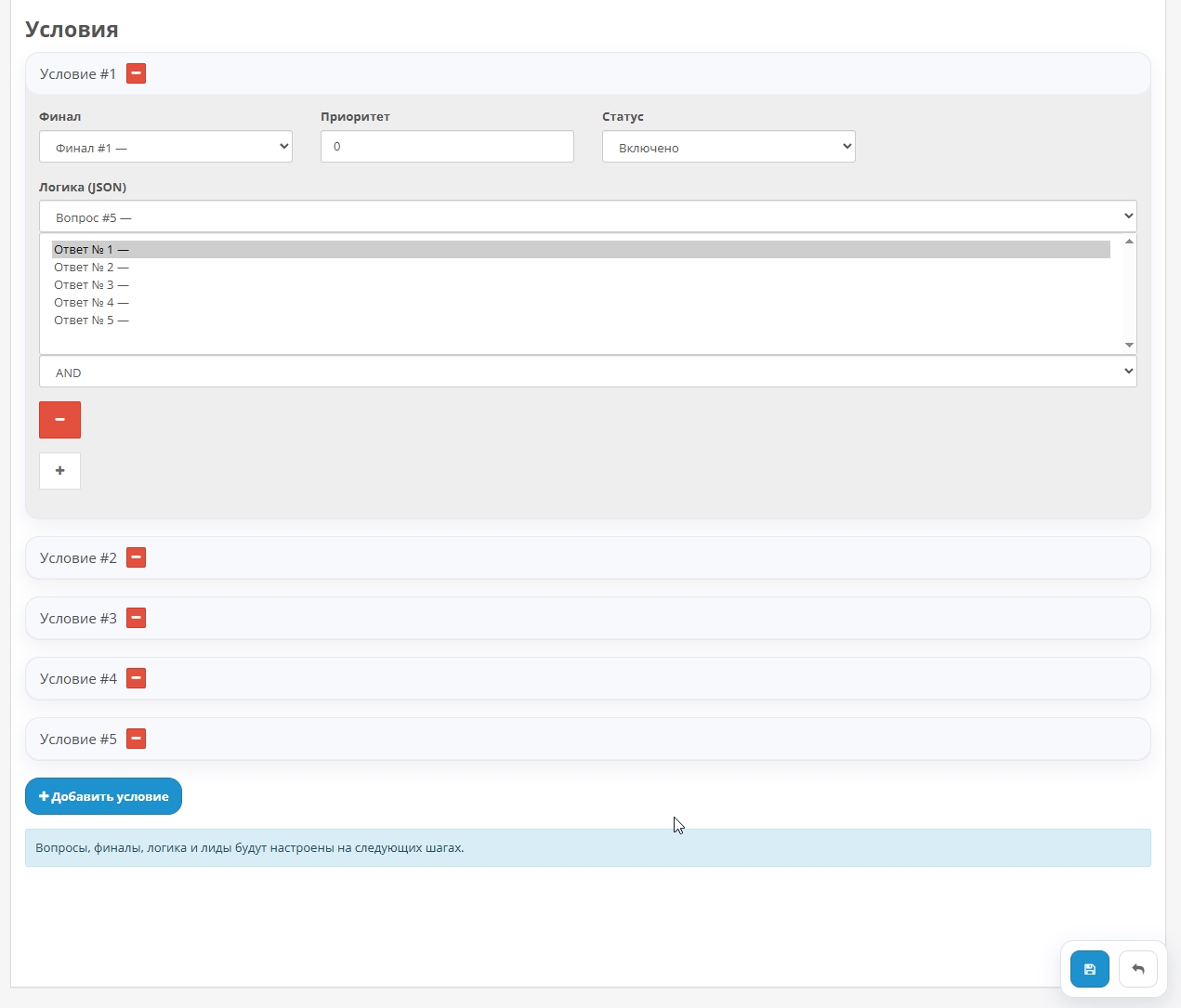
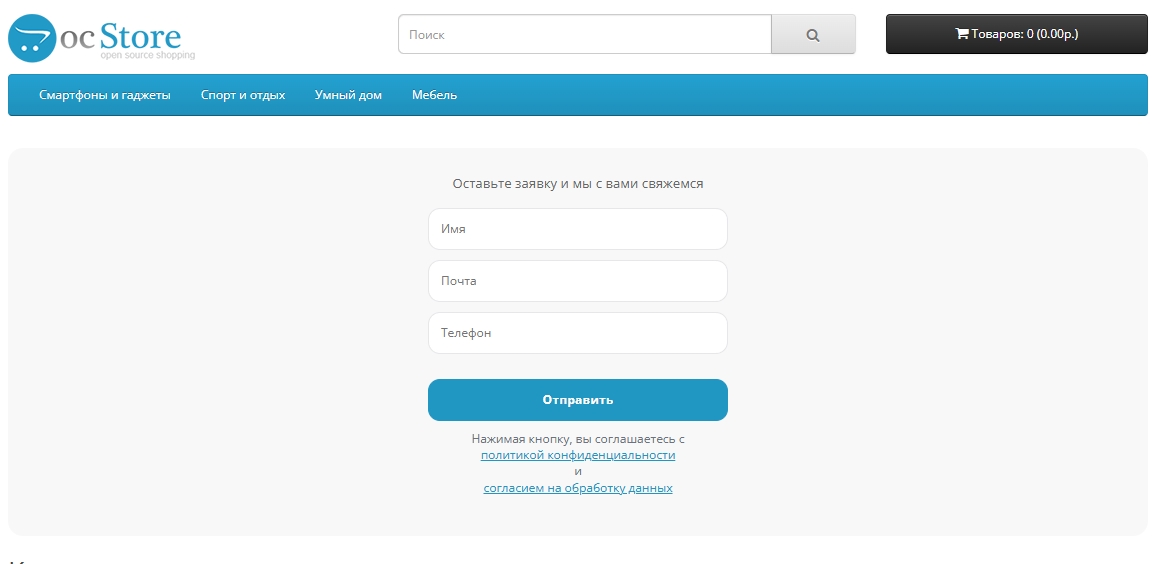
- Flexibly customize display logic finals using a conditional system (JSON). Depending on the user's answers, you can display different sets of products or application forms.
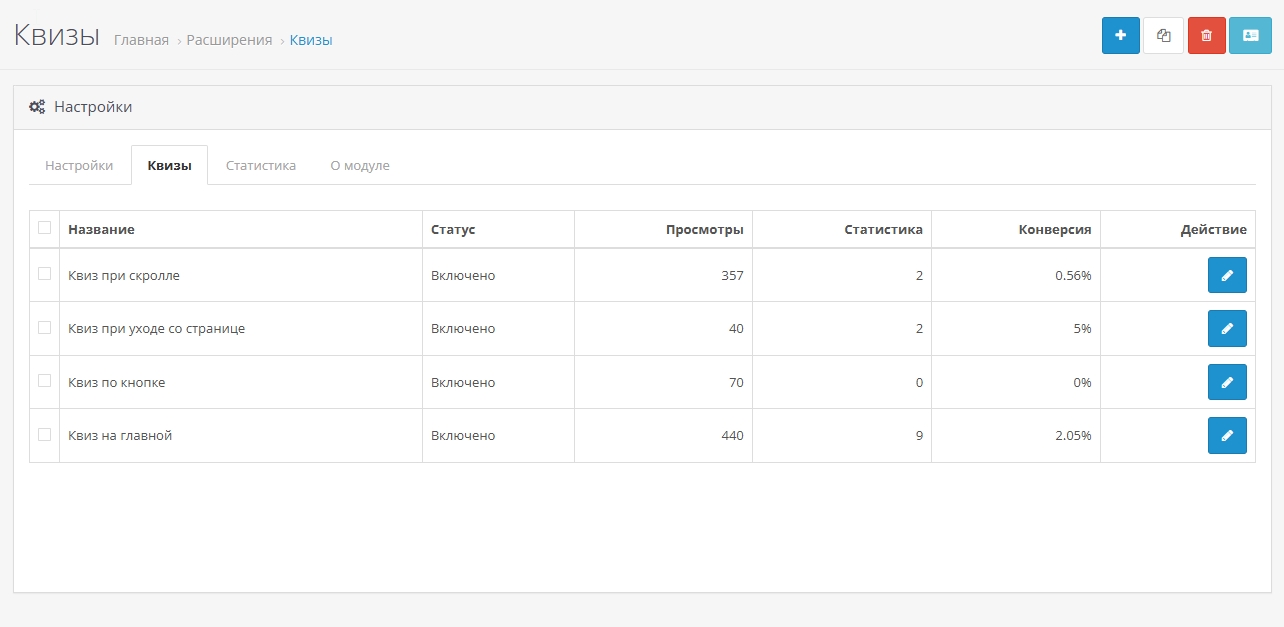
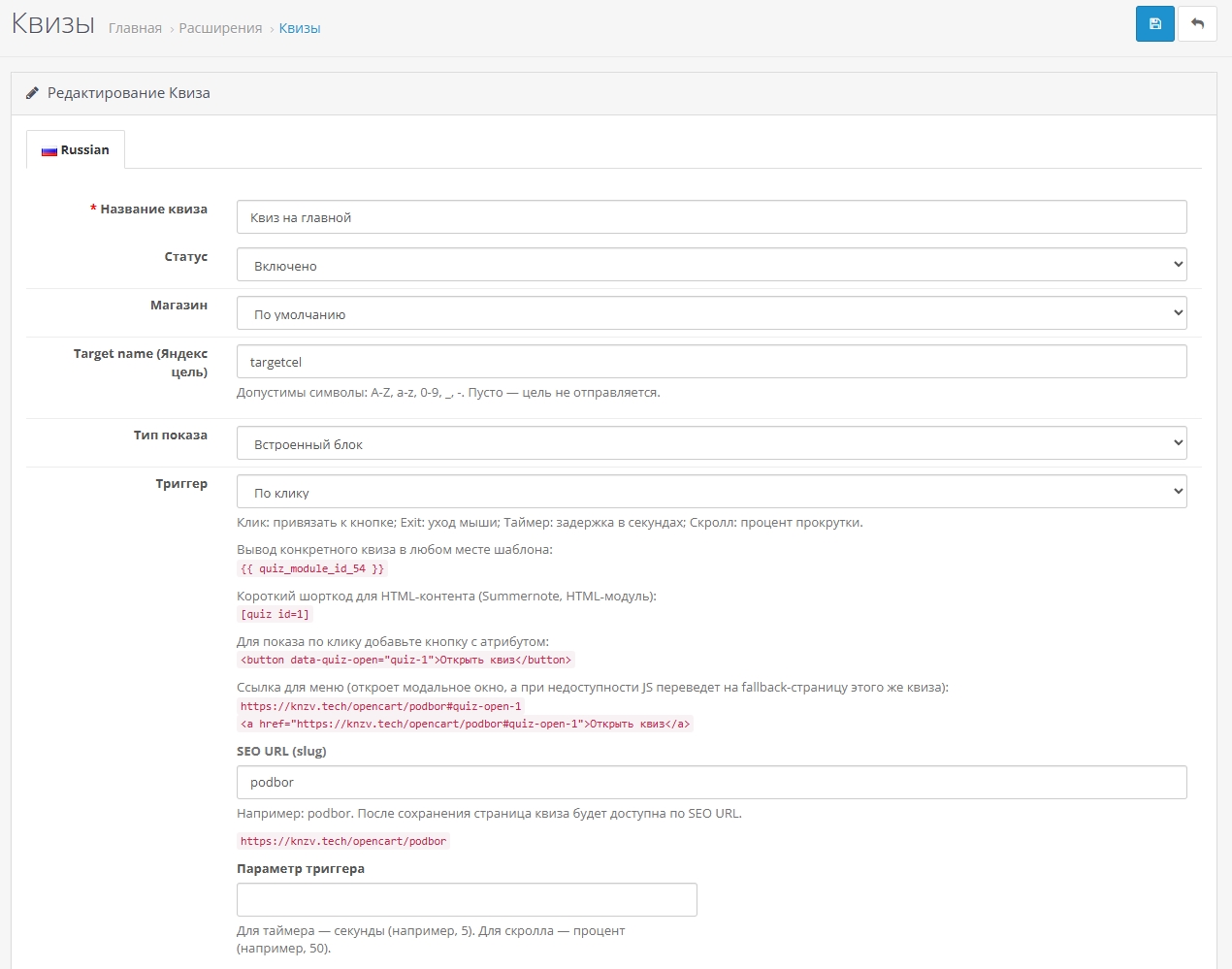
- Run quizzes in four ways (triggers): by clicking on a button, when leaving the page (Exit-intent), by a timer or when a certain percentage of scrolling is reached (scroll).
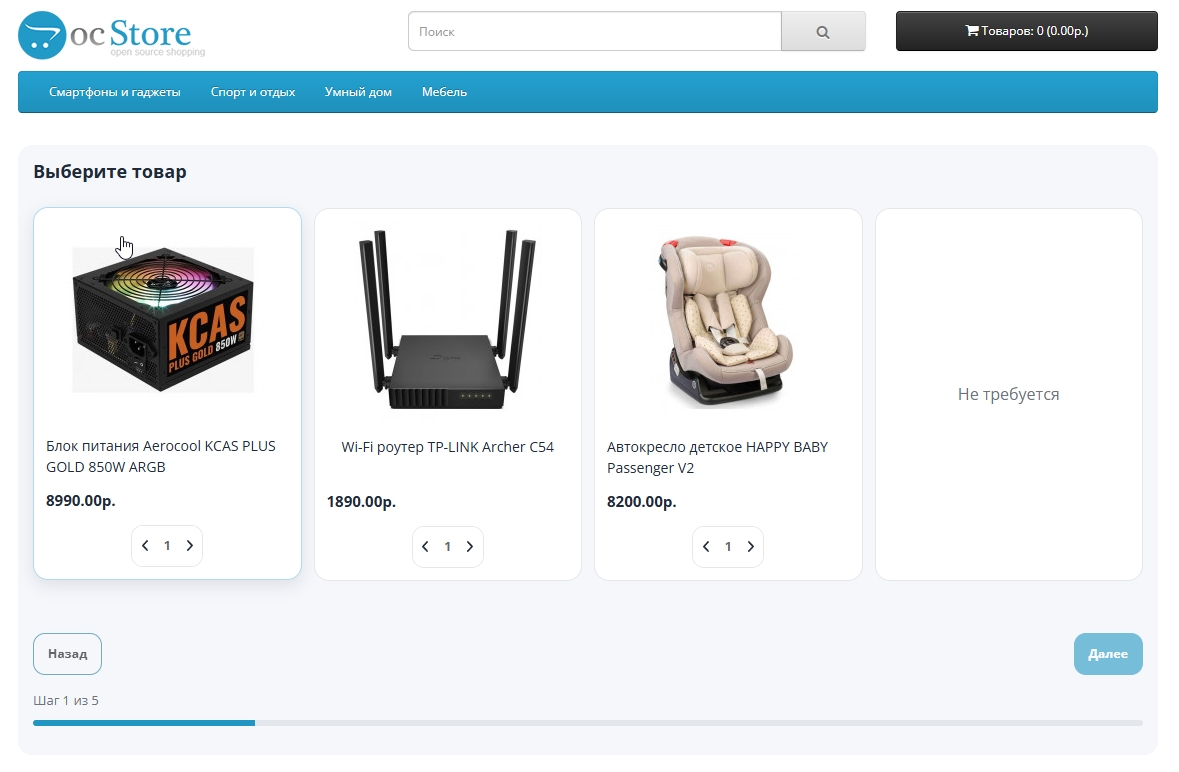
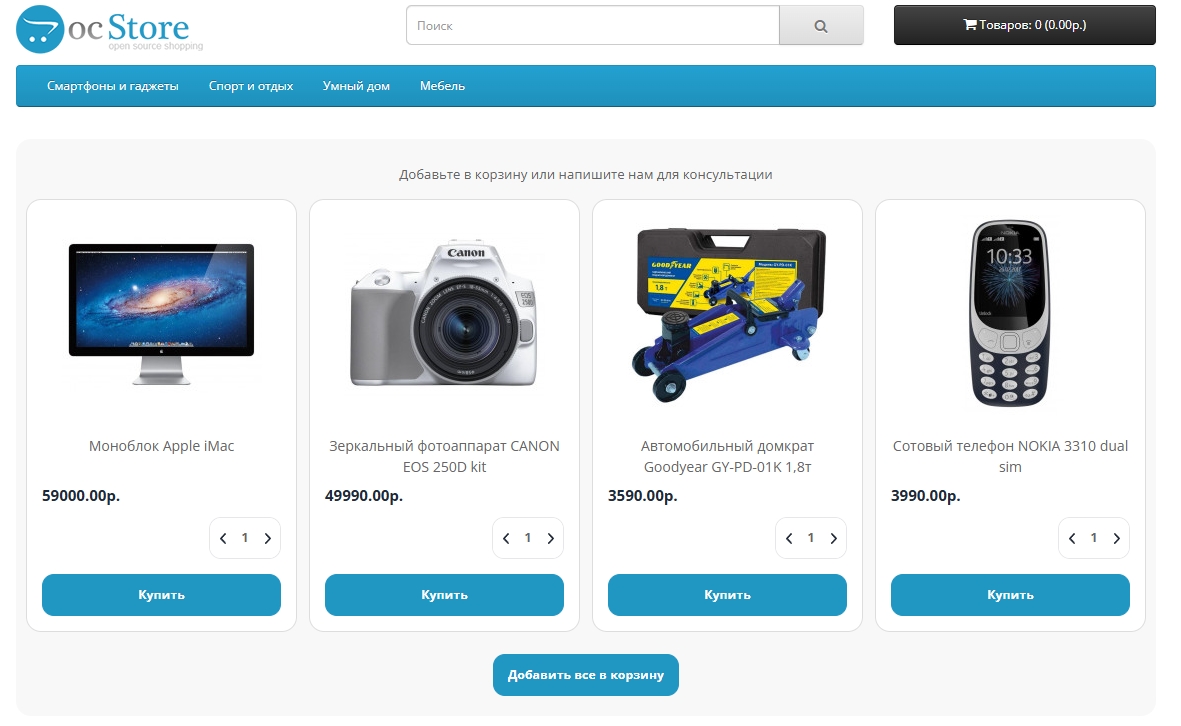
- Fully integrate with OpenCart. At the end of the quiz, it automatically shows the selected products with prices, images and “Buy” or “Add all to” buttonscart".
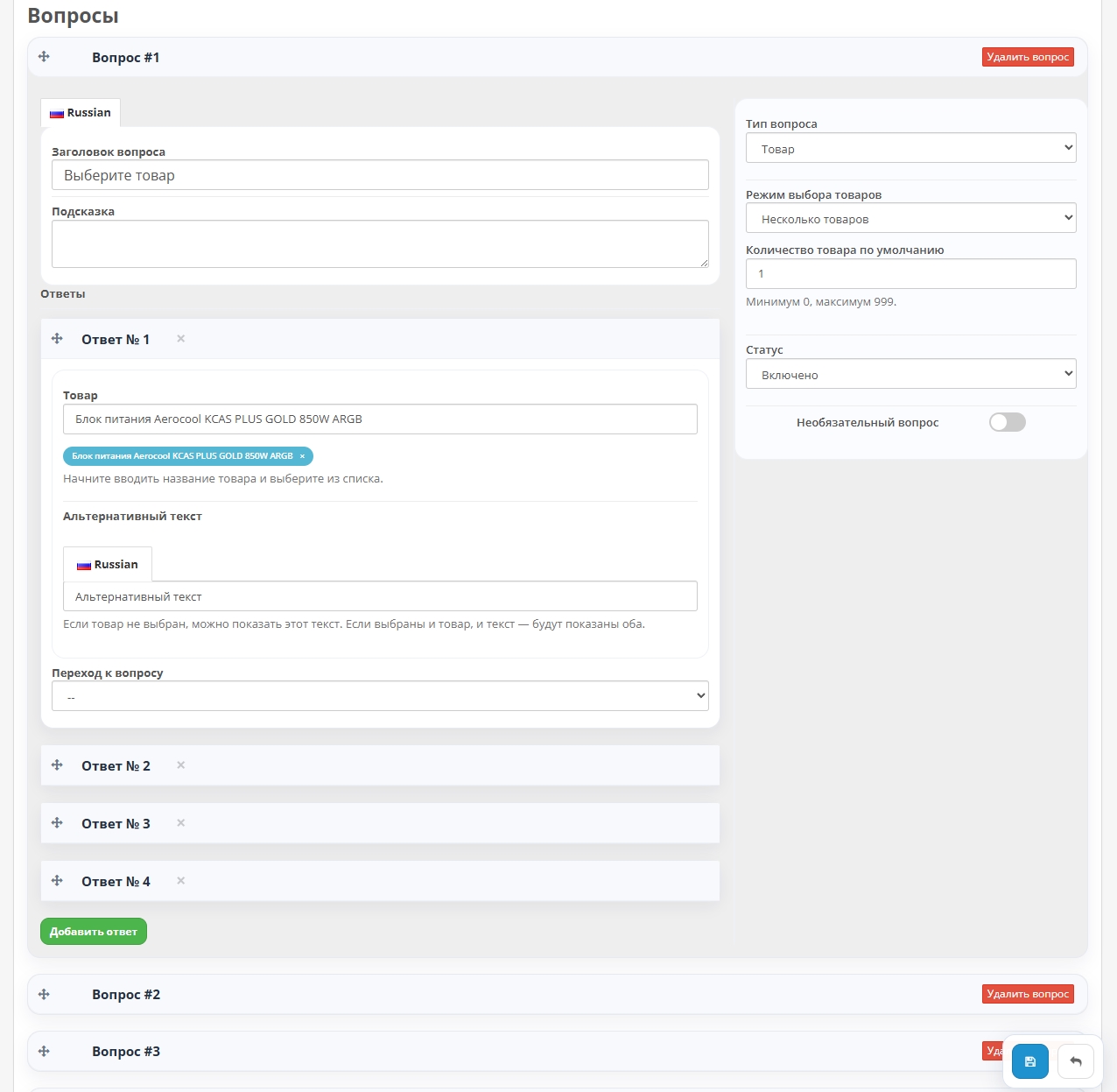
- Use different types questions: single selection (radio buttons), multiple selection (checkboxes), image selection, drop-down lists, text fields and even linking to specific products.
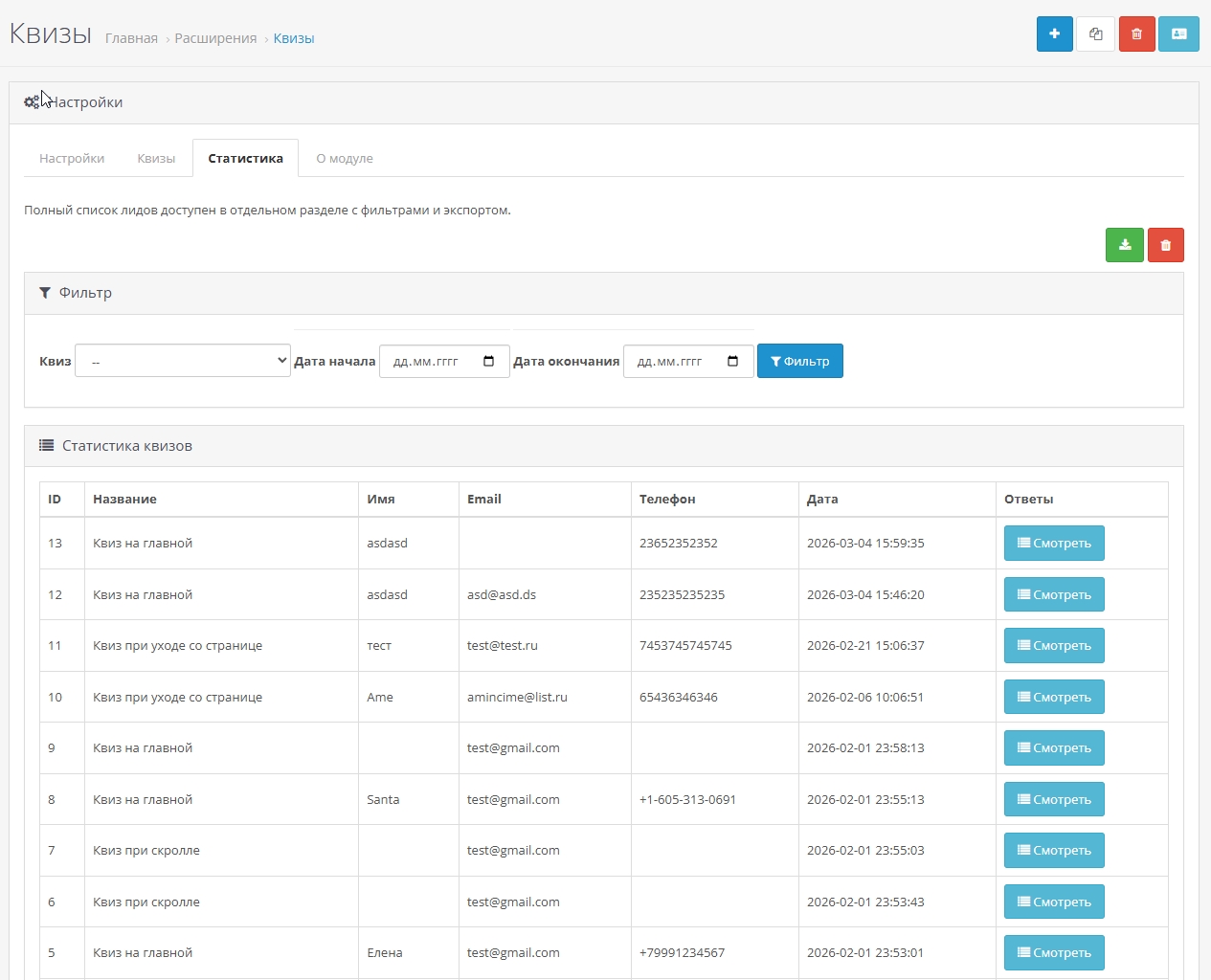
- Receive detailed reports andstatistics for each quiz: views, conversion, user responses and collected leads (contacts). All information is available in a convenient table with filters.
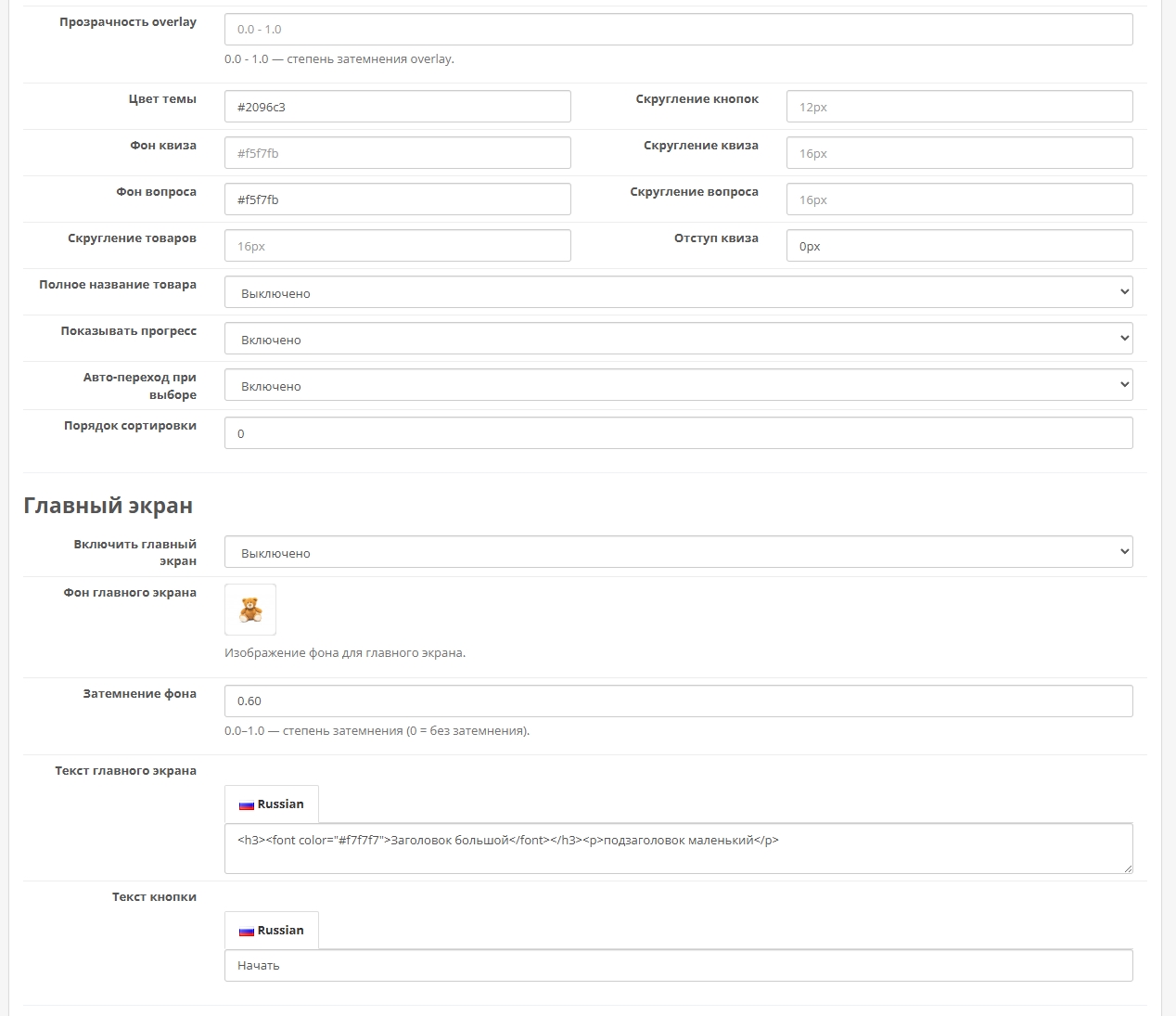
- Completely customize the external view: customize theme colors, backgrounds, dimming (overlay) transparency, turn on/off the indicator progress.
- Create an eye-catching home screen (splash screen) for a quiz with a background image, title and call button action.
- Work in multilingual and multi-store environments. Quiz content is easily translated for everyone language.
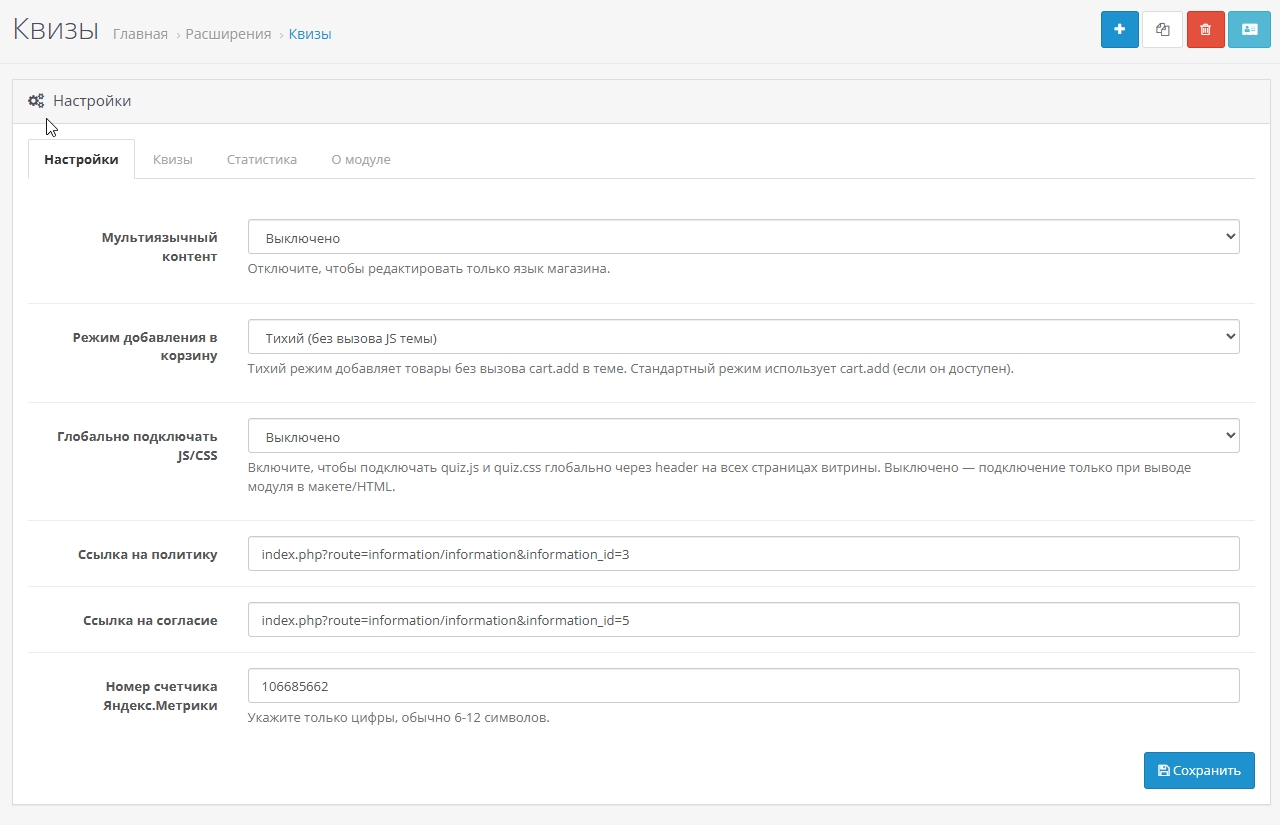
- Embedding multiple quiz ways: as a ready-made block via a modifier, to any place in the template via the variable {{ quiz_module_id_X }} or to HTML content using a short code [quiz id=1].
- Module tested for compatibility with standard OpenCart 3 templates and ocStore.
Who is this module for?
- For online stores, where the choice is difficult (electronics, household appliances, cosmetics).
- For services, where you need to clarify the client’s needs (design, renovation, consulting).
- For site owners who want to increasenumber of applications and time on the site.
- For marketers who need data on audience preferences.
How does it work? Just 3 steps:
- Create a quiz: Add questions, answers and set up finals (products or form).
- Set up the logic: Write down the conditions (for example: “If answers = A and B → show Final No. 1 with these goods")
- Run and analyze: Place a quiz on the site, run it on the selected trigger and track the conversion in real time in admin.
Key benefitsmodule
- flexibility: The condition system allows you to create truly intelligent selection scenarios.
- Easy editing: Intuitive interface in the admin panel. No programming knowledge required.
- Direct integration with products: Select and sell products directly from the quiz, bypassing unnecessary onesclicks.
- Multiple points of contact: Run the quiz exactly when the user is most engaged (when leaving, after scroll).
- Ready tool for lead generation: Collect not just contacts, but structured data with the history of each choice client.
Demo:
demo front-end - https://knzv.tech/opencart/
demo backend - https://knzv.tech/opencart/admin login: demo password: demo
Technical features
- Does not replace OpenCart system files. Installed via OCMOD, which guarantees the safety and ease of updating the engine.
- Fully responsive design. The quiz is displayed correctly on all devices: PC,tablets and smartphones.
- Supports the privacy policy. You can add links to the policy and consent to data processing in the form.
- Does not load the server. Optimized for stable operation even on sites with high traffic.
Installation and use
- Make a backup copy of the site.
- Install the OCMOD file of the module through the “Modifiers” section in the admin panel.
- Update modifiers and clear OpenCart cache.
- Go to the “Extensions” → “Modules” section,find “Quizs” and configure.
- Place the code for calling the quiz on the necessary pages or create a button to run it.
License and support
- License: Valid for 1 main domain and its subdomains. Installation on each new individual domain requires the purchase of an additionallicenses.
- Technical support: Provided to all users who legally purchased the module on official platforms or from the author. We will help with installation and resolve technical issues.
- Principle “As is”: The module is supplied ready-made with the described functionality. Purchase means acceptance of the license terms.
Distribution method:
Paid
Opencart version:
LiveStore 3.*OCStore 3.*OpenCart 3.*
PHP verision:
PHP 7.0PHP 7.1PHP 7.2PHP 7.3PHP 7.4
Activation:
Manually, upon request via private messagesManually, via the author's website
Getting files:
By email, after a request to the author
Protection system:
Custom
VQmod:
No
Ocmod:
Yes
Events:
Yes
Uploaded:
05.02.2026
Updated:
30.06.2026
Viewed:
2295
Sales:
6
Write a review
Your Name:Your Review: Note: HTML is not translated!
Rating: Bad Good
Enter the code in the box below:



Файлы будут доступны после покупки
greg-pavel / купил товар / 06 March 2026 15:59:50 #
Автор (разработчик) всегда на связи, делает обновления! Мы рады что купили и нашли этот новый модуль! Так же в модуле реализована новая функция, в настройках можно указать счетчик метрики , а в квизе написать название цели, и делать ретаргетинг людей которые не оставили заявку
Войдите, чтобы ответить
collapse the branch
knzv / автор / 09 June 2026 22:17:32 #
Благодарю за отзыв!
Войдите, чтобы ответить
greg-pavel / купил товар / 13 February 2026 18:26:23 #
Отличный плагин можно закрыть разные варианты, разработчик на связи! Дорабатывает универсальный вариант
Войдите, чтобы ответить
collapse the branch
knzv / автор / 27 February 2026 15:05:30 #
Спасибо за отзыв!
Войдите, чтобы ответить
Showing 1 to 4 of 4 (1 Pages)


