Your shopping cart is empty!

Product Promo Block - product promotional block

Price: 650 ₽

Author: ТГ @Stas_Clear
Write to the author
Sales: 2 (Average rating 0 на основании 0 отзывов)
Need paid help? Contact the site administration
Opencart version:
Sales: 2 (Average rating 0 на основании 0 отзывов)
Need paid help? Contact the site administration
Opencart version:
LiveStore 3.*OCStore 3.*OpenCart 3.*
Product promotional block
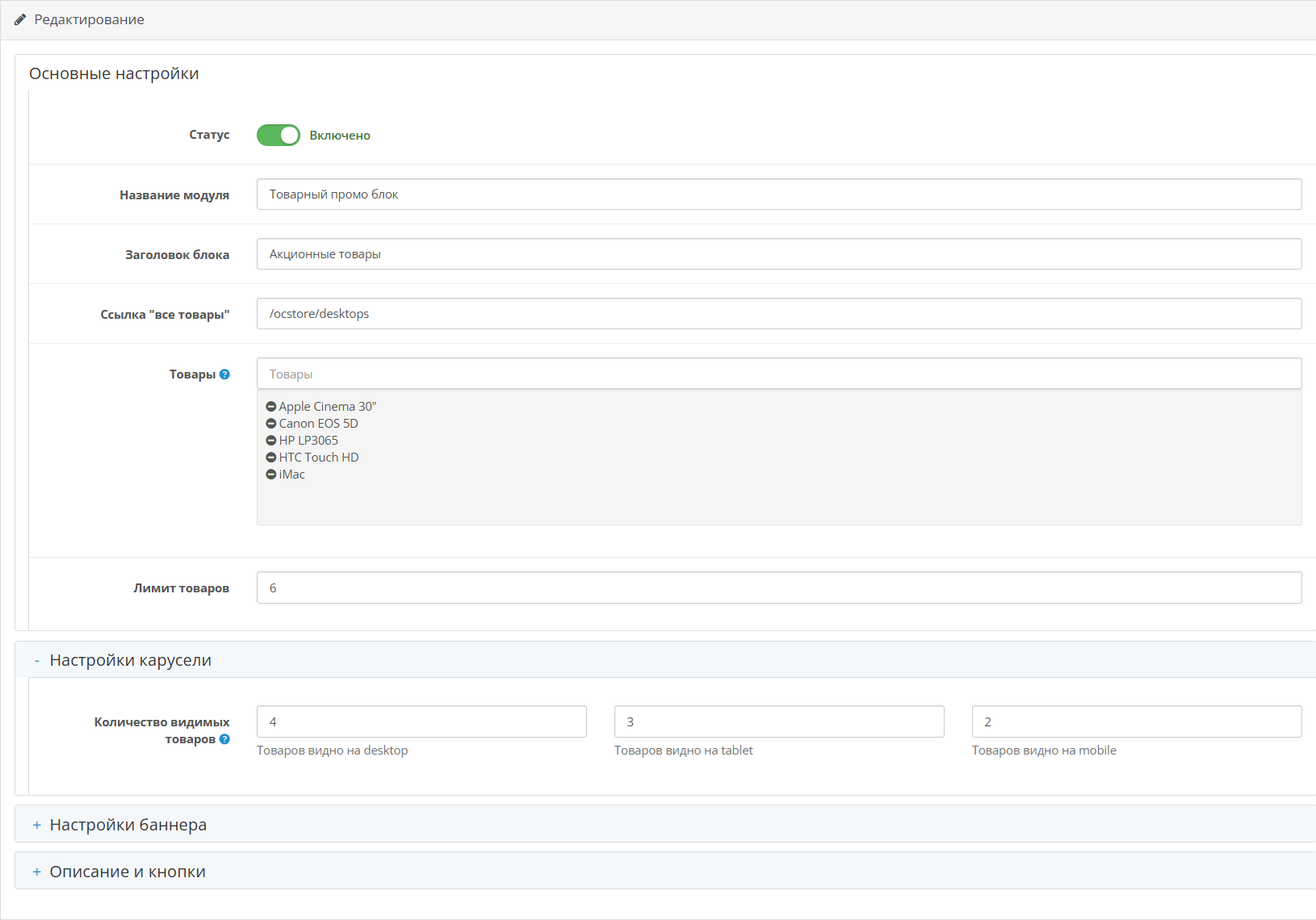
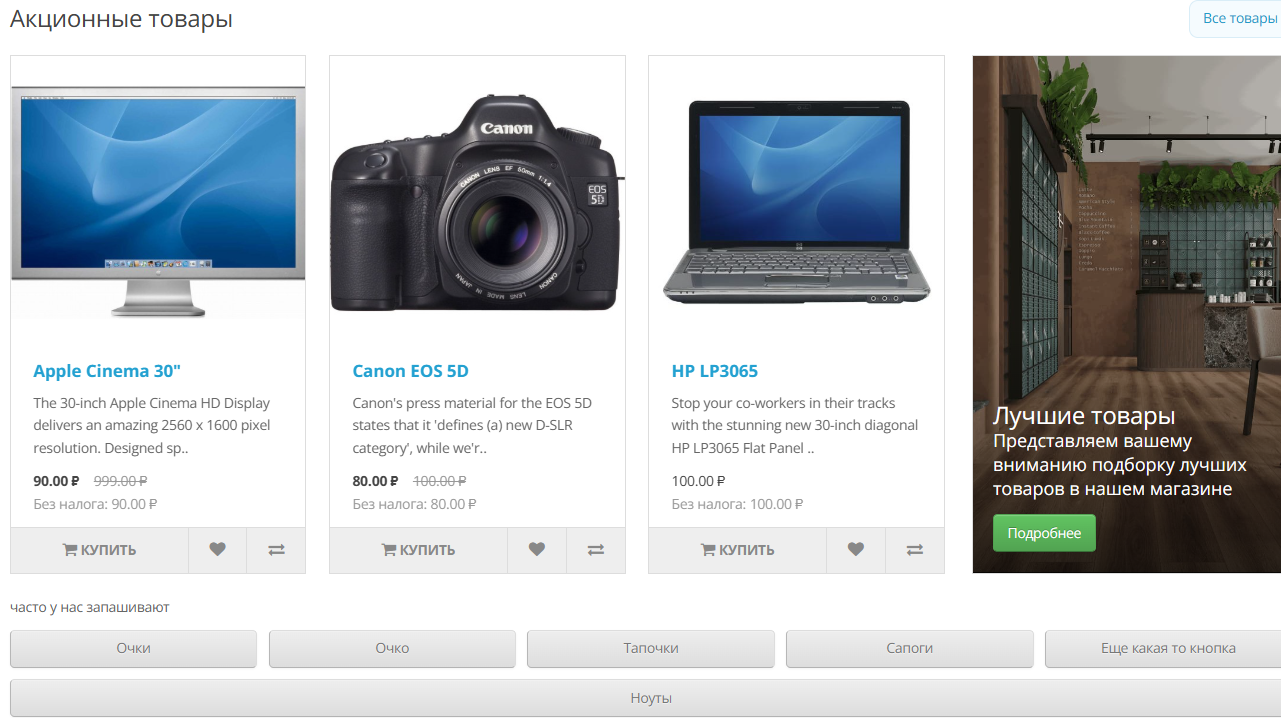
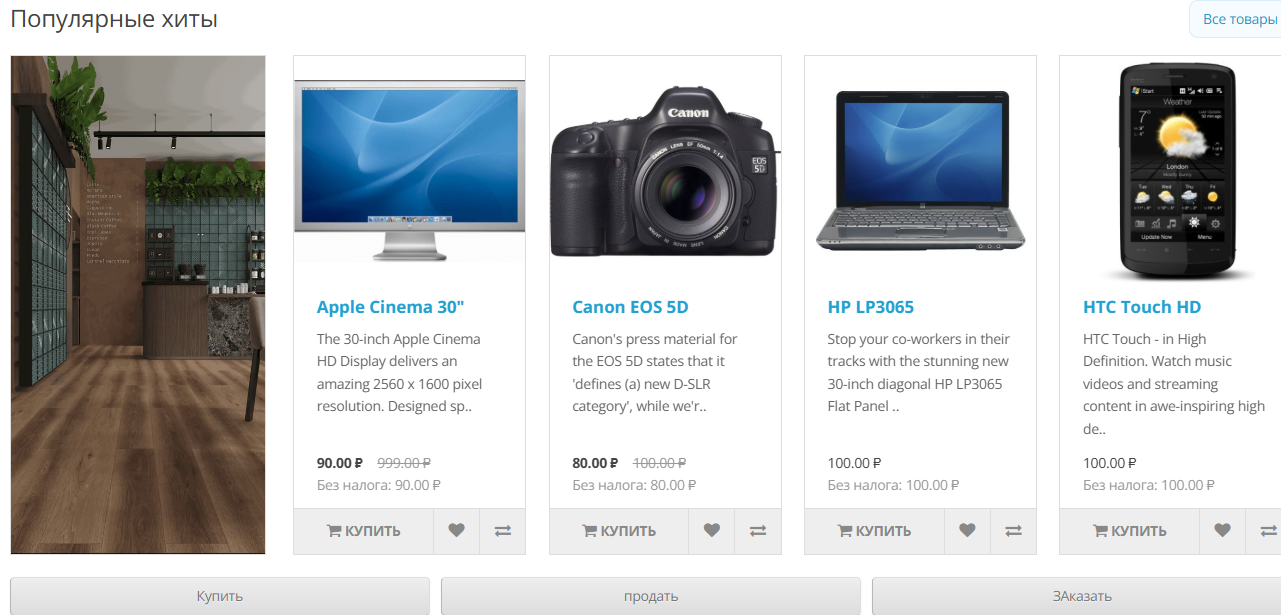
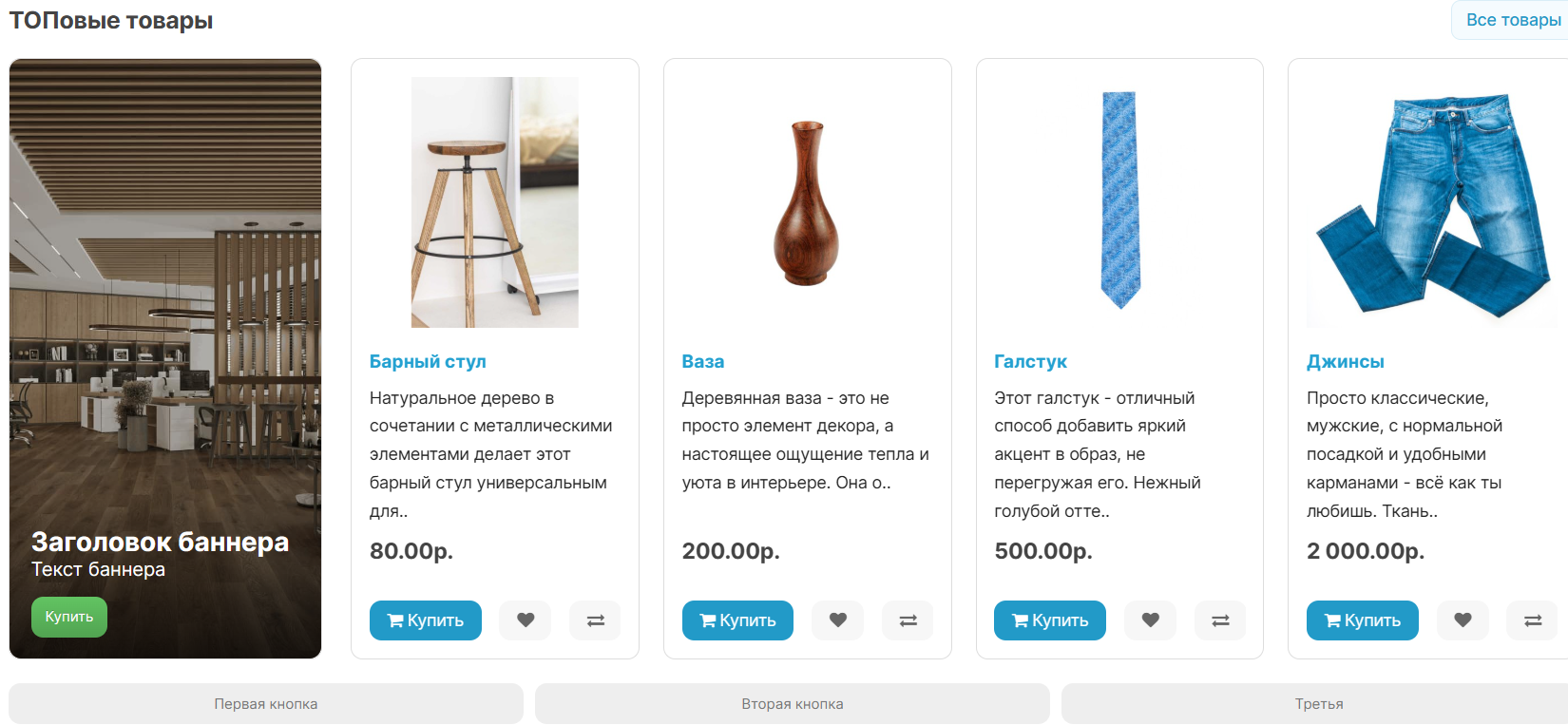
The module adds a separate product promotional block to the storefront: selected products, carousel, banner, description and link buttons are managed from one admin form.
Suitable for OpenCart / ocStore 3.x
What the module does
Product Promo Block helps you quickly put together a promotional section for your home page, category, landing page, or other OpenCart layout. You can show the desired selection of products, add a large banner, display a description and several quick link buttons.
The module does not change the standard modules "featured", "latest", "bestseller", "html" and does not edit core files.Main features
Installation
Compatibility
Verified by:
Third-party themes and custom builds are not claimed to be supported unless tested separately. But this can be done through the serviceAdaptation to the template
Technical details
Support
Support includesconsultations on installation and correction of module errors on declared compatible versions. Modifications for third-party templates, custom assemblies and conflicting modifiers are discussed separately.
The module adds a separate product promotional block to the storefront: selected products, carousel, banner, description and link buttons are managed from one admin form.
Suitable for OpenCart / ocStore 3.x
What the module does
Product Promo Block helps you quickly put together a promotional section for your home page, category, landing page, or other OpenCart layout. You can show the desired selection of products, add a large banner, display a description and several quick link buttons.
The module does not change the standard modules "featured", "latest", "bestseller", "html" and does not edit core files.Main features
- Selecting products through the admin panel.
- Product carousel with setting the number of visible cards for desktop, tablet and mobile.
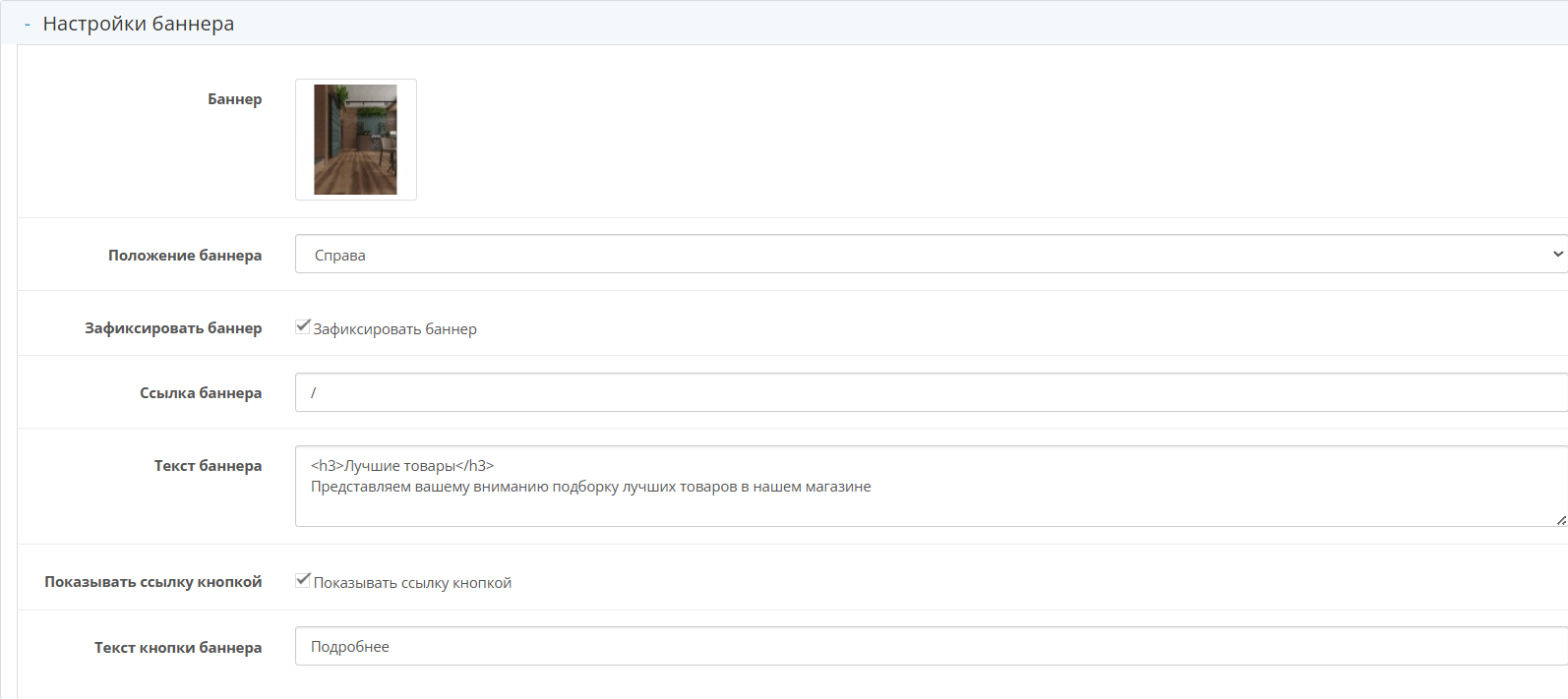
- Banner to the left or right of the carousel.
- Fixed banner mode next to the carousel on desktop.
- Adaptive banner display on mobile screens.
- HTML text on top of the banner and a separate banner button.
- Link "All products" in the block header.
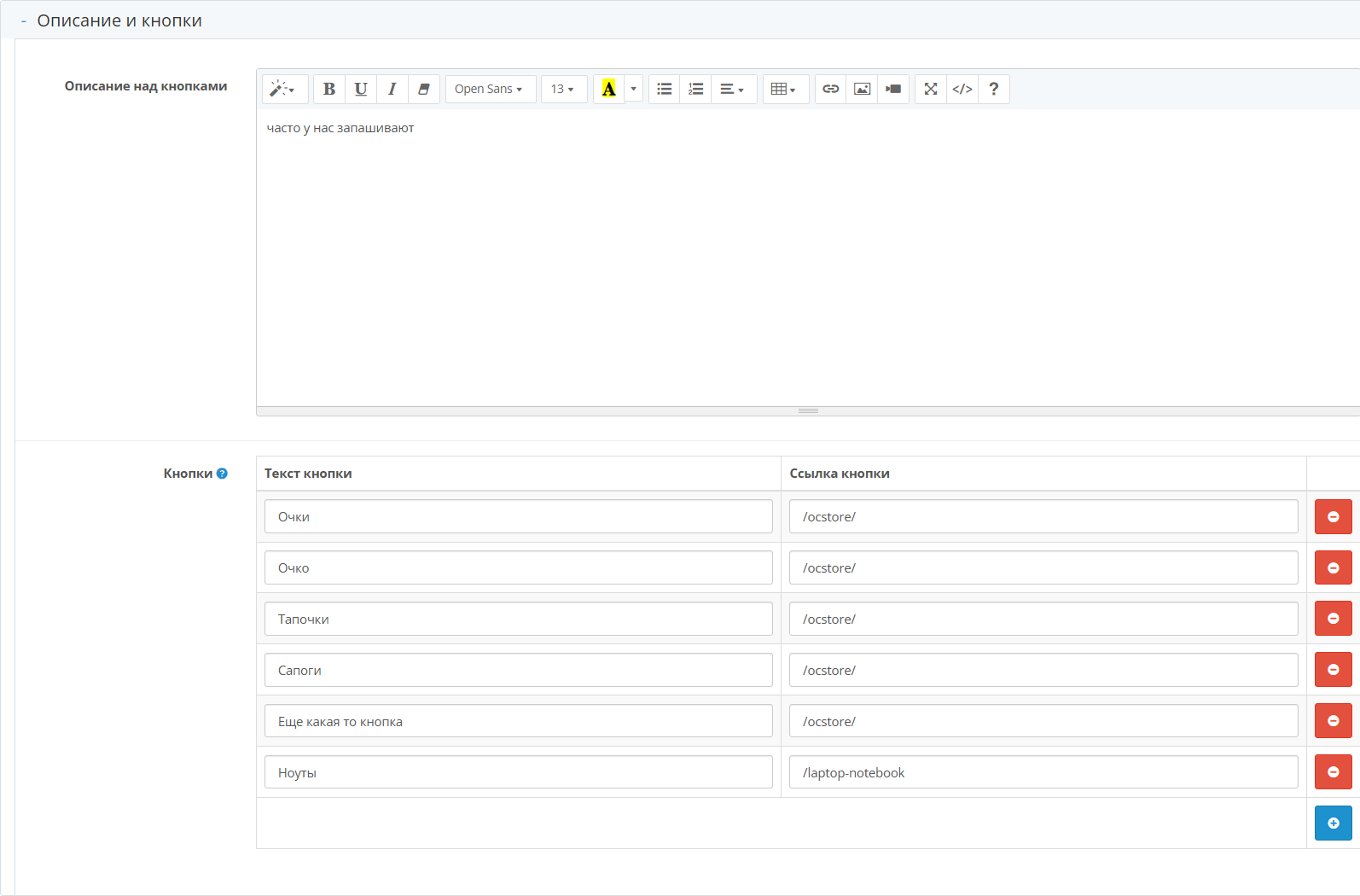
- Description and additional link buttons under the block.
- Standard OpenCart formatting of prices, taxes andcurrency.
- Scoped CSS so that module styles do not affect other storefront blocks.
Installation
- Download the archive ".ocmod.zip" through the section "Extensions -> Installing extensions".
- Open "Extensions -> Modifiers" and click update modifiers.
- Open "Extensions -> Extensions -> Modules".
- Install and configure "Product promotional block".
- Assign the created module instance to the desired layout via "Design -> Layouts".
- Clear the theme/modifier cache if the changes do not appear immediately.
Compatibility
Verified by:
- OpenCart/ocStore 3.x structure.
- Standard default-compatible showcase.
- LiveStore 3.x visual compatibility pass.
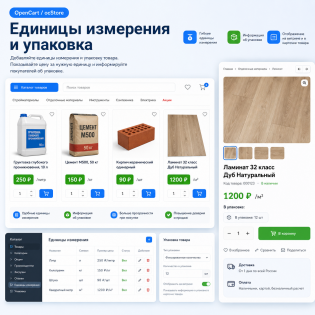
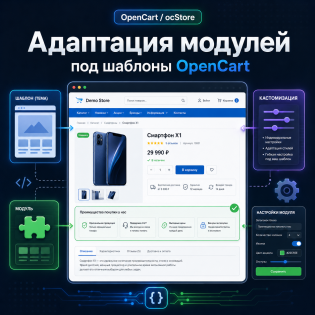
Third-party themes and custom builds are not claimed to be supported unless tested separately. But this can be done through the serviceAdaptation to the template
Technical details
- Archive: "product_promo_block_oc3_v1.0.0.ocmod.zip".
- Root "install.xml" is used only as a service OCMOD record.
- OpenCart/ocStore core files do not change.
- Separate SQL installer is not required.
- Settings are saved in the standard table "oc_module".
- External APIs, CRON, ionCube and obfuscation are not used.
Support
Support includesconsultations on installation and correction of module errors on declared compatible versions. Modifications for third-party templates, custom assemblies and conflicting modifiers are discussed separately.
Distribution method:
Paid
Opencart version:
LiveStore 3.*OCStore 3.*OpenCart 3.*
PHP verision:
PHP 7.2PHP 7.3PHP 7.4PHP 8.0PHP 8.1PHP 8.2
Activation:
Automatic
Getting files:
On site, in the personal account
Protection system:
No
VQmod:
No
Ocmod:
Yes
Events:
No
Uploaded:
12.05.2026
Updated:
12.05.2026
Viewed:
1766
Sales:
2
Write a review
Your Name:Your Review: Note: HTML is not translated!
Rating: Bad Good
Enter the code in the box below:

Файлы будут доступны после покупки


