Your shopping cart is empty!

LLMS.txt Generator
50 sales
Price: 750 ₽

Additional from the author:
Author: Tom
Write to the author
Sales: 54 (Average rating 5 на основании 2 отзывов)
Need paid help? Contact the site administration
Opencart version:
Sales: 54 (Average rating 5 на основании 2 отзывов)
Need paid help? Contact the site administration
Opencart version:
LiveStore 3.*OCStore 3.*OpenCart 3.*
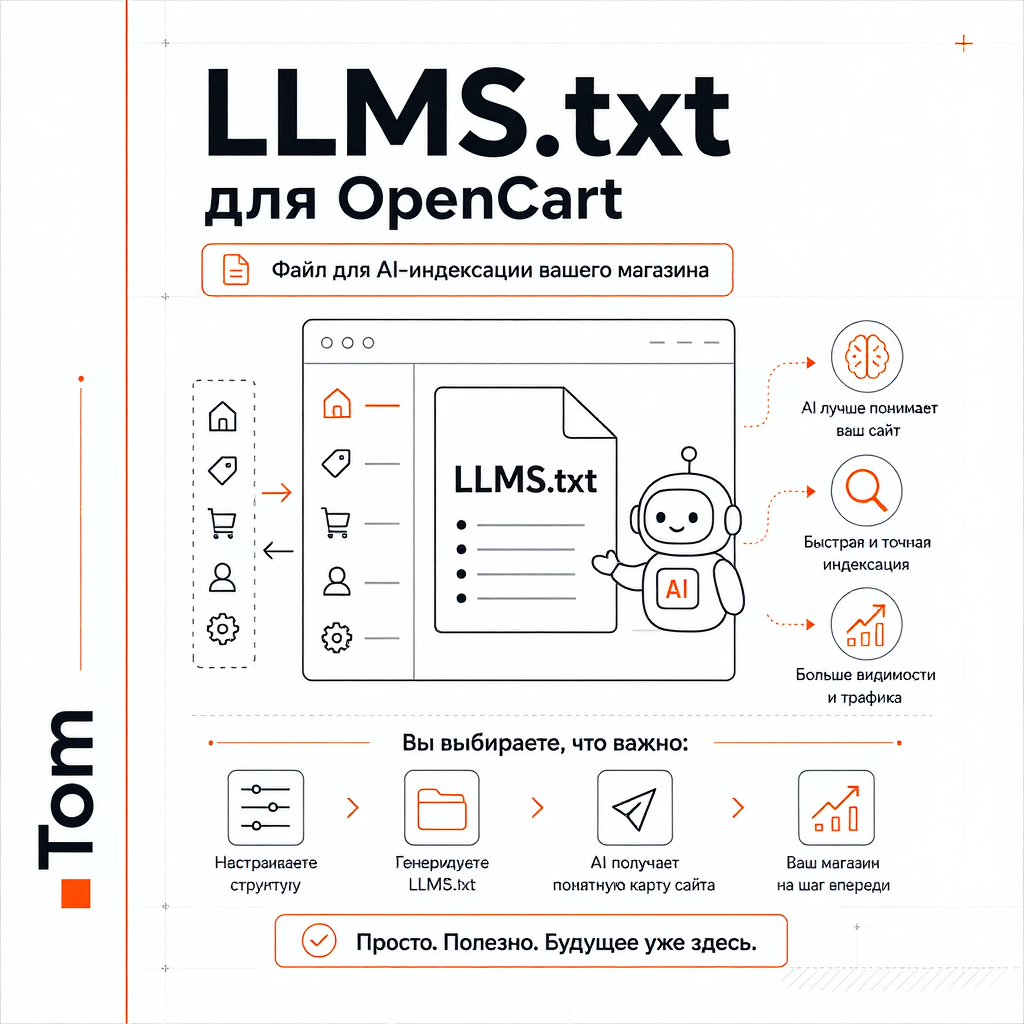
LLMS.txt Generator for OpenCart is a module that helps you create the file llms.txt on your website and explain to AI systems, LLMs, search bots and future AI tools which pages of your store are important, where the main sections are located and which links should be trusted.
What is llms.txt in simple words
To put it without complicated terms, llms.txt is a text file in the root of the site that can help AI systems quickly understand the structure of the store.
A typical website contains a lot of HTML, menus, filters, service blocks, duplicate elements, and technical noise. This is normal for humans, but it is not always convenient for automatic site analysis.
File llms.txtallows you to collect important links and explanations in a simpler form:
Important to understand
llms.txt is not a guarantee of growth in traffic, sales or positions.
This is not a magic button, nor is it a required standard for every website. Now it's more likelyan additional tool that can be useful in a world where search engines, AI bots, assistants and language models are gradually starting to work with information on sites in a new way.
The module should be perceived as a way to prepare the store in advance for more understandable interaction with AI systems and search bots of the future.
Why this may be useful for the store
Classic SEO is still important: products, categories, meta tags, texts, site speed, structure and normal indexing do not disappear anywhere.
But next to regular SEO, a new layer is gradually appearing - a more understandable presentation of the site for AI and LLM. Not instead of SEO, but in addition to it.
LLMS.txt Generatorhelps to accurately assemble this layer without manually editing the file.
Main features of the module
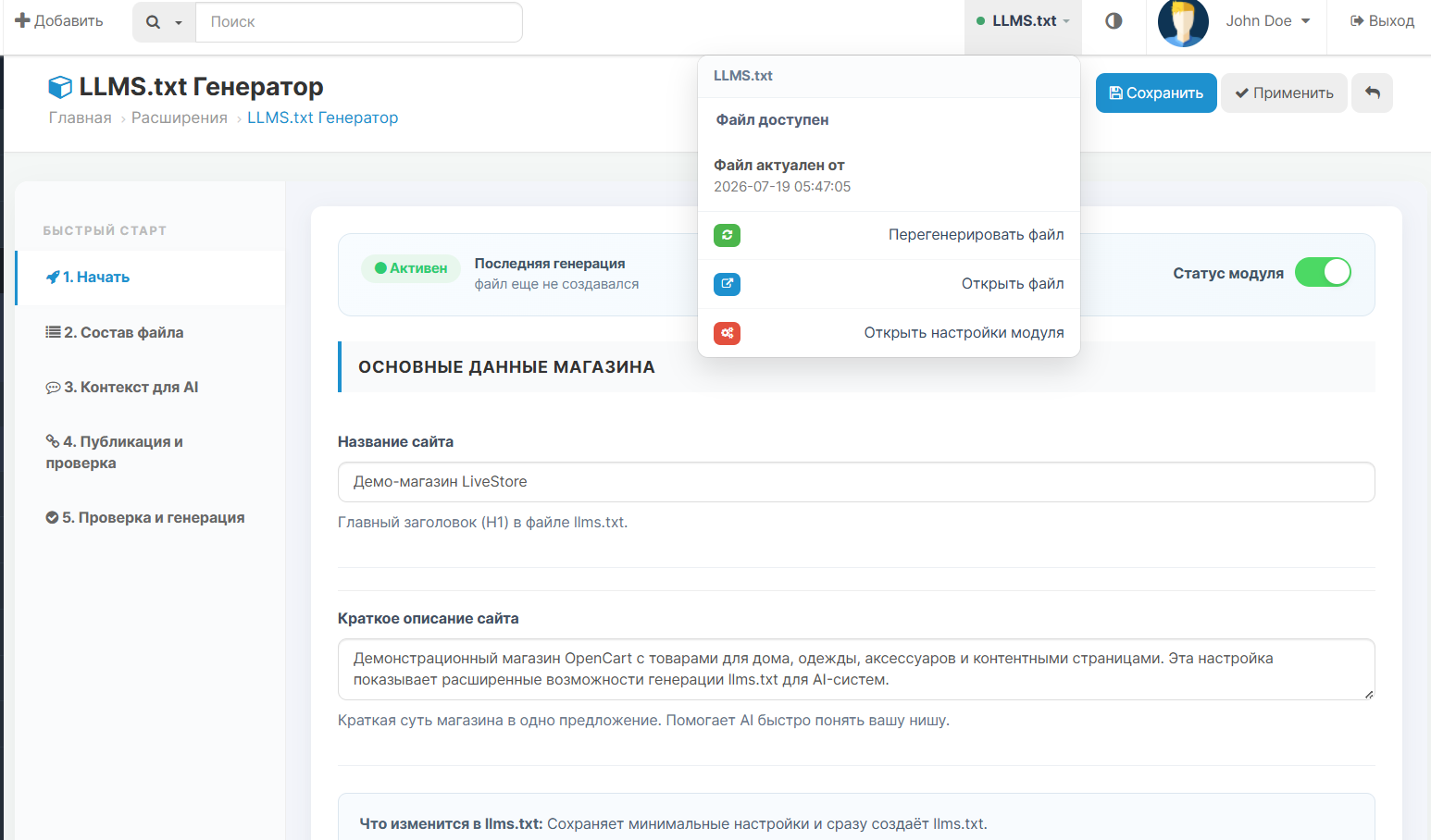
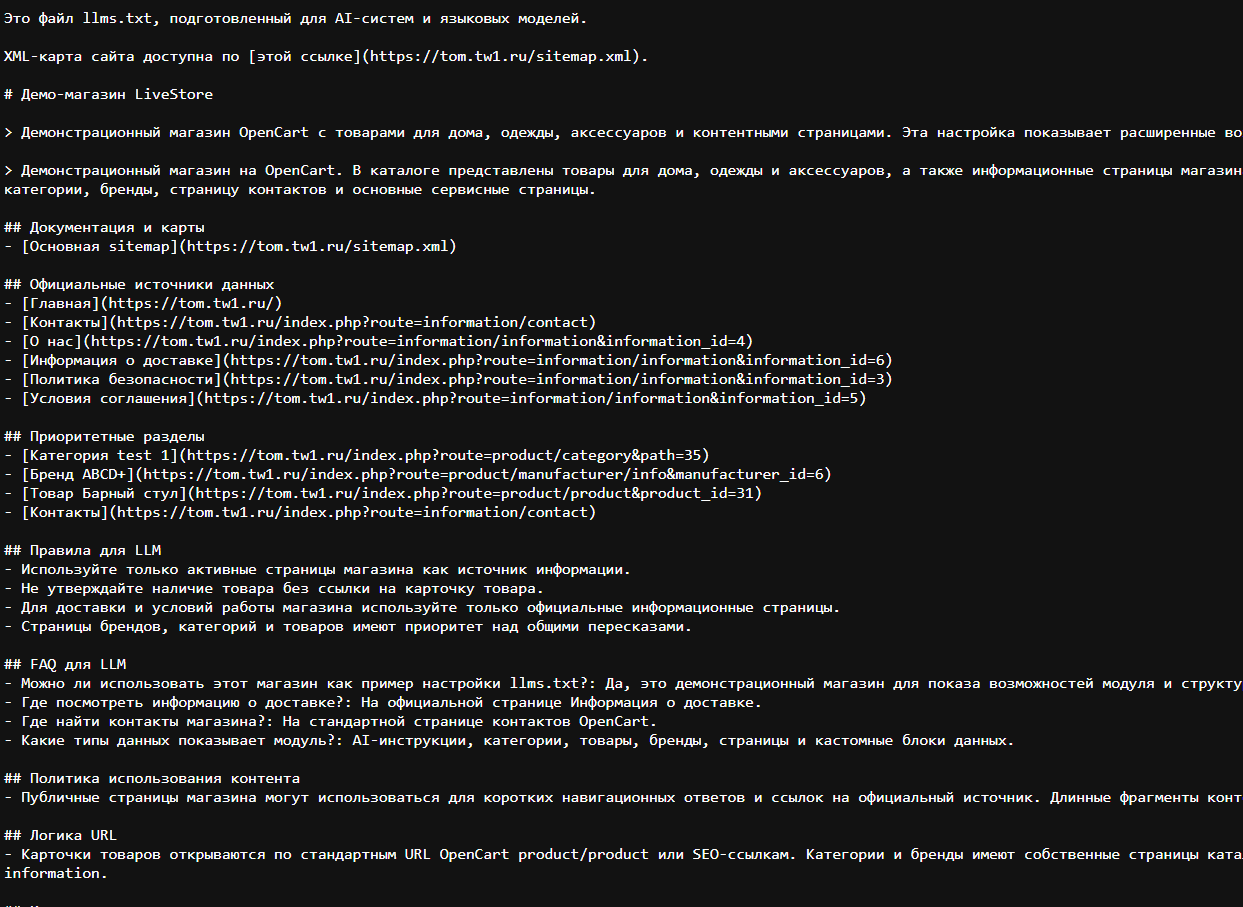
1. Generation of llms.txt in the root of the site
The module creates a file /llms.txt, which can be opened via a direct link:
This file contains selected sections of the store, important pages and additional explanations.
2. AI store profile
You can briefly explain to the AI systems what this store is:
For example:
3. Standard sections of OpenCart
The module can display the main entities of the store:
For each section, you can enable or disable output, select a mode, and configure the display order in the file.4. Manual data selection
If you don’t need to display everything, you can select only the necessary products, categories, brands or pages manually.
This is convenient if you want to show AI only the most important sections of the store, and not the entire catalog.
5. Product sources
For products you can use automatic withdrawal:
This way the file can be made more meaningful, rather than just uploading a random list of positions.
6. FAQ for AI
The module has a simple FAQ block.
You can add questions and answers that help the AI better understand the store:
This block is useful for frequently asked questions about the store, payment, delivery, warranty, returns and contacts.
7. Custom sections
In addition to standard OpenCart data, you can add your own blocks.
For example:
The format is simple:
Example:
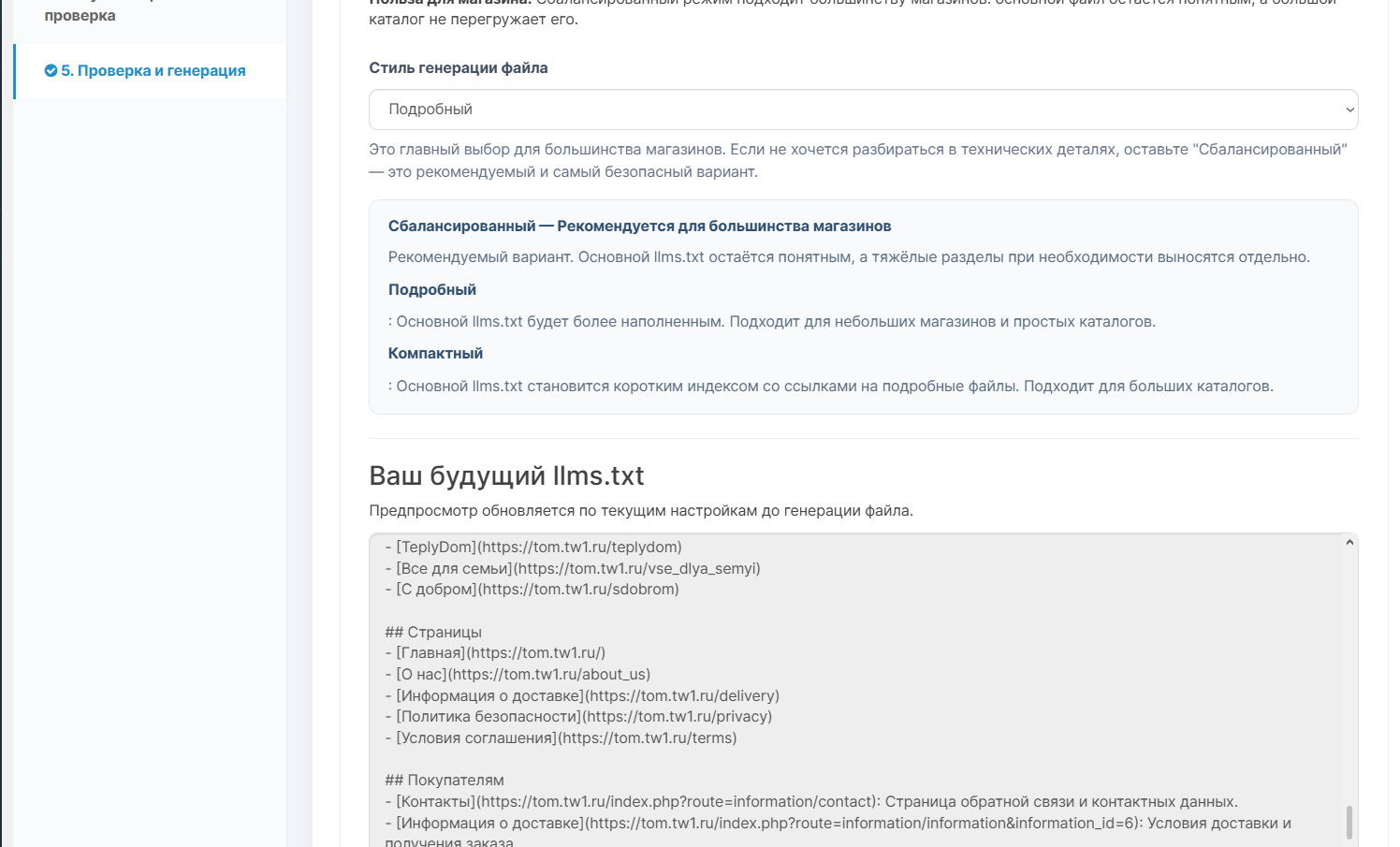
8. Different styles of file generation
The module allows you to choose what the final file will be like:
This helps to avoid overloading the main llms.txt, especially if the directory is large.
9. Child files
If there is a lot of data, the module can move large sections into separate files in the folder /llms/.
For example:
This keeps the main file lighter and clearer.
10. Preview result
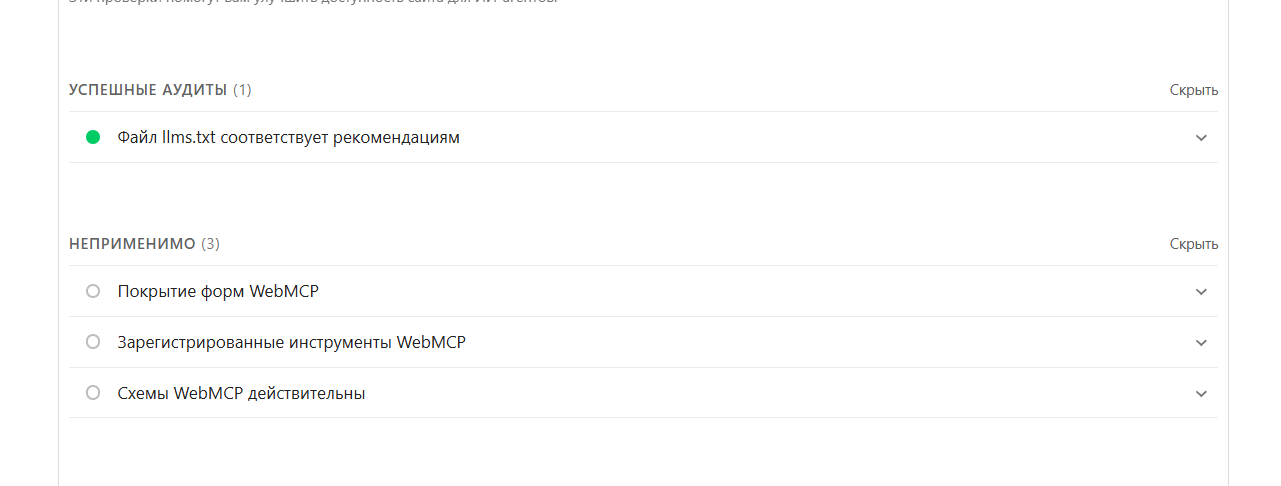
There is a preview of the structure in the admin panel. You can see what part of the future file will look like even beforefull generation.
11. Fast manual generation
After setting, just save the parameters and click the generate button. The module will update the file llms.txt according to the selected structure.
12. Hint for .htaccess
On some servers, access to .txt files may be limited. The module has a technical help with example rules for .htaccess if llms.txt or child files are not opened.
Who is the module suitable for?
The module may be useful:
What the module does not promise
The module does not promise automatic growth in sales, traffic or positions.
It does not replace SEO, normal texts, meta tags, category structure, site speed and quality content.
Its task is different: to help create an additional understandable file that can be useful for AI systems, search bots and future site analysis tools.
Installation
Installationstandard for OpenCart:
Documentation
The archive with the module contains an HTML file with a detailed and simple manual. It explains:
DEMO
Login / Password
demo
demo
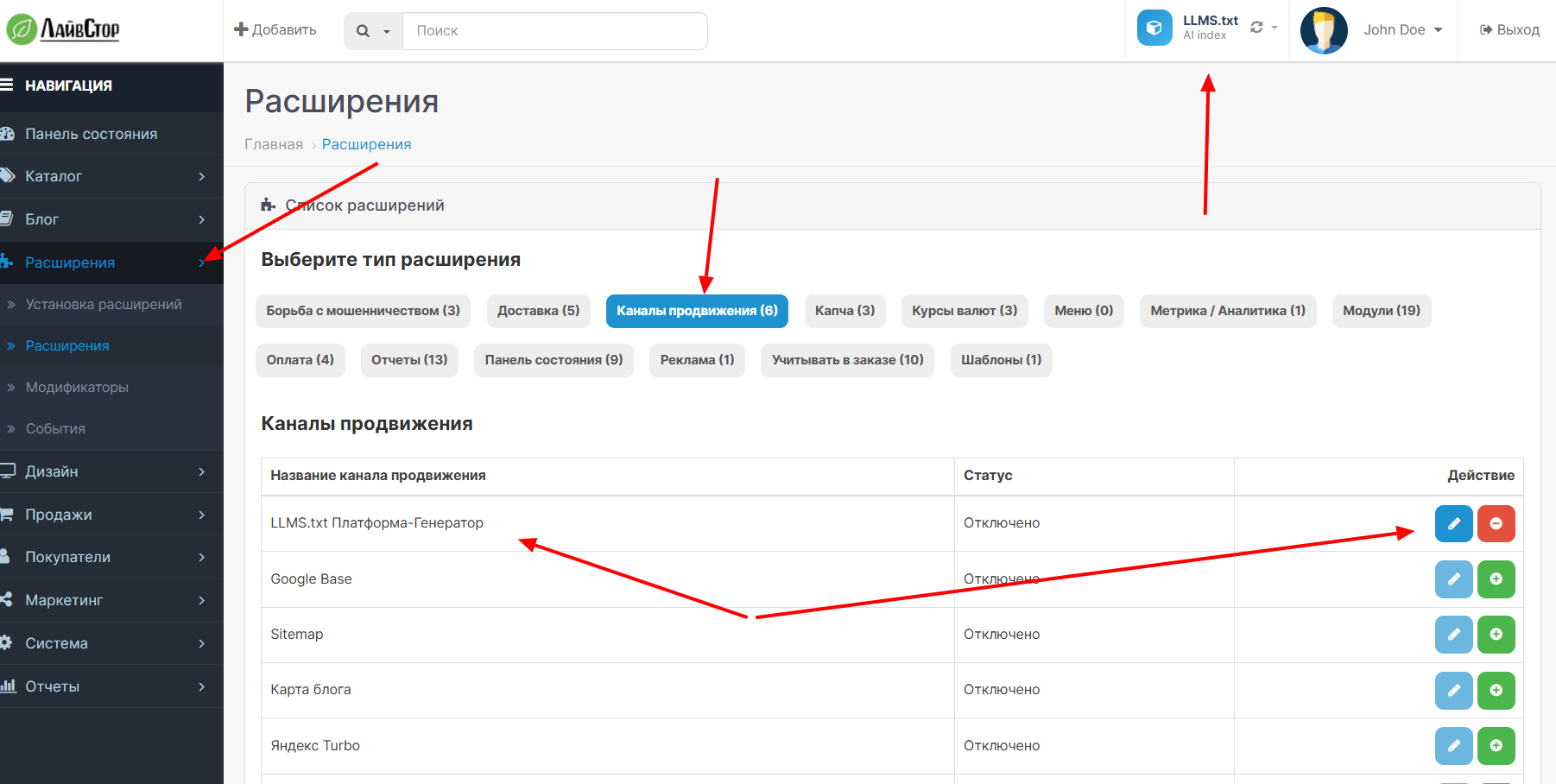
Extensions - Promotion channels - LLMS.txt Generator
LLMS.txt Generator helps make the store structure clearer for AI systems and search tools of the future -calm, manually controlled and without unnecessary complexity.
Examples of llms.txt files:
Demo
Official website LG
Electronics store world-devices.ru
What is llms.txt in simple words
To put it without complicated terms, llms.txt is a text file in the root of the site that can help AI systems quickly understand the structure of the store.
A typical website contains a lot of HTML, menus, filters, service blocks, duplicate elements, and technical noise. This is normal for humans, but it is not always convenient for automatic site analysis.
File llms.txtallows you to collect important links and explanations in a simpler form:
- what kind of store is this;
- which categories are important;
- what products should be shown;
- where the delivery, payment, warranty and contact pages are located;
- what links are the main sources of information;
- what additional rules or clarifications need to be taken into account AI.
Important to understand
llms.txt is not a guarantee of growth in traffic, sales or positions.
This is not a magic button, nor is it a required standard for every website. Now it's more likelyan additional tool that can be useful in a world where search engines, AI bots, assistants and language models are gradually starting to work with information on sites in a new way.
The module should be perceived as a way to prepare the store in advance for more understandable interaction with AI systems and search bots of the future.
Why this may be useful for the store
Classic SEO is still important: products, categories, meta tags, texts, site speed, structure and normal indexing do not disappear anywhere.
But next to regular SEO, a new layer is gradually appearing - a more understandable presentation of the site for AI and LLM. Not instead of SEO, but in addition to it.
LLMS.txt Generatorhelps to accurately assemble this layer without manually editing the file.
Main features of the module
1. Generation of llms.txt in the root of the site
The module creates a file /llms.txt, which can be opened via a direct link:
https://site.ru/llms.txt
This file contains selected sections of the store, important pages and additional explanations.
2. AI store profile
You can briefly explain to the AI systems what this store is:
- what do you sell;
- for whom the site works;
- which sections are the most important;
- which pages should be trusted;
- how to correctly understand the structure of the store.
For example:
Online electronics store. Main areas: smartphones, laptops, accessories and peripherals. For official information, use product pages, categories, delivery, payment and warranty.
3. Standard sections of OpenCart
The module can display the main entities of the store:
- categories;
- products;
- brands;
- OpenCart information pages;
- basic information about the store.
For each section, you can enable or disable output, select a mode, and configure the display order in the file.4. Manual data selection
If you don’t need to display everything, you can select only the necessary products, categories, brands or pages manually.
This is convenient if you want to show AI only the most important sections of the store, and not the entire catalog.
5. Product sources
For products you can use automatic withdrawal:
- popular products;
- best sellers;
- manually selected products.
This way the file can be made more meaningful, rather than just uploading a random list of positions.
6. FAQ for AI
The module has a simple FAQ block.
You can add questions and answers that help the AI better understand the store:
Where can I see the delivery terms?
On the delivery page: https://site.ru/delivery

Where is the warranty?
On the warranty page: https://site.ru/warranty
This block is useful for frequently asked questions about the store, payment, delivery, warranty, returns and contacts.
7. Custom sections
In addition to standard OpenCart data, you can add your own blocks.
For example:
- social networks;
- external blog;
- helpful instructions;
- support pages;
- important external materials;
- additional project links.
The format is simple:
Name|Link|Description
Example:
Telegram|https://t.me/site|Official channel of the store
YouTube|https://youtube.com/@site|Video reviews and instructions
Blog|https://blog.site.ru|Useful articles and materials
8. Different styles of file generation
The module allows you to choose what the final file will be like:
- Detailed - more data in the main llms.txt;
- Balanced - recommended option for most stores;
- Compact - the main file becomes a short index file with links to additional files containing complete information.Each such separate file no longer contains general data about the entire store, but more complete data for a specific section.
This helps to avoid overloading the main llms.txt, especially if the directory is large.
9. Child files
If there is a lot of data, the module can move large sections into separate files in the folder /llms/.
For example:
/llms.txt
/llms/llms-products.txt
/llms/llms-categories.txt
/llms/llms-brands.txt
/llms/llms-pages.txt
This keeps the main file lighter and clearer.
10. Preview result
There is a preview of the structure in the admin panel. You can see what part of the future file will look like even beforefull generation.
11. Fast manual generation
After setting, just save the parameters and click the generate button. The module will update the file llms.txt according to the selected structure.
12. Hint for .htaccess
On some servers, access to .txt files may be limited. The module has a technical help with example rules for .htaccess if llms.txt or child files are not opened.
Who is the module suitable for?
The module may be useful:
- opencart store owners;
- SEO specialists;
- developers;
- site administrators;
- stores with a large catalogue;
- stores that want to prepare in advance for the development of AI search and LLM tools.
What the module does not promise
The module does not promise automatic growth in sales, traffic or positions.
It does not replace SEO, normal texts, meta tags, category structure, site speed and quality content.
Its task is different: to help create an additional understandable file that can be useful for AI systems, search bots and future site analysis tools.
Installation
Installationstandard for OpenCart:
- Open the OpenCart admin panel.
- Go to section Extensions → Installing extensions.
- Download the module archive.
- Update the modifier cache.
- Go to Extensions → Promotion channels.
- Enable and configure LLMS.txt Generator (Extensions - Promotion Channels).
- Save the settings and generate the file.
Documentation
The archive with the module contains an HTML file with a detailed and simple manual. It explains:
- what is llms.txt;
- what you shouldn’t expect from him;
- how to configure the module;
- what each tab means;
- how to fill out an AI profile;
- how to add FAQ and custom blocks;
- how to check the final file.
DEMO
Login / Password
demo
demo
Extensions - Promotion channels - LLMS.txt Generator
LLMS.txt Generator helps make the store structure clearer for AI systems and search tools of the future -calm, manually controlled and without unnecessary complexity.
Examples of llms.txt files:
Demo
Official website LG
Electronics store world-devices.ru
Distribution method:
Paid
Opencart version:
LiveStore 3.*OCStore 3.*OpenCart 3.*
PHP verision:
PHP 7.3PHP 7.4
Activation:
Not required
Getting files:
On site, in the personal account
Protection system:
No
VQmod:
No
Ocmod:
Yes
Events:
No
Uploaded:
23.04.2026
Updated:
05.10.2026
Viewed:
2473
Sales:
54
Write a review
Your Name:Your Review: Note: HTML is not translated!
Rating: Bad Good
Enter the code in the box below:


Файлы будут доступны после покупки
Yuriy12345 / купил товар / 09 July 2026 17:57:50 #
После проверки SEO агрегатором, он показал, что нужен такой файл, а как его правильно создать точной информации в интернете нет. И это сложно и долго. Модулей нет. Через время тоже случайно наткнулся и сразу же приобрел. ИИ только набирает обороты, поэтому модуль актуален для всех. автор проконсультировал и все подсказал. Спасибо за терпение и помощь. Модулю процветания, развития и актуальности
Войдите, чтобы ответить
kiker-shop.ru / купил товар / 26 June 2026 11:43:31 #
Актуальный модуль. Интуитивно понятная и гибкая настройка. В описании есть пример сайтов с установленным файлом, можно применить как ориентир. Хороший полезный модуль. Автор отзывчивый и всегда на связи.
Войдите, чтобы ответить
Showing 1 to 2 of 2 (1 Pages)
Articles about the product

AI in OpenCart: how to speed up product filling, improve SEO and automate store operations without losing content quality.


