Your shopping cart is empty!

Extension uninstaller

Price: 950 ₽

Author: ТГ @Stas_Clear
Write to the author
Need paid help? Contact the site administration
Opencart version:
Need paid help? Contact the site administration
Opencart version:
LiveStore 3.*OCStore 3.*OpenCart 3.*
Why do you need an Uninstaller
The default cart in the OpenCart 3 installer history deletes package files blindly. If a module overwrites an engine file during installation, the cart will delete it too, breaking the store. It deletes the module folder along with any files that other modules subsequently added to it. Settings, events, permissions, and modifications remain in the database, and modified copies of deleted files continue to work from the modification cache. The uninstaller does the same thing, butverifies every step.
Features
How it works
The module does not change engine files or create tables in the database. The menu item"Extensions → Uninstaller"and the eraser button for each installer history entry are connected via events. Uninstallation proceeds step by step: archive, standard uninstall, and uninstall.Files, modifications, and events, updating modifiers. Before each step, the package is re-checked—exactly what was in the preview is removed.
Installation
Compatibility
Tested:
The PHP ZipArchive extension is required for archiving and deleting via ZIP. Administrative languages: Russian and English.
The module does not delete database tables (this is done by the module's own uninstall procedure), does not restore overwritten engine files, and does not touch files outside the default installer folders. OpenCart 2.x and 4.x are not supported.
Support
Support includes installation consultations and module bug fixes on the stated compatible versions. Customizations for custom builds are discussed separately.
The default cart in the OpenCart 3 installer history deletes package files blindly. If a module overwrites an engine file during installation, the cart will delete it too, breaking the store. It deletes the module folder along with any files that other modules subsequently added to it. Settings, events, permissions, and modifications remain in the database, and modified copies of deleted files continue to work from the modification cache. The uninstaller does the same thing, butverifies every step.
Features
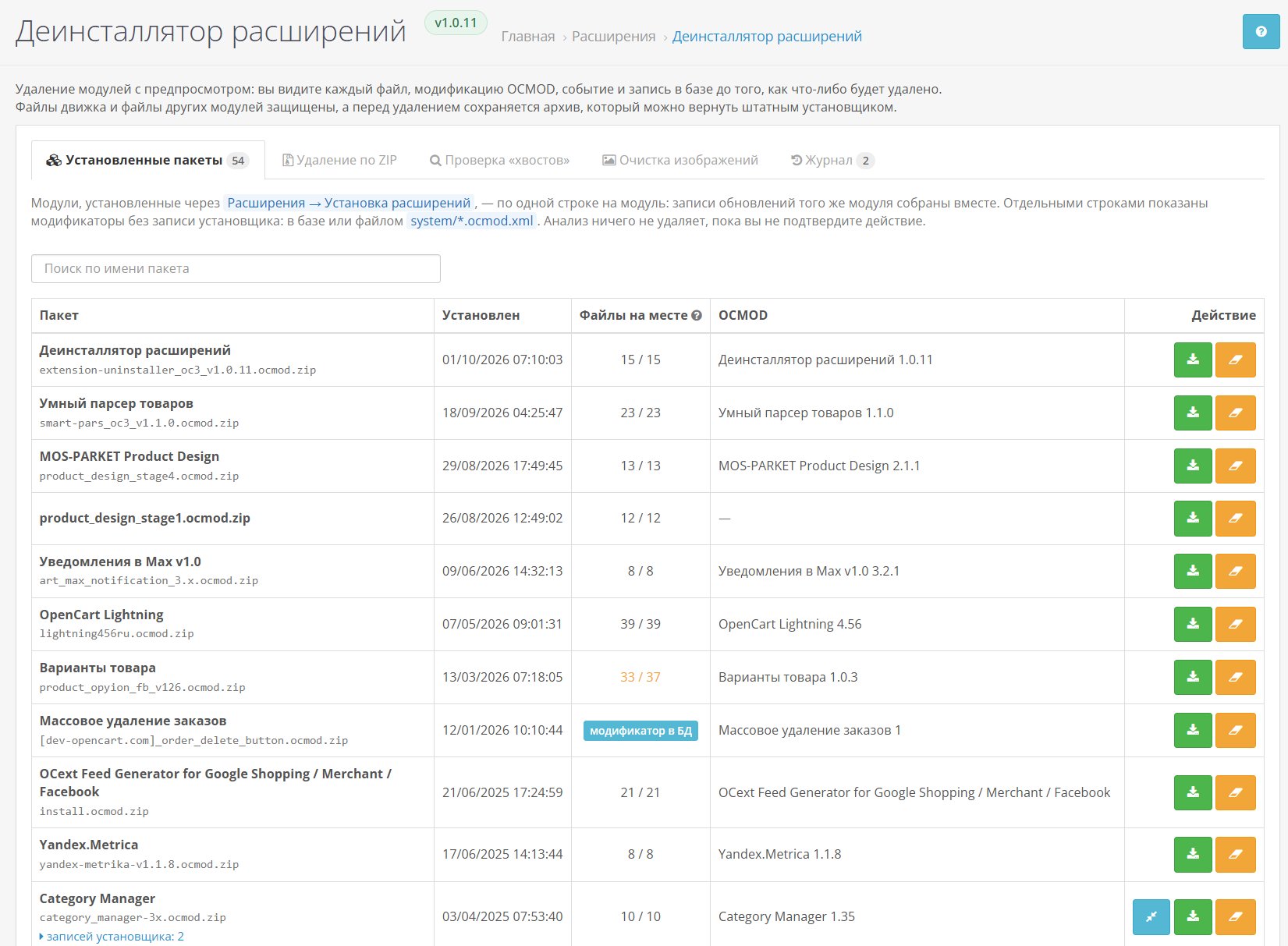
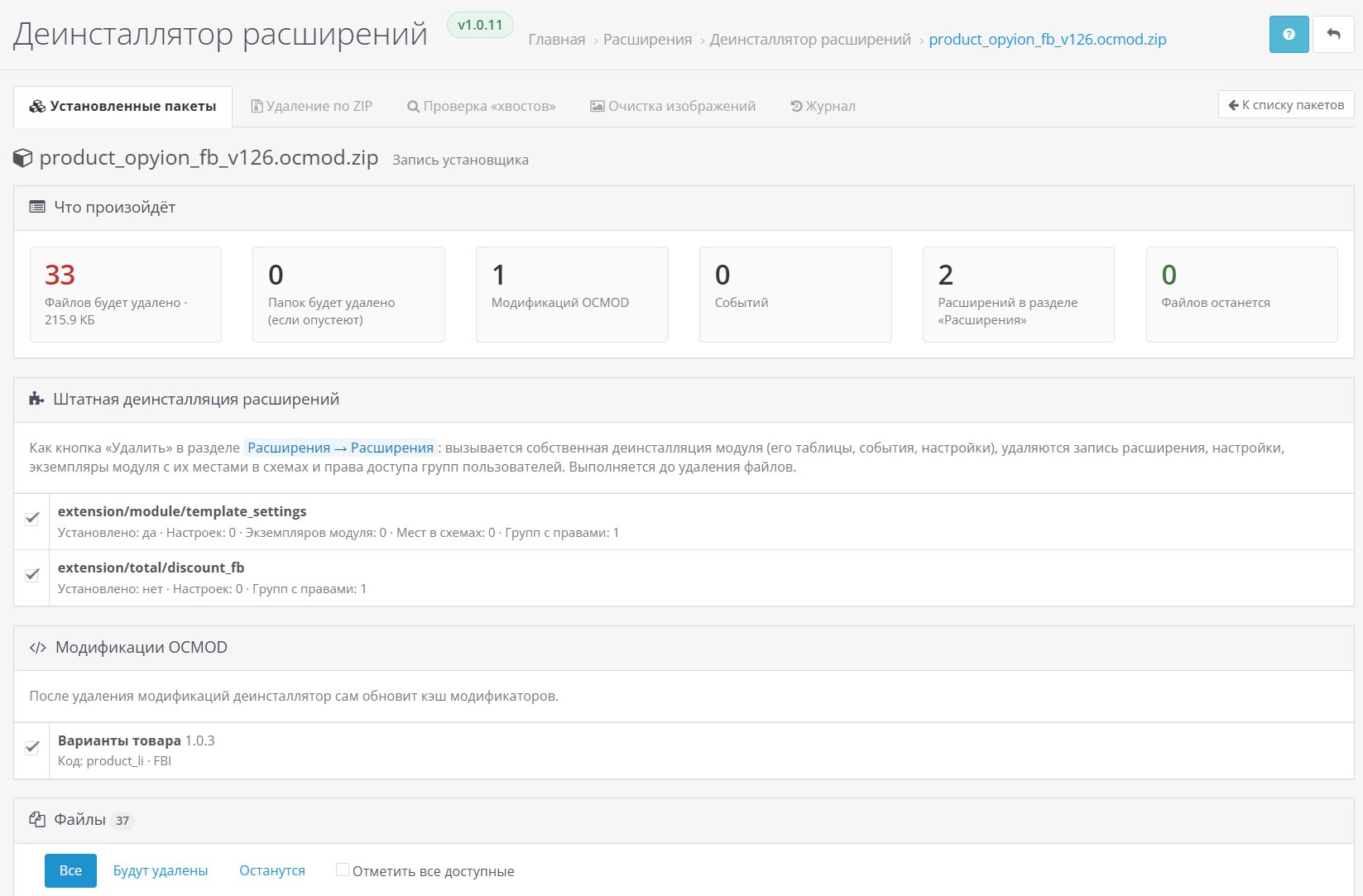
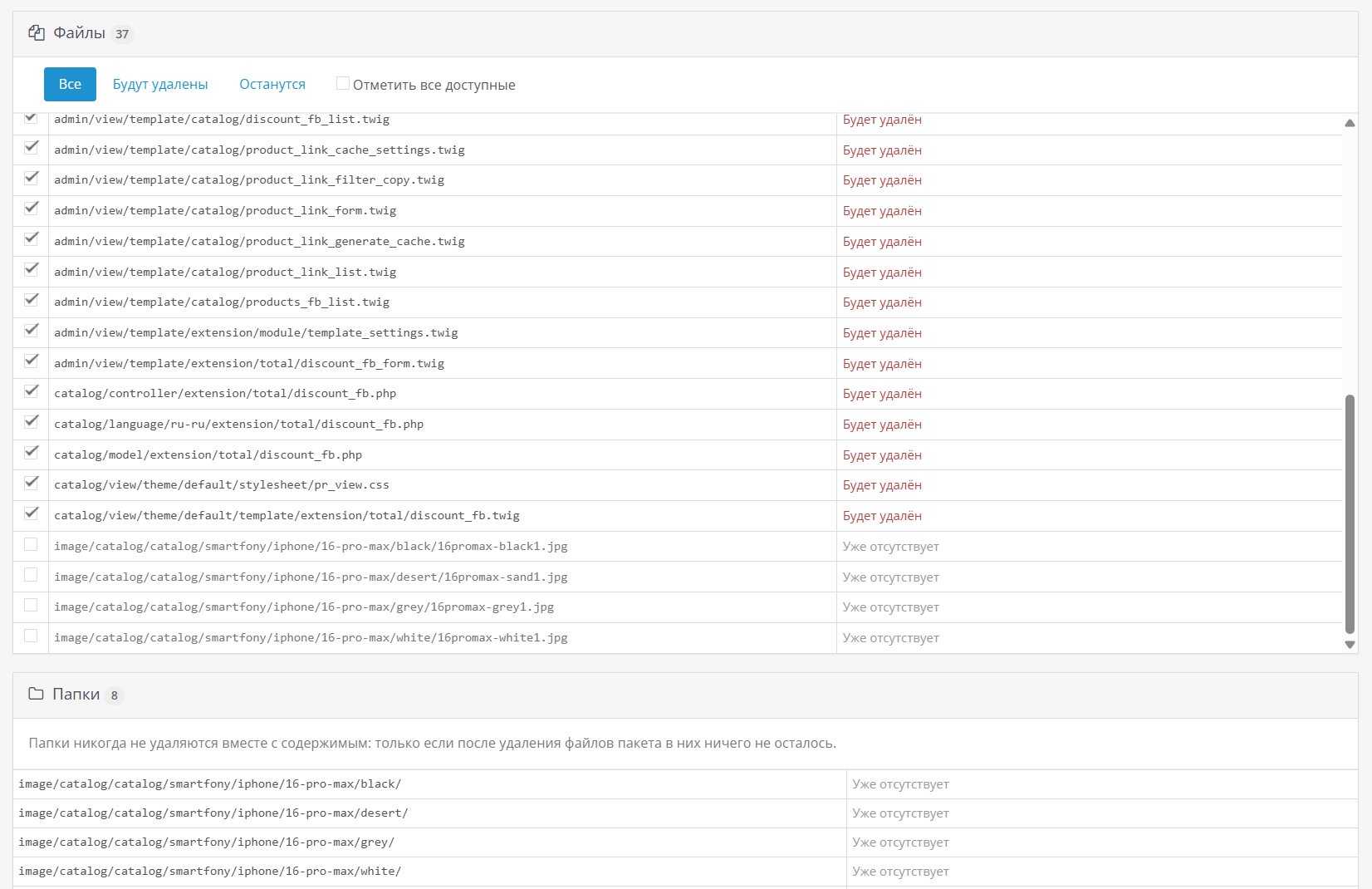
- Preview before deletion.Files, folders, OCMOD modifications, events, extensions, and installer entries—each line indicates whether it will be deleted or retained, and why. Until the deletion is confirmed, nothing changes in the store.
- Engine file protection.Built-in list of standard OpenCart and ocStore 3.x files: an engine file overwritten by a module is not deleted.
- Protection of third-party files.A file written after another package remains in place. Folders are deleted only if they are empty.
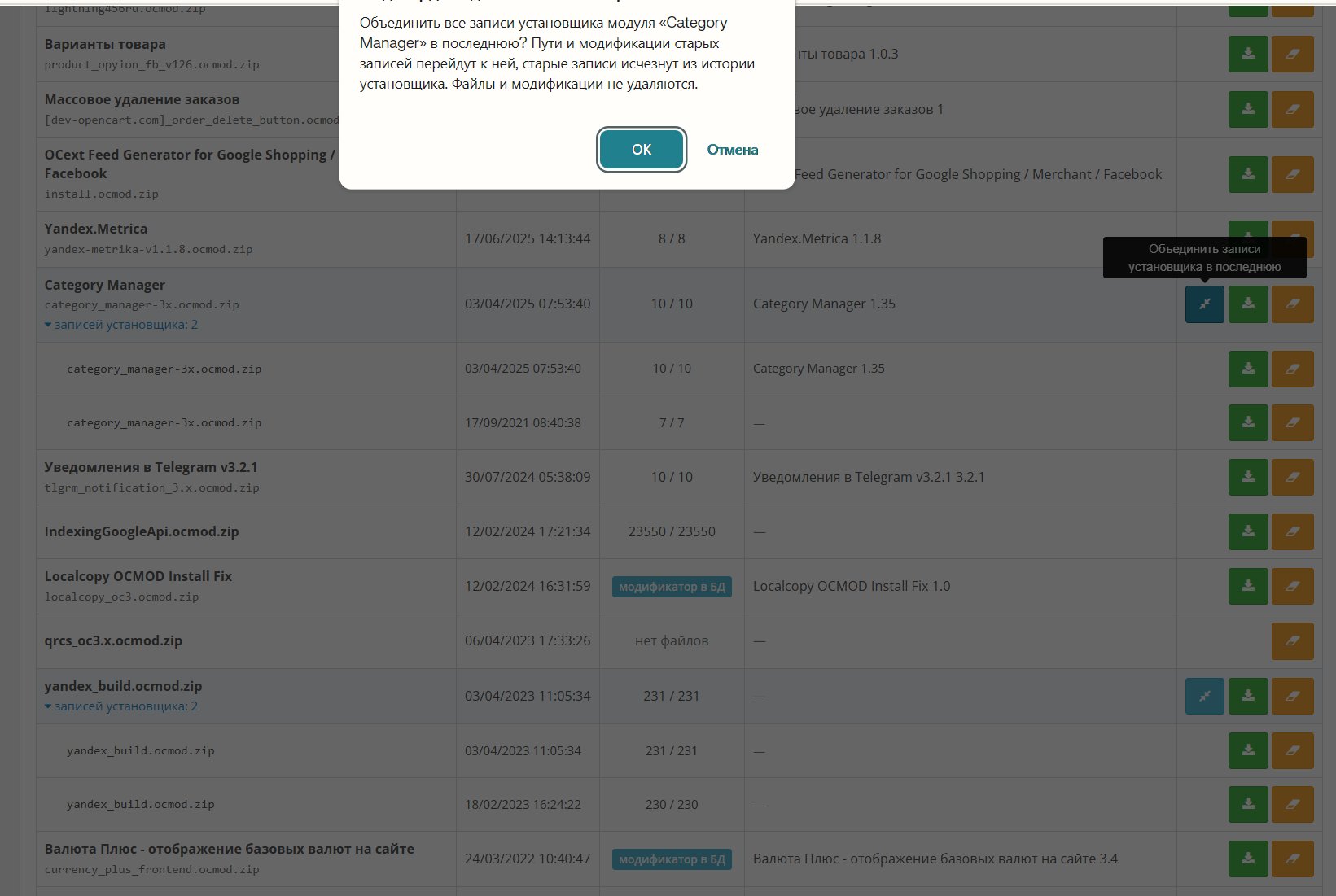
- One module - one line.Update records are collected together, expanded, and merged into the last one; When uninstalling, old versions are removed along with the module.
- Modifiers without an installer.OCMODs in the database without an installer entry and system/*.ocmod.xml files are marked separately and are deleted with the archive.
- Standard uninstall.The module's own uninstall procedure is called, then the extension entry, settings, module instances with locations in schemes, and access rights are removed.
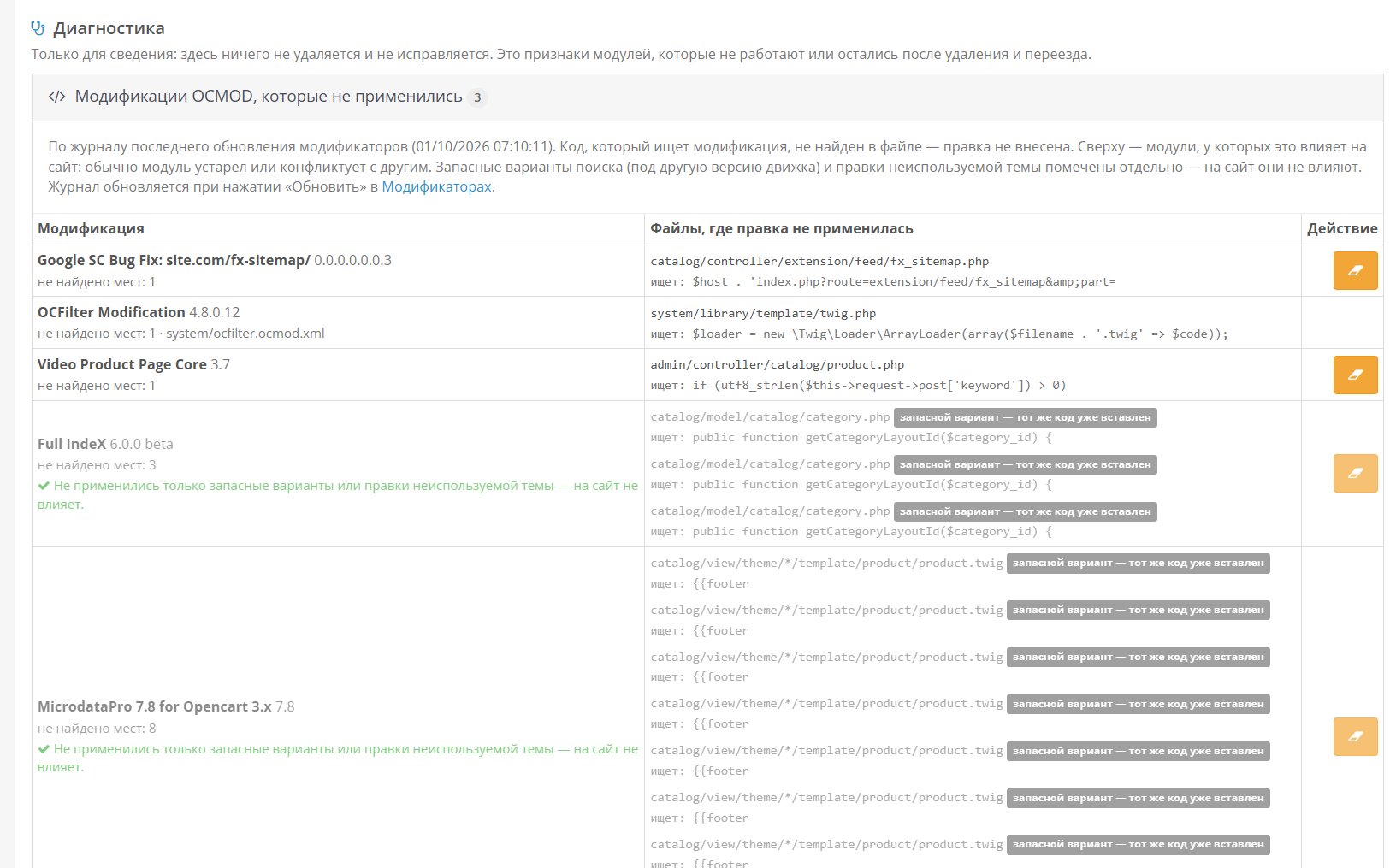
- OCMOD and cache Modifications.Package modifications are removed, modifiers are updated automatically, and modified copies of deleted files in the cache are also removed.
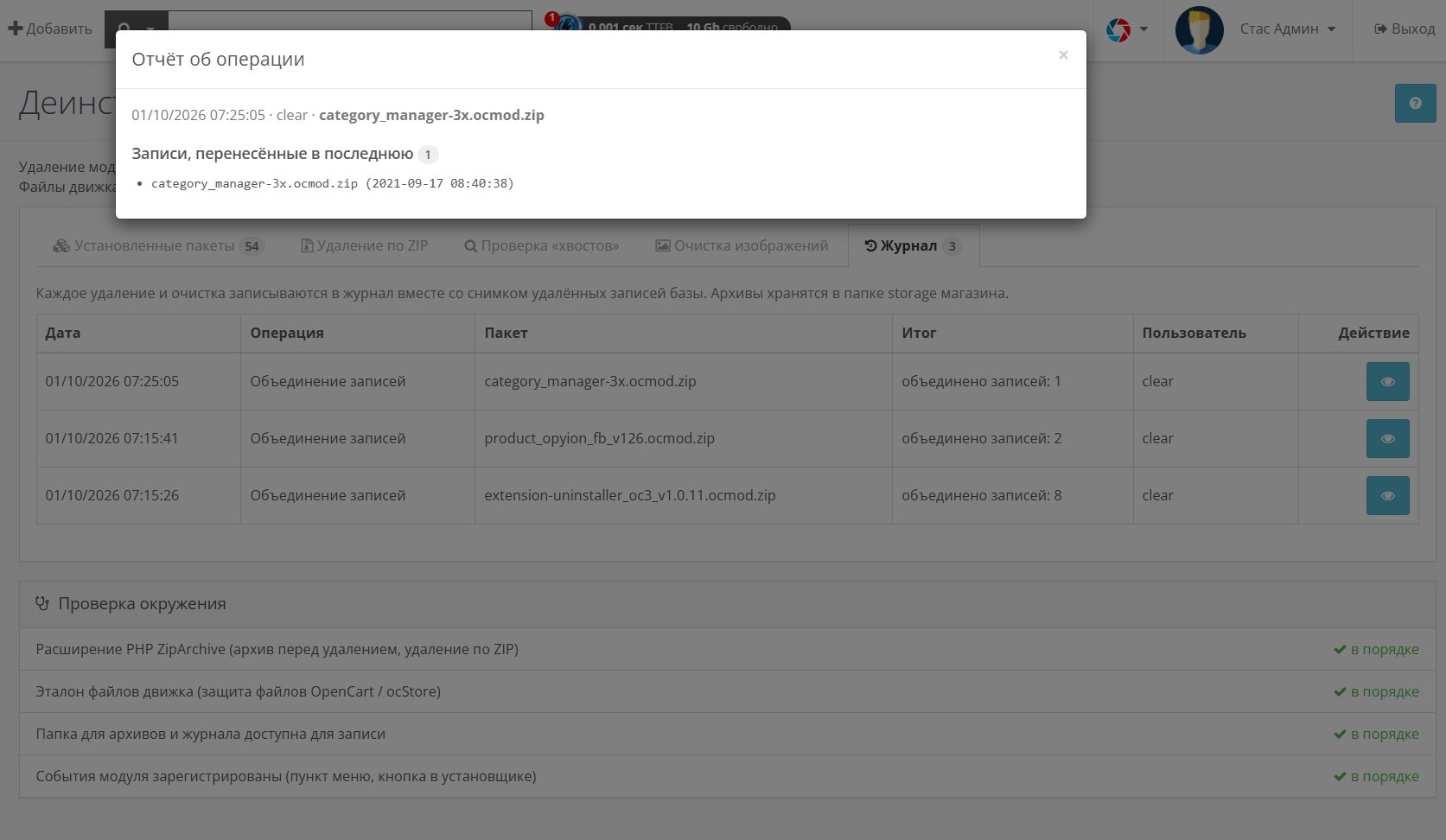
- Rollback archive.Deleted files and a snapshot of database records are saved to an archive, which is reinstalled using the standard installer.
- Removal via ZIP archive.For modules uploaded via FTP: the installation archive contains the module files, modifications, and files modified after installation. Marked.
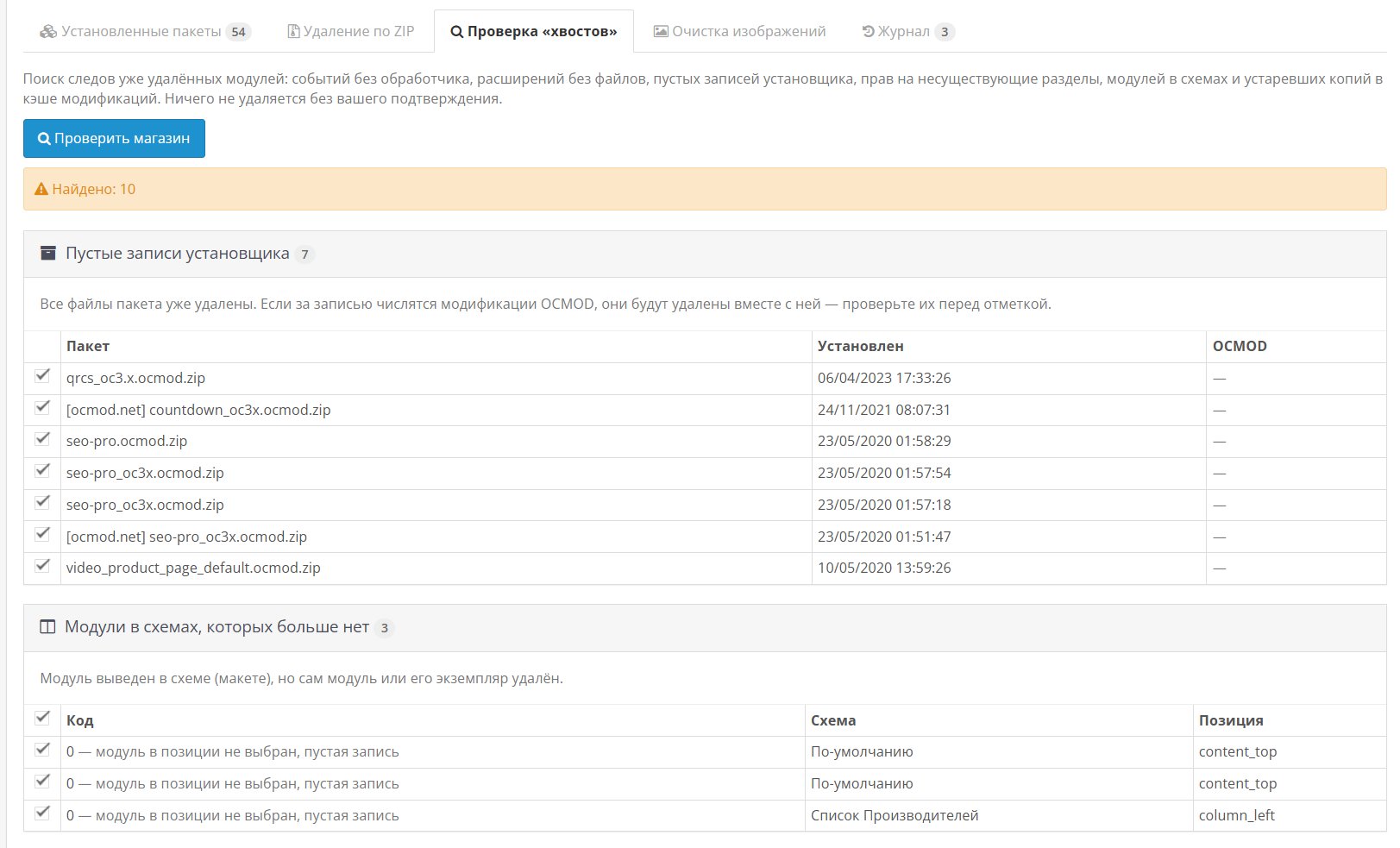
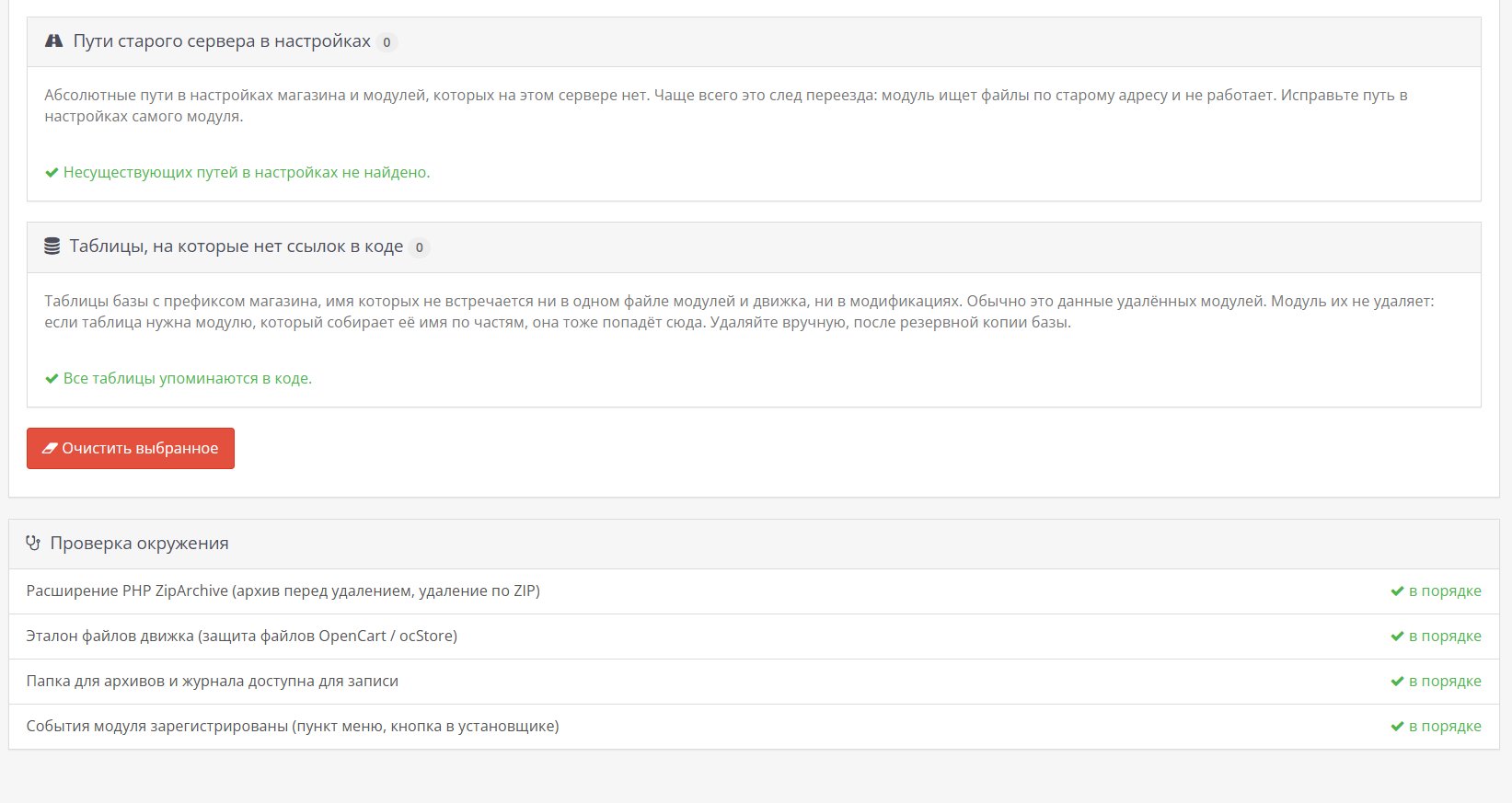
- Checking for "tails."Events without a handler, extensions without files, empty installer entries, modules in schemes, copies in the modification cache without the original, unnecessary access rights.
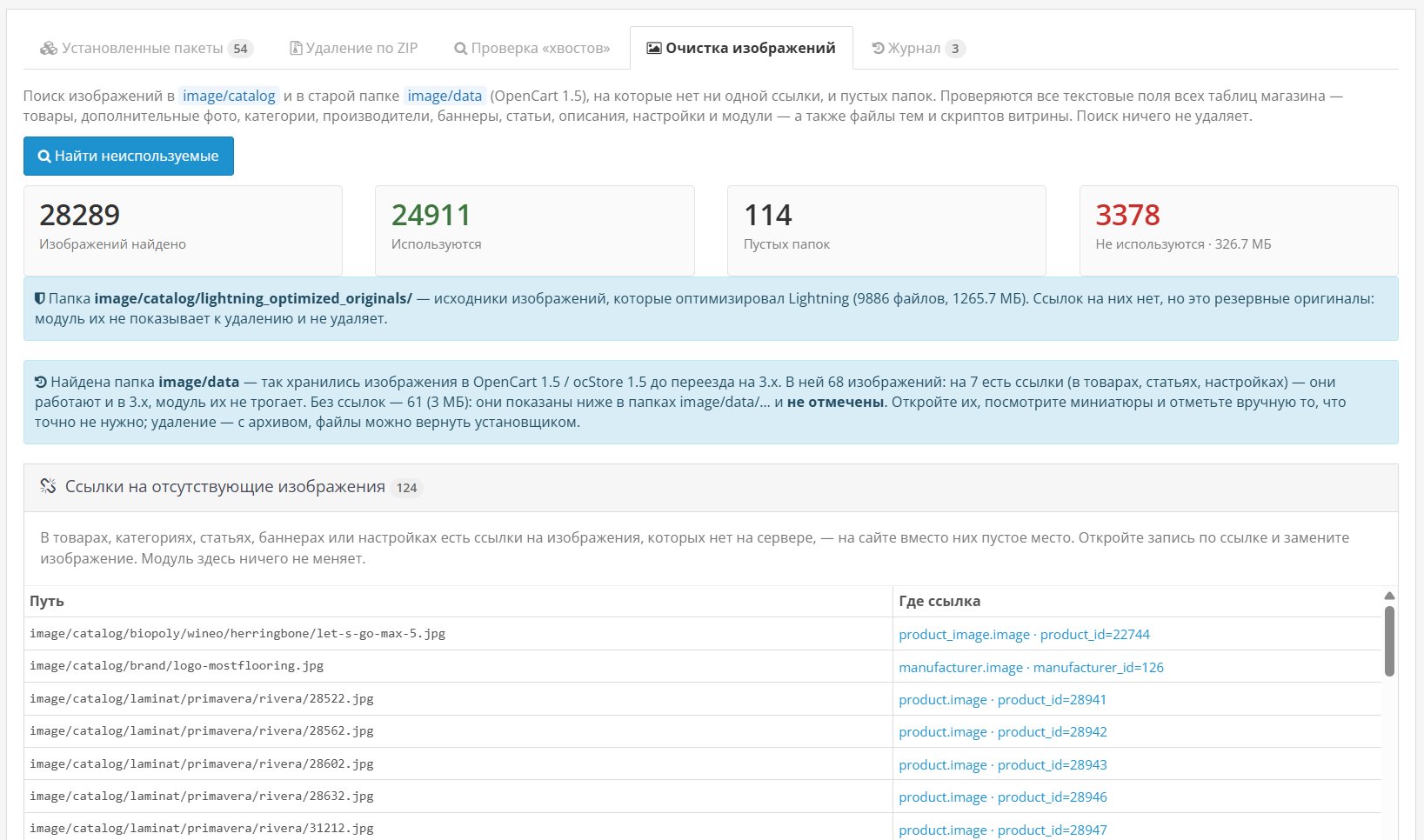
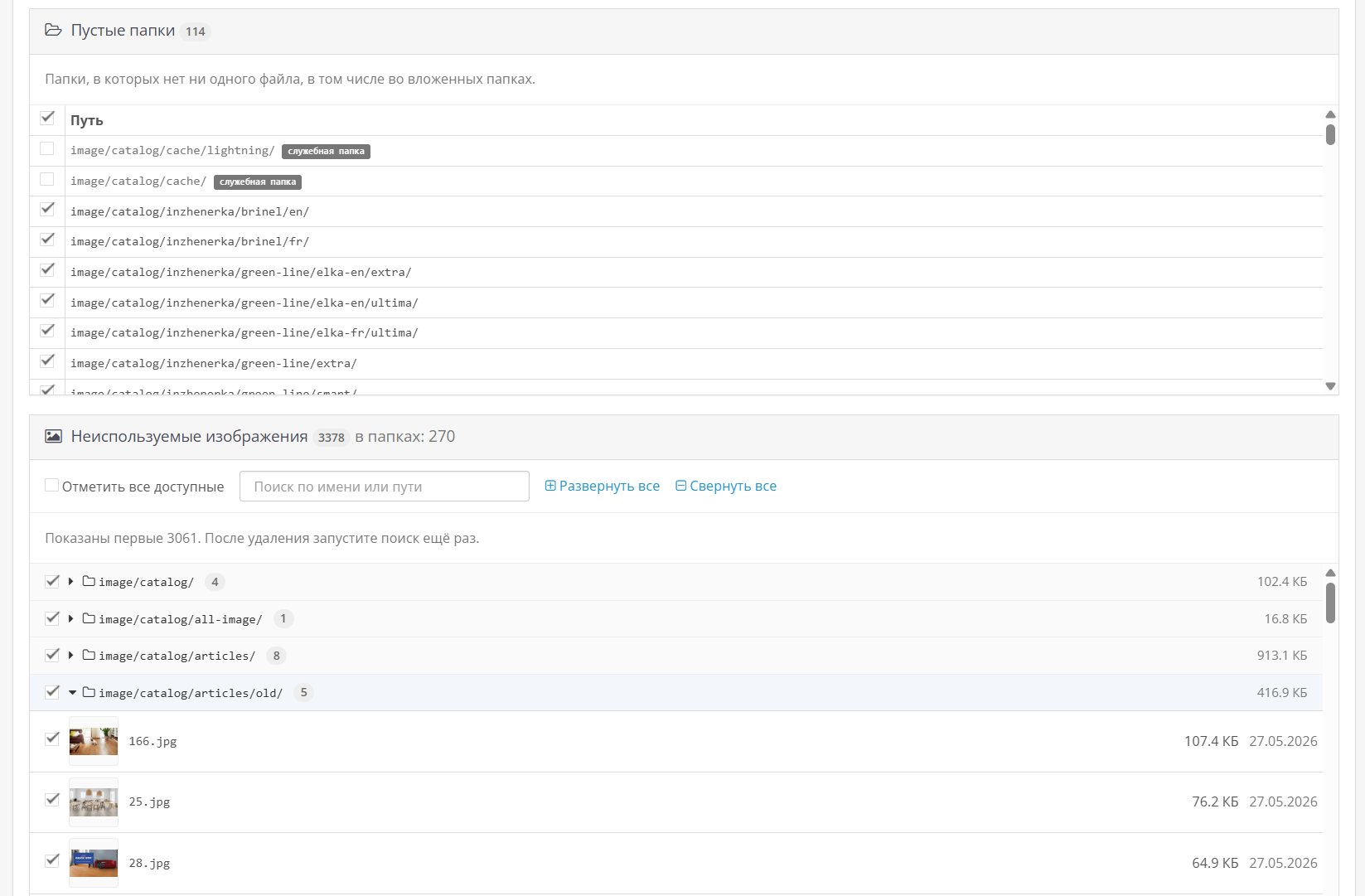
- Image cleaning.Empty folders and unused images in image/catalog. Images are grouped into folders, search and folder selection are available—convenient even when there are hundreds of them. Links are searched in all store tables and theme files; Archive and deletion of thumbnails from the cache.
- Log.Report on each operation, downloading and deleting archives.
- Manual within the module.The "?" button opens the instructions directly in the admin panel, without internet connection.
How it works
The module does not change engine files or create tables in the database. The menu item"Extensions → Uninstaller"and the eraser button for each installer history entry are connected via events. Uninstallation proceeds step by step: archive, standard uninstall, and uninstall.Files, modifications, and events, updating modifiers. Before each step, the package is re-checked—exactly what was in the preview is removed.
Installation
- Download the archive via"Extensions → Install Extensions".
- In"Extensions → Extensions → Modules"install"Extension Uninstaller".
- Open"Extensions → Uninstaller".
- Updating modifiers after installation is not necessary.
Compatibility
Tested:
- OpenCart 3.0.4.1
- ocStore 3.0.3.9
- PHP 8.2 and 8.4
The PHP ZipArchive extension is required for archiving and deleting via ZIP. Administrative languages: Russian and English.
The module does not delete database tables (this is done by the module's own uninstall procedure), does not restore overwritten engine files, and does not touch files outside the default installer folders. OpenCart 2.x and 4.x are not supported.
Support
Support includes installation consultations and module bug fixes on the stated compatible versions. Customizations for custom builds are discussed separately.
Distribution method:
Paid
Opencart version:
LiveStore 3.*OCStore 3.*OpenCart 3.*
PHP verision:
PHP 7.4PHP 8.0PHP 8.1PHP 8.2PHP 8.3
Activation:
Automatic
Getting files:
On site, in the personal account
Protection system:
No
VQmod:
No
Ocmod:
Yes
Events:
No
Uploaded:
30.09.2026
Updated:
01.10.2026
Viewed:
80
Write a review
Your Name:Your Review: Note: HTML is not translated!
Rating: Bad Good
Enter the code in the box below:




Файлы будут доступны после покупки


