Your shopping cart is empty!

Product filter - FilterVier_SEO (for OpenCart 2.x-3.x)





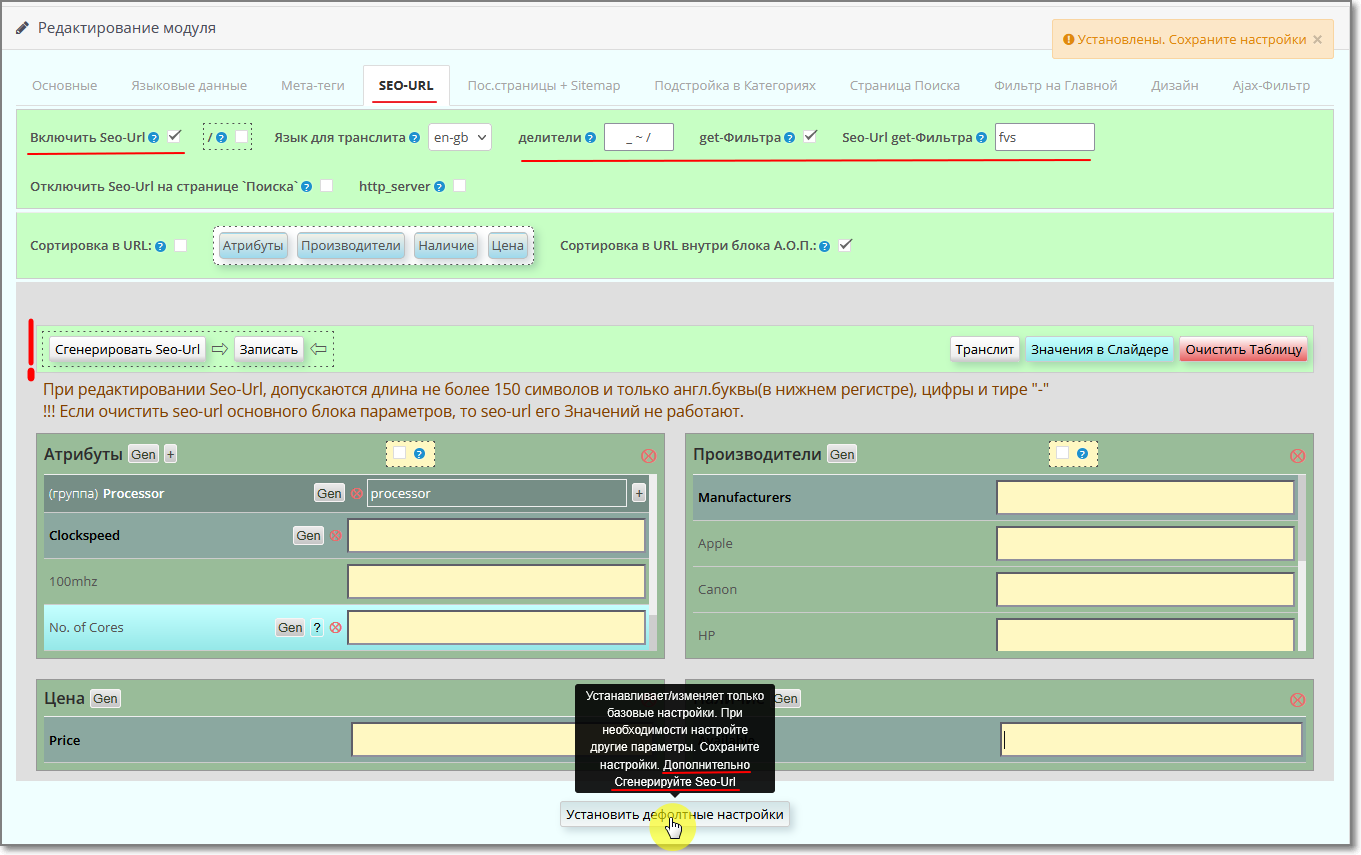
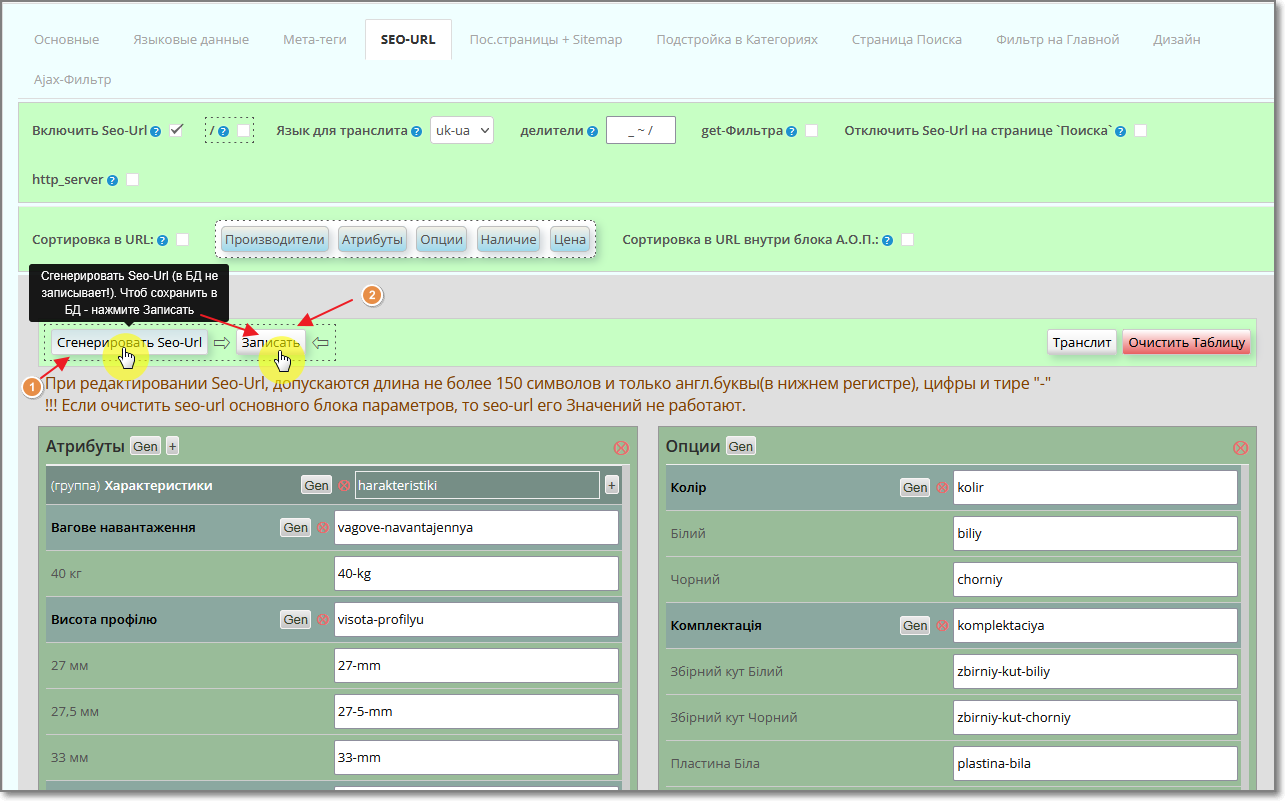
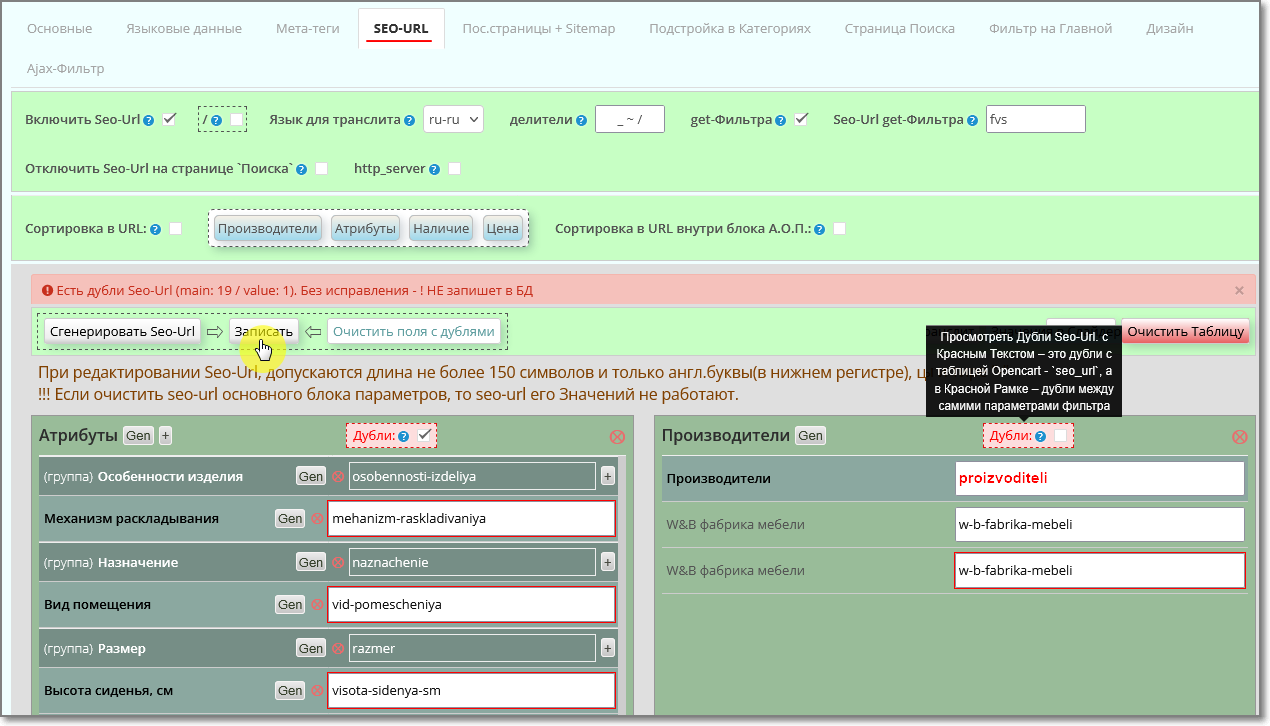
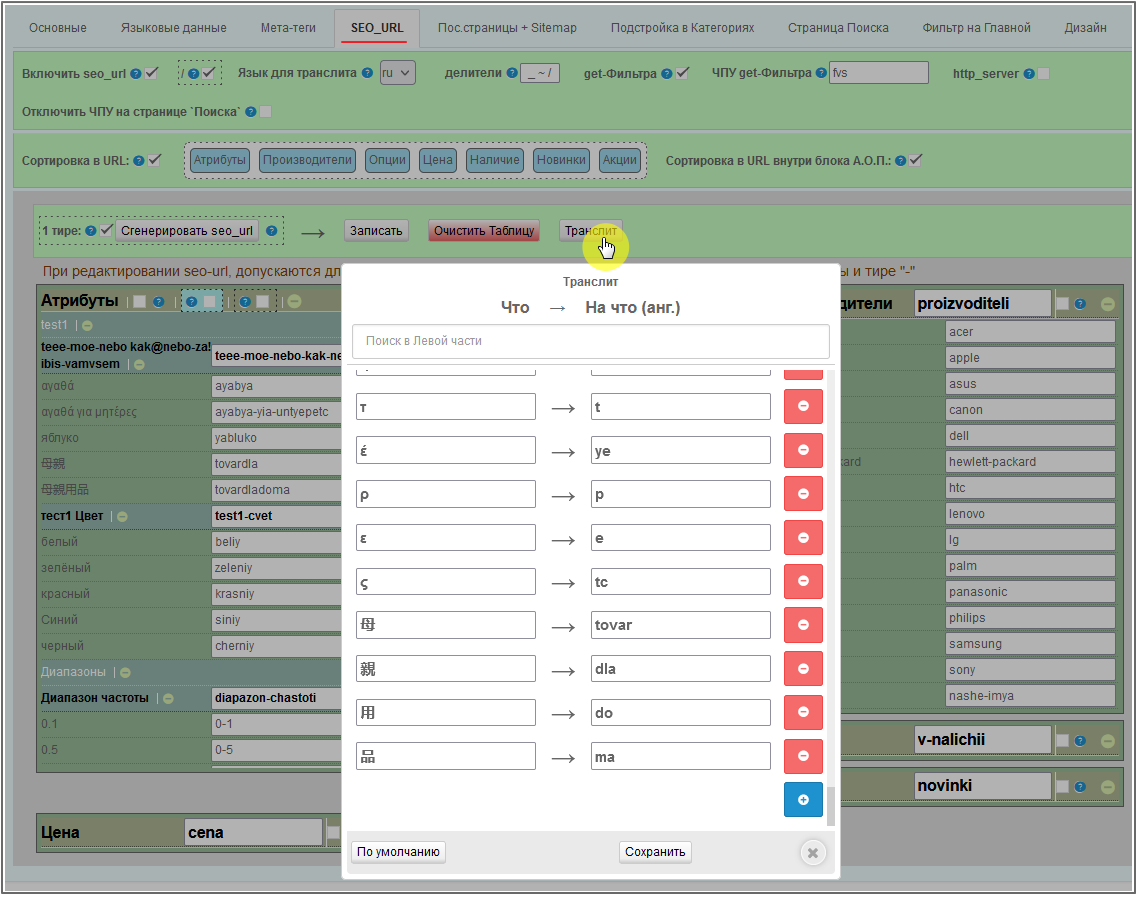




Price: 4 000 ₽
From 2 purchase of this product, the price is: 3 800 ₽
From 5 purchase of this product, the price is: 3 200 ₽

Author: oc-vier
Write to the author
Подписка: 24 месяца
Need paid help? Contact the site administration
Opencart version:
Подписка: 24 месяца
Need paid help? Contact the site administration
Opencart version:
LiveStore 3.*OCStore 3.*OpenCart 3.*OCStore 2.3OpenCart 2.3OpenCart 2.2OCStore 2.1OpenCart 2.1OpenCart 2.0
Module FilterVier_SEO – filter of products on site pages in: Category, Manufacturer, Promotions, Search and Home page for versions OpenCart 2.x.x - 3.0.x, with fully managed by SEO.
The filter is automatically generated on the site pages by: price, attributes, options, manufacturers, new products, availability (quantity of goods) and discounted items.
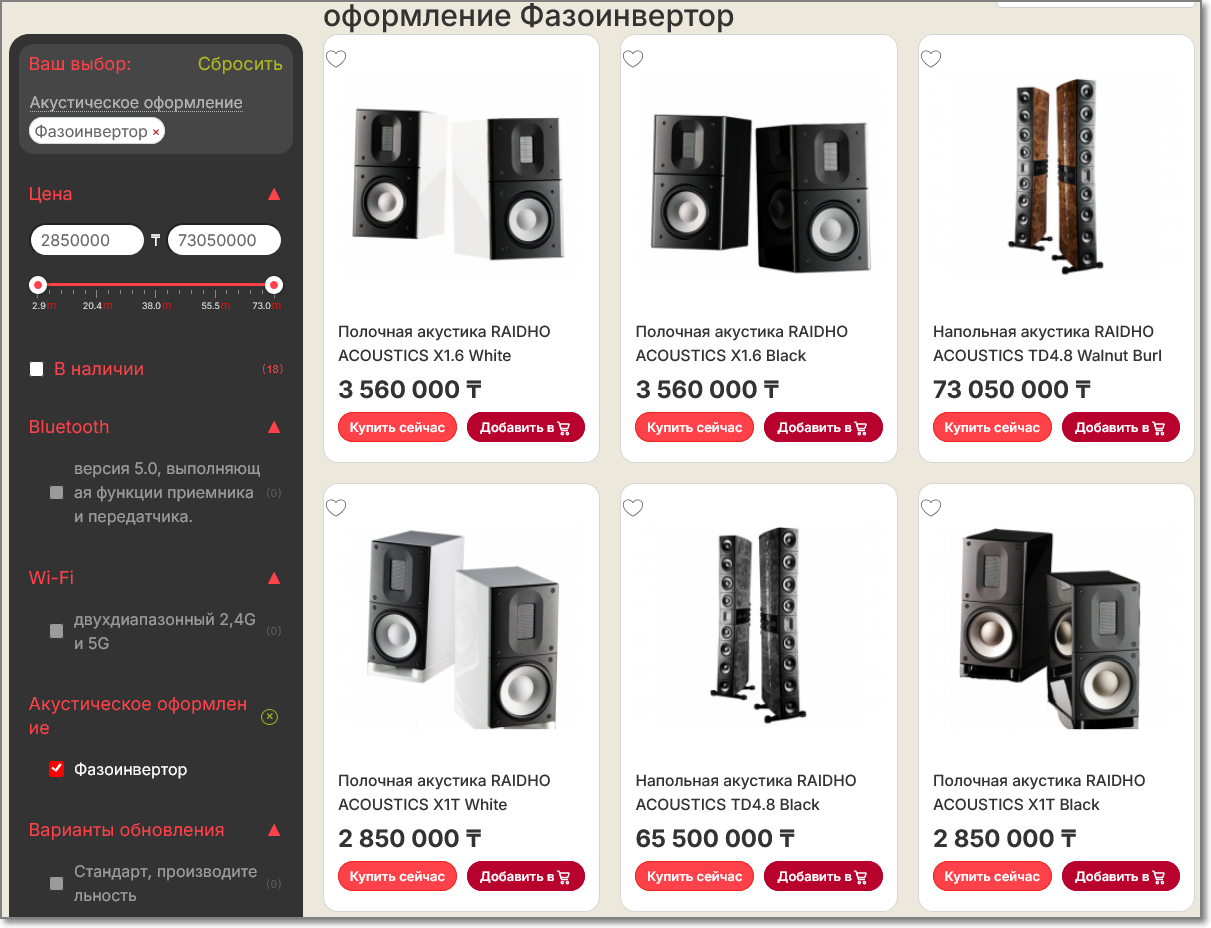
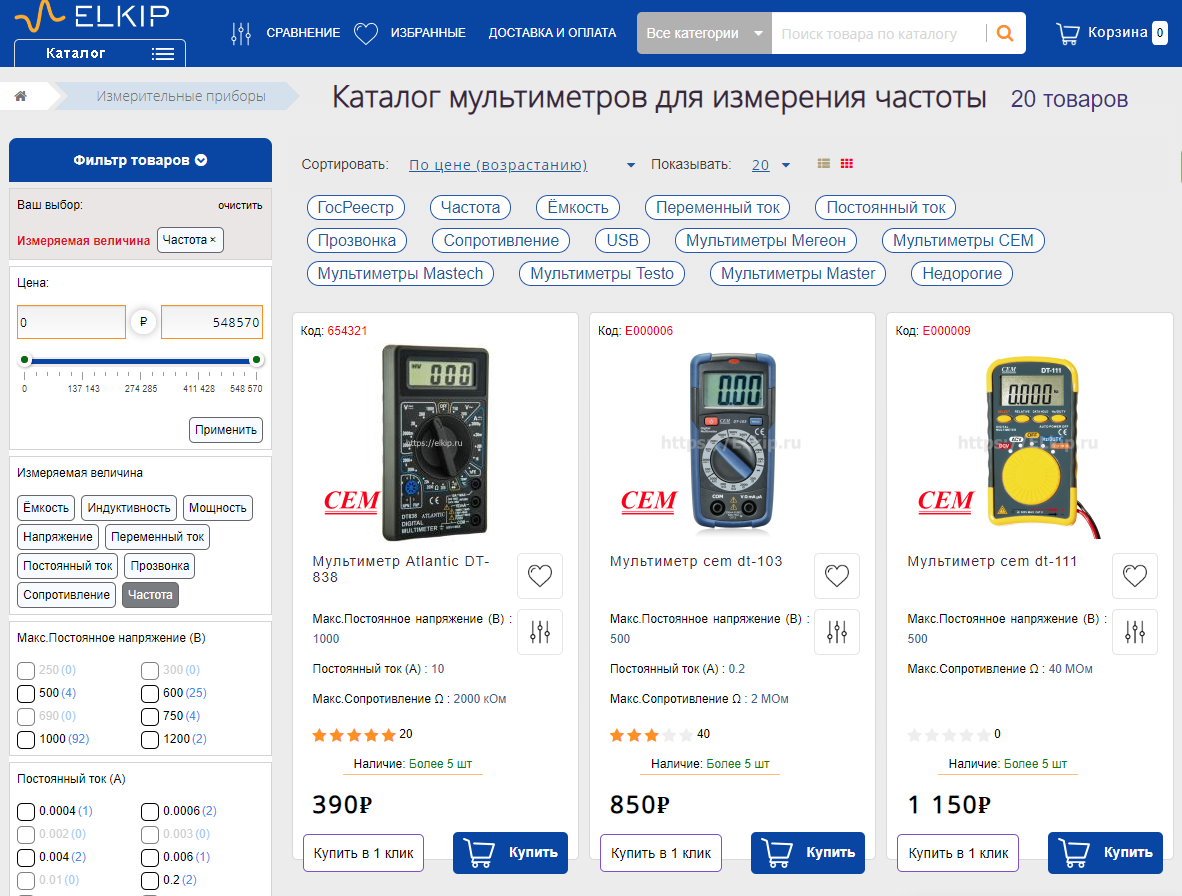
Demo site Categories -
Vertical Filter Position
Horizontal Filter Location
Demo site Home-
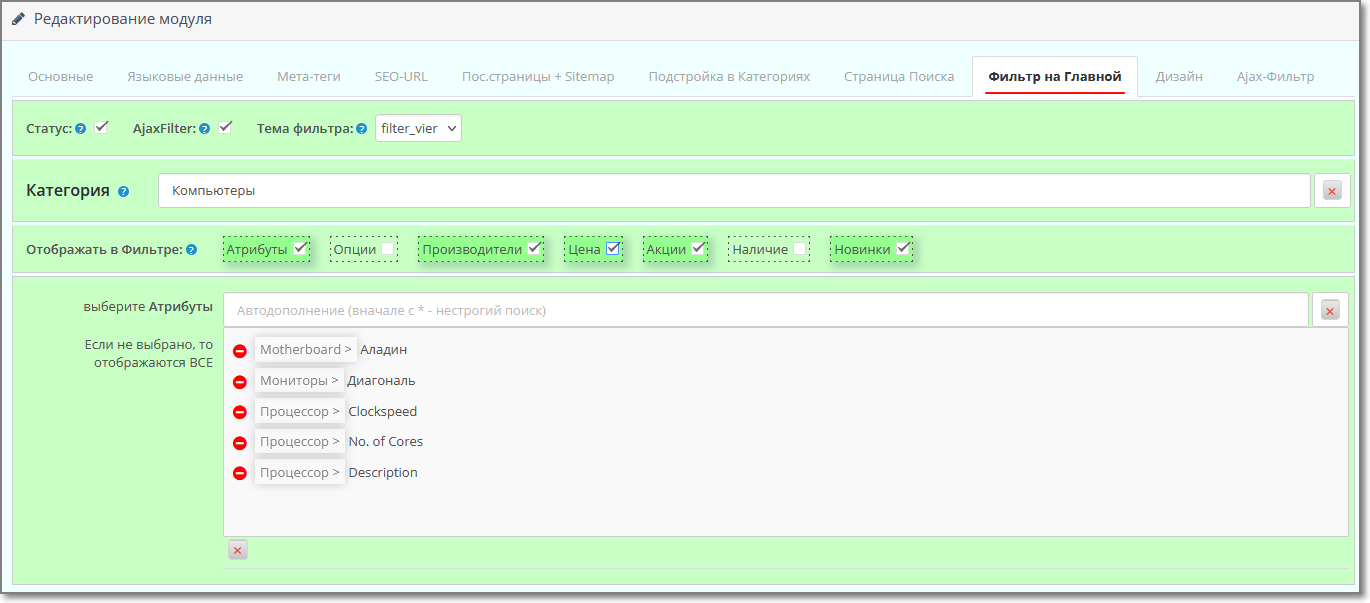
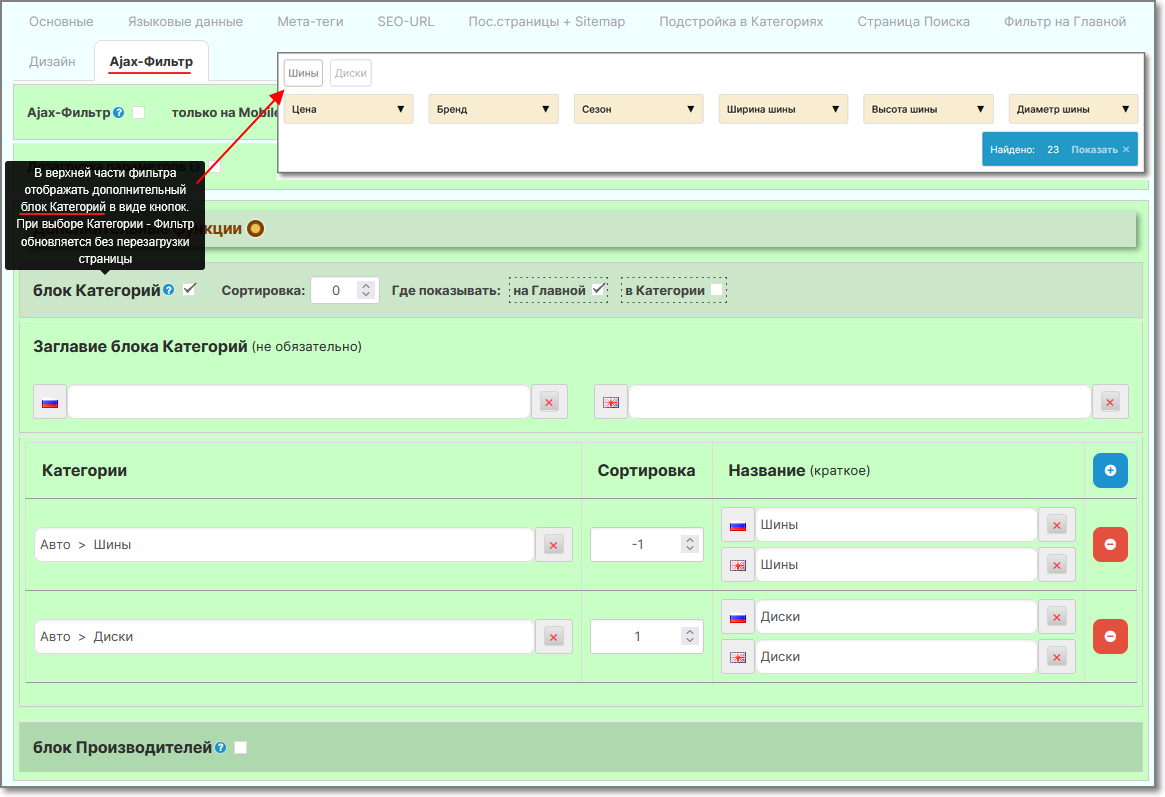
Main page of the site (Horizontal Filter arrangement, ajax-Filter)
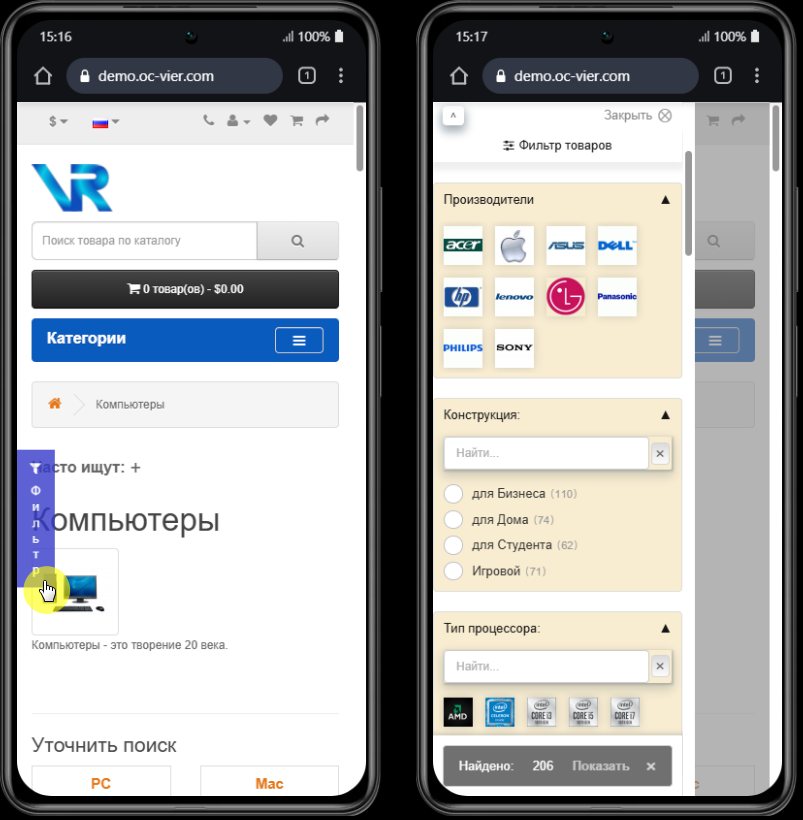
For mobile devices Filter enabled on Ajax
Administrator
Login to the admin panel (login and password): demo
System requirements: Ioncube Loader; PHP version: 7.2 - 8.4
(for php8.2 and higher - will provide upon request)
Video reviews:
- Filter Installation - Quick Start (YouTube)
- Filter Installation - Quick Start (VK)
Update from 63 and earlier versions + new features in the settings:
- Update + chips(YouTube)
- Update + chips (VK)
Features and capabilities of the FilterVier_SEO module
IMPORTANT
Before installing the module - FIX must be installed on the site - localcopy (many sites already use it - it is needed to load modules through the admin panel).
If it is not installed yet, then in the module archive in a separate folder /use_fix_ocmod/ there is this fix - localcopy_oc3x.ocmod.zip (or localcopy_oc2x.ocmod.xml - for OpenCart-2)
Please note that this Fix cannot be installed twice/repeatedly.
Before installing it, make sure that it has not already been installed on the site (it can also be installed in the /system/ folder. Usually in itsthe title contains part of the text localcopy).
After installing it - Update the modifiers, and only then install the modules.
Information - what kind of Fix this is and what it is needed for, here - https://liveopencart.ru/tips/oshibki-pri-ustanvke-ocmod-dopolnenij/
IMPORTANT
If you have version php8.1 or higher installed on your website, then ionCube Loader must be at least version 14.
!!!ATTENTION: - if you used another product filter on your site, be sure to disable it in the admin panel, and delete/disable (if any) its modifier.
Also check the /system/ folder - modifier forfilter may be located in it. (Usually there is part of the text filter in its name) – Delete this file or Rename its extension, for example, rename the .xml extension to ._xml
Then don’t forget to update the modifiers again in the admin panel.
The module is distributed according to the “as is” principle - whatever functionality it currently has, it means it exists, but the module is constantly being developed.
Technical support for the module is provided only to those persons who officially purchased the product.
It is prohibited to transfer the module to third parties without the consent of the author.
The license is provided for one site + multi-store with one admin panel (as well as for a test site, if it is test by name, it does not even have to be on the same domain as the main one).
The license is issuedfor life - both for the main site and for the test site, so changing the domain after activating the Personal Key is not provided.
When purchasing , the license key of the module is generated automatically, provided that you specified your website correctly when purchasing.
(it makes no difference: with www. or without it, with https:// (http://) or without it. If the site name is in Cyrillic, then indicate it in punycode)
A personal key for a test site can also be generated automatically if it is located on the same domain as the main one.
For a test site on a local server or technical domain of the host, I will provide a personal key - write, indicating: purchase account number, main site, test site.
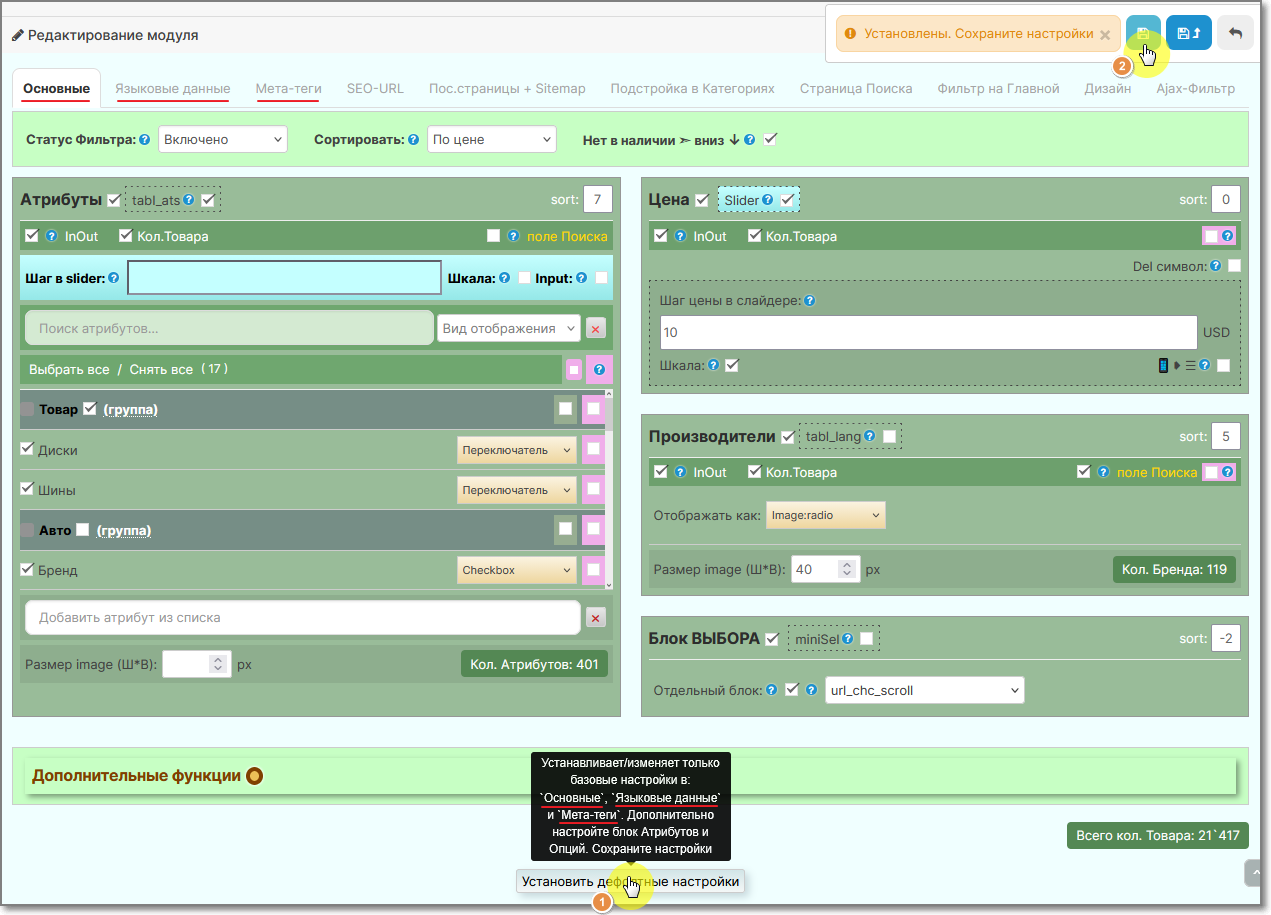
In the admin panel of the module , activation of the Personal key occurs by pressingbuttons Activate.
If for some reason you are unable to Activate the License Key of the module, then write to me in a personal message, indicating: the purchase account number and the site for which you are trying to activate the license.
!!! When updating the module, , always clear the browser cache (by Ctrl+F5) and the rest of the cache that you may have on your website, Host.
And for Opencart 3 clear the cache in the developer settings (or even temporarily disable it).
And also during updates, re-Save all tabs in the module.
Additional information:
If you need to work with modules with standard filters, then you can use the Copying Standard Filters to Attributes module, whichwill “throw” them into attributes, and at the same time these filters will not only be in FilterVier, but also displayed in the Product Card (standard ones are not displayed).
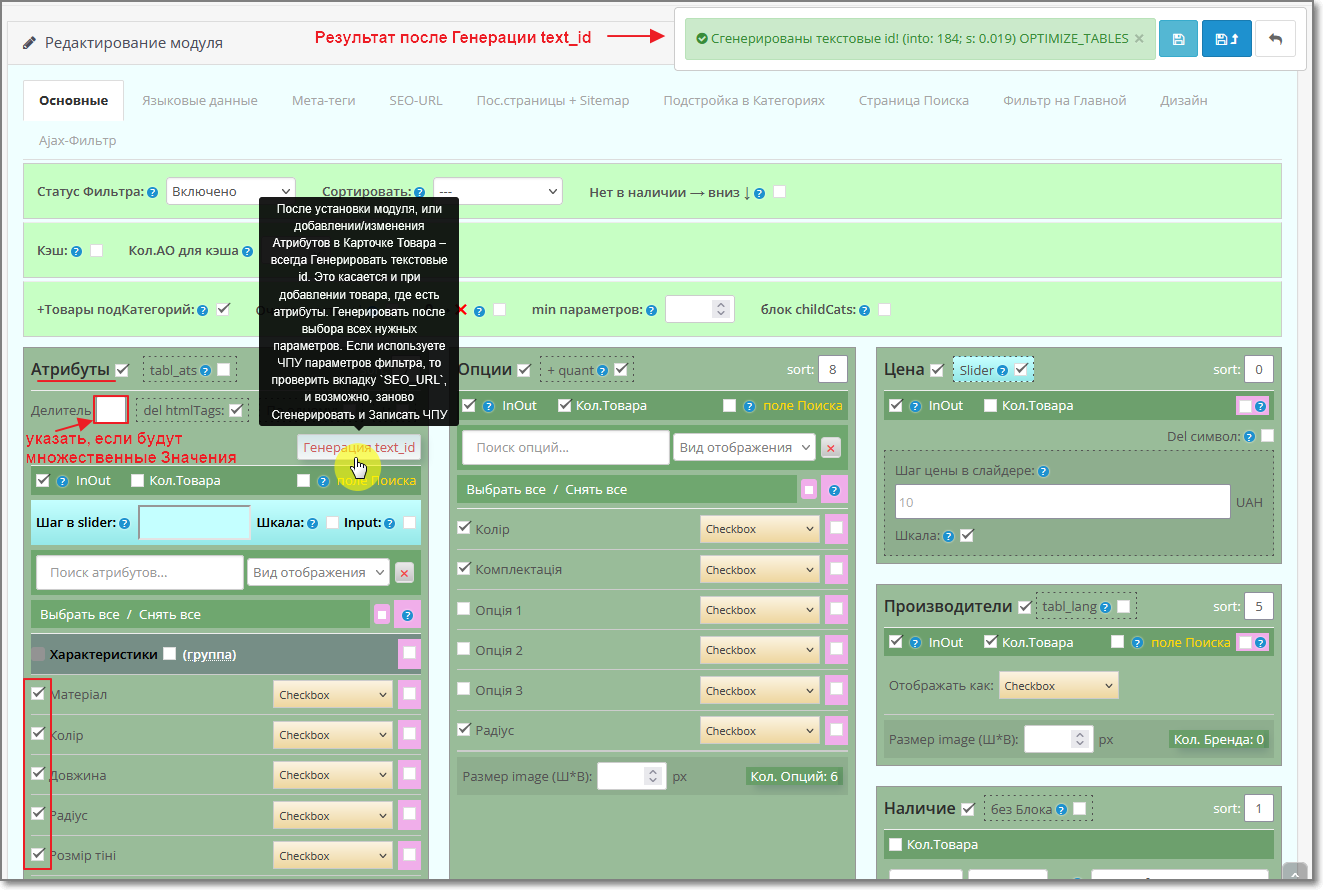
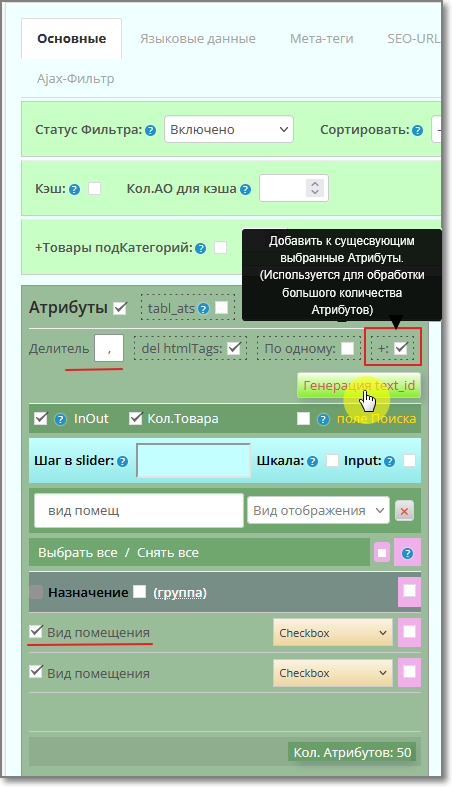
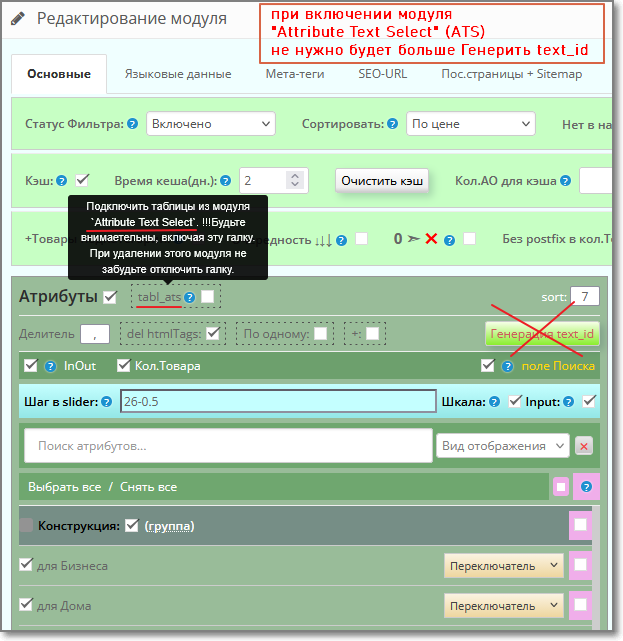
So that in the Filter you no longer generate text_ids of the attributes, and so that the Filter applies them immediately, you can use the Attributes module - "Attribute Text Select" (ATS).
Its capabilities:
- work with multi-attribute values;
- use Images for Attribute Values;
- combine Attributes and their Values;
- bulk edit attribute values;
- bulk add/remove Attributes and their Values from Products;
and many more useful functionality.
The filter is automatically generated on the site pages by: price, attributes, options, manufacturers, new products, availability (quantity of goods) and discounted items.
Demo site Categories -
Vertical Filter Position
Horizontal Filter Location
Demo site Home-
Main page of the site (Horizontal Filter arrangement, ajax-Filter)
For mobile devices Filter enabled on Ajax
Administrator
Login to the admin panel (login and password): demo
System requirements: Ioncube Loader; PHP version: 7.2 - 8.4
(for php8.2 and higher - will provide upon request)
Video reviews:
- Filter Installation - Quick Start (YouTube)
- Filter Installation - Quick Start (VK)
Update from 63 and earlier versions + new features in the settings:
- Update + chips(YouTube)
- Update + chips (VK)
Features and capabilities of the FilterVier_SEO module
- Module independent of the Website Template - works with everyone, including journal.
- filter operation in Mobile devices.
- The work of the Module can be carried out either “live links” - filter immediately with a page reload, or on Ajax with the application of a filter after selecting its parameters using the Button or application immediately without reloading the page.
- Use CNC parametersFilter (works in conjunction with SEO_URL or SEO_PRO).
- Regardless of the sequence of selected filter parameters, the address bar will always have the same appearance (strict adherence to the Url sequence).
- Ability to customize personally for each Category display of filter parameters (Attributes, Options, Manufacturers, Price, etc.).
- Filter parameters in Meta tags and “Breadcrumbs” – breadcrumbs
- Canonical and robots – customizable restrictions on the number of selected parameters.
- Prohibition of indexing from the second page, when sorting and limit (possibilityapplying the settings in Category/Manufacturer/Stocks before applying filters).
- Do not display the Description from the second page (can also be applied to the Categories themselves).
- When you switch the language on the site, the selected filter parameters are saved.
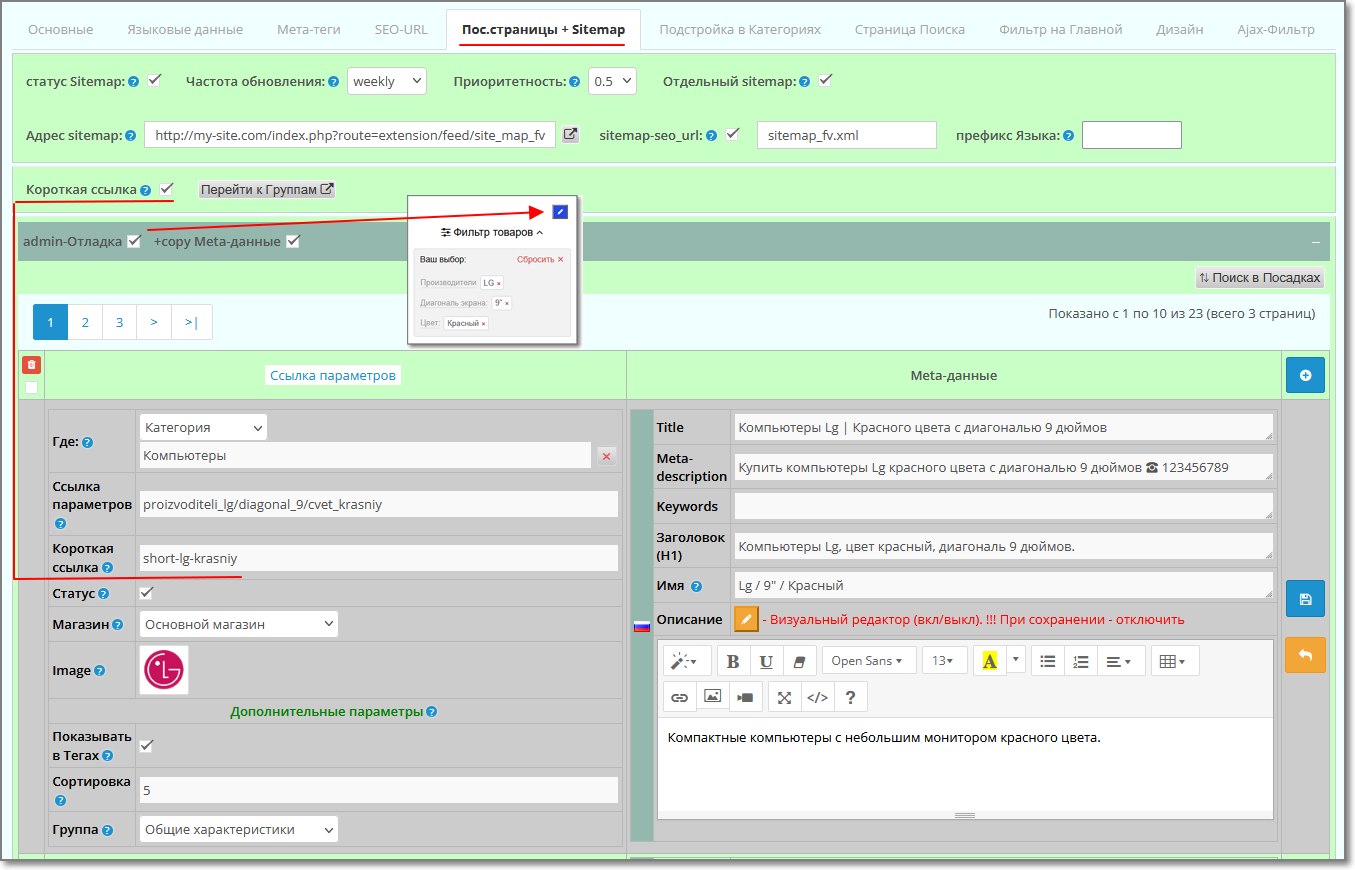
- "on the fly" create auto-landing - generation of Meta tags: description, keywords, title, Heading-H1 and Description according to templates.
- Manual creation of Landing Pages using Meta Tags, H1 and Description.
- Use the "Assistant" in creating or adjusting Landing Orderspages.
- For the convenience of creating a Description, a text editor is used.
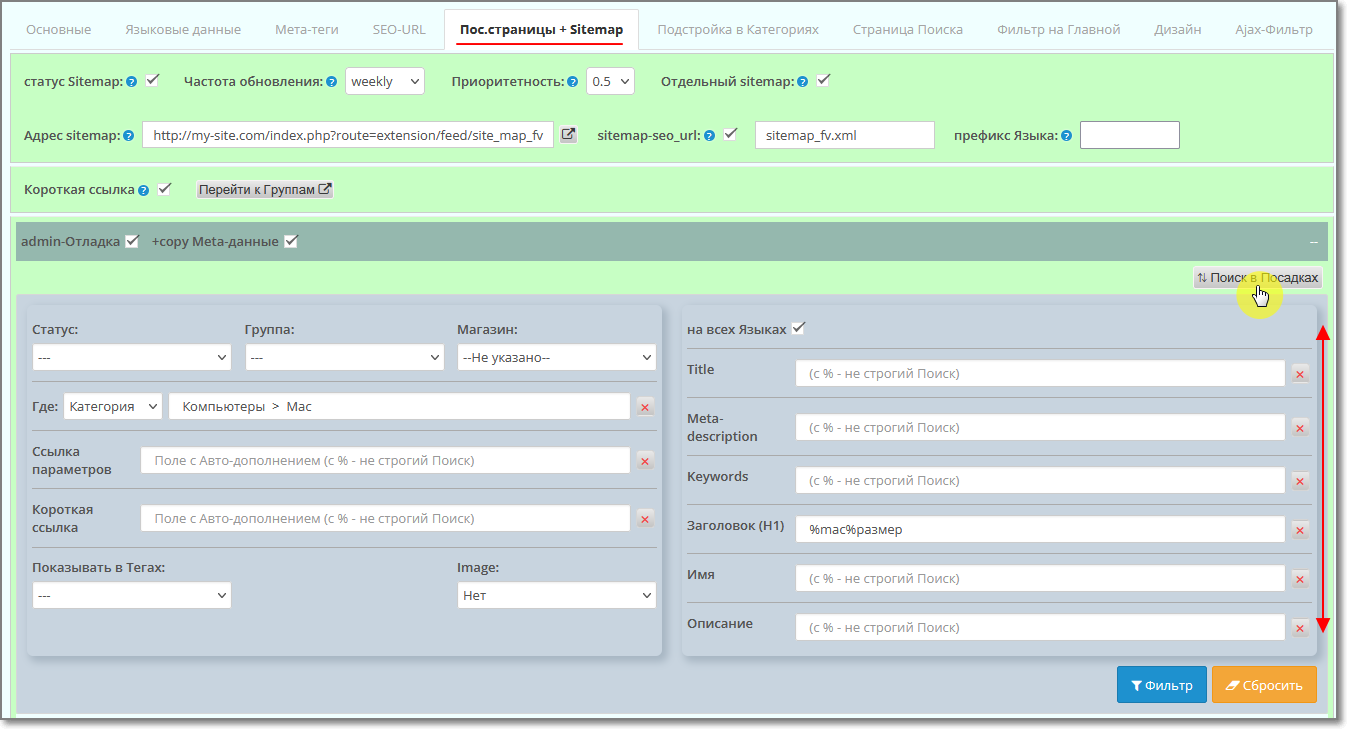
- Own sitemap Filter - automatic generation based on manual landings (or built-in Opencart Sitemap modules or Static Sitemap).
- The ability to set the sorting of goods that are out of stock - at the bottom of the list.
- Select default product sorting.
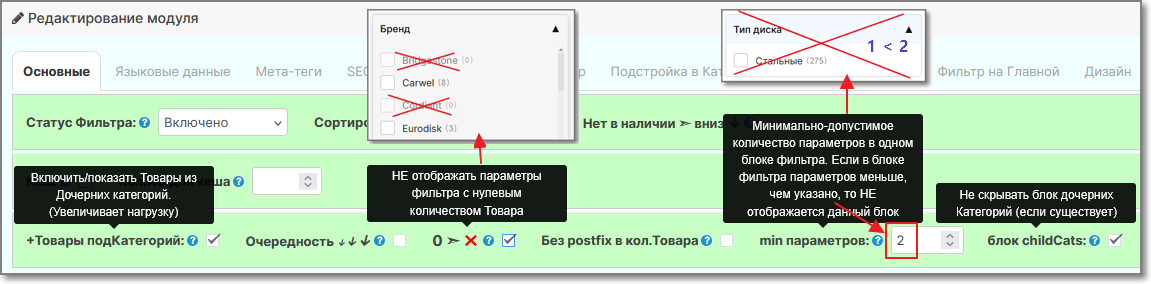
- Hide Filter parameters with zero count quantity of Product.
- Hide Product with zero balance.
- Show/Hide Options in the Filter with zero remainder.
- Ability to limit the minimum number of parameters in the filter block.
- Ability to display products from child categories in the parent (main) category.
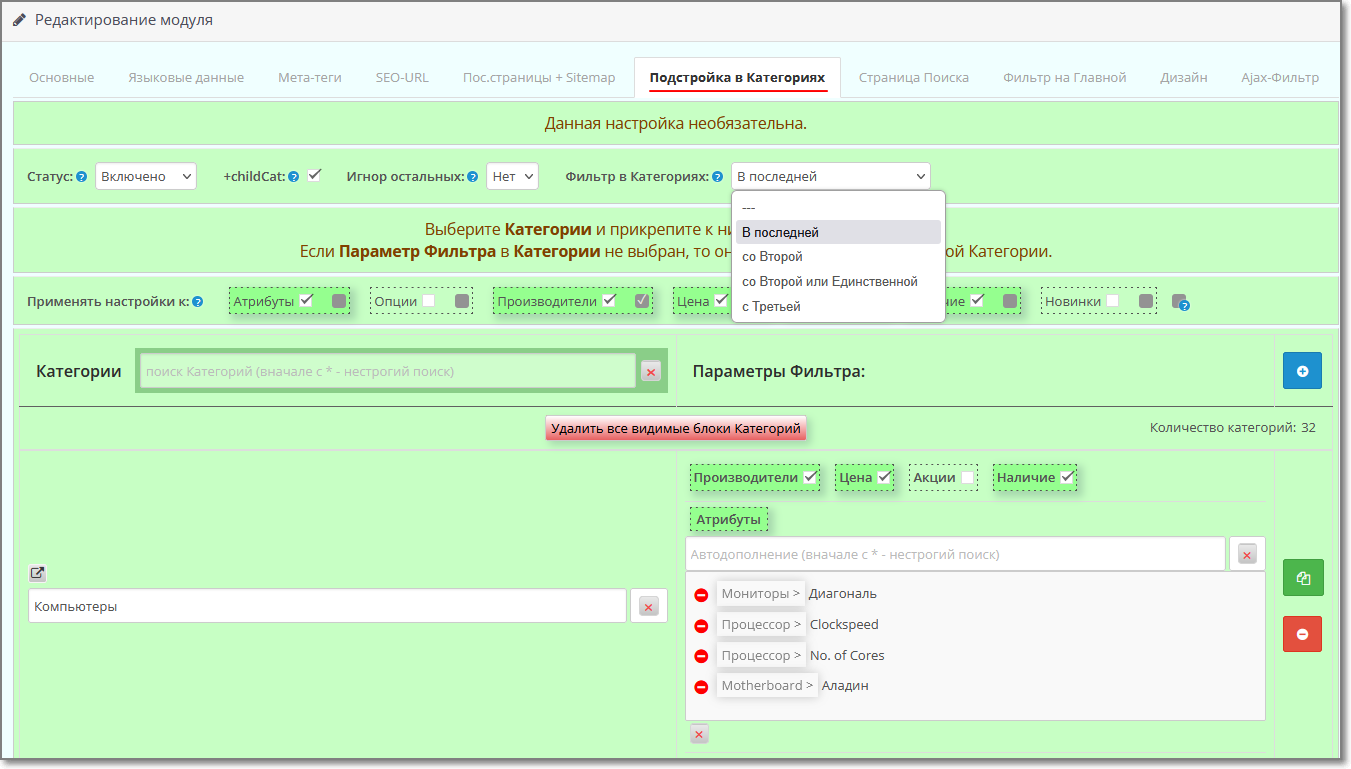
- Configure Filter output from the Second or Third or in the Last category.
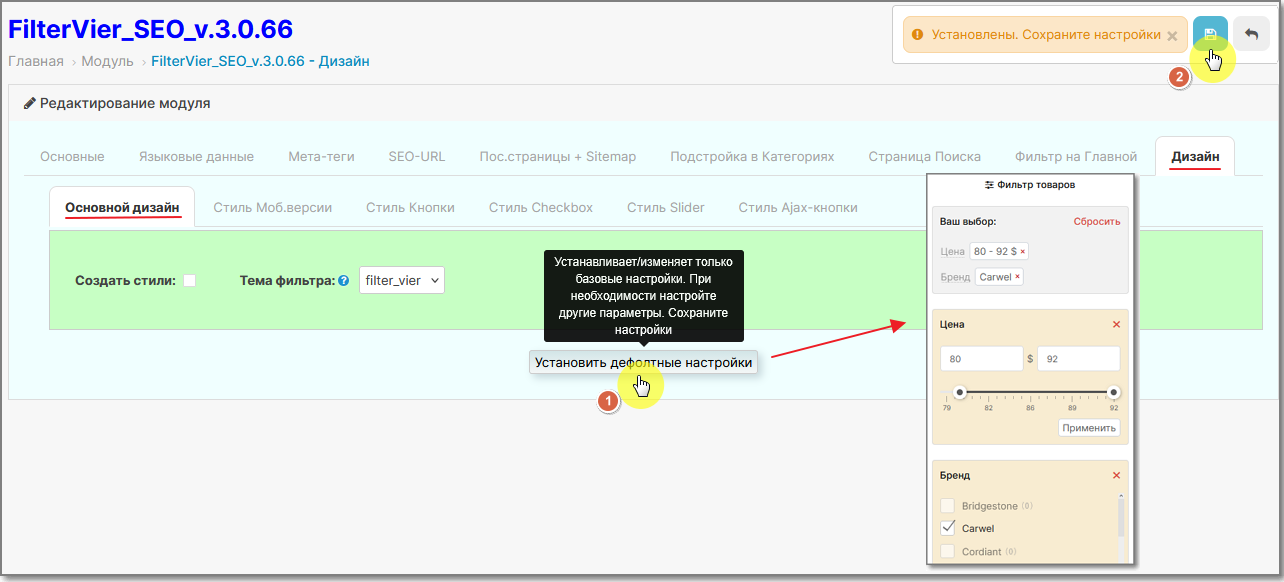
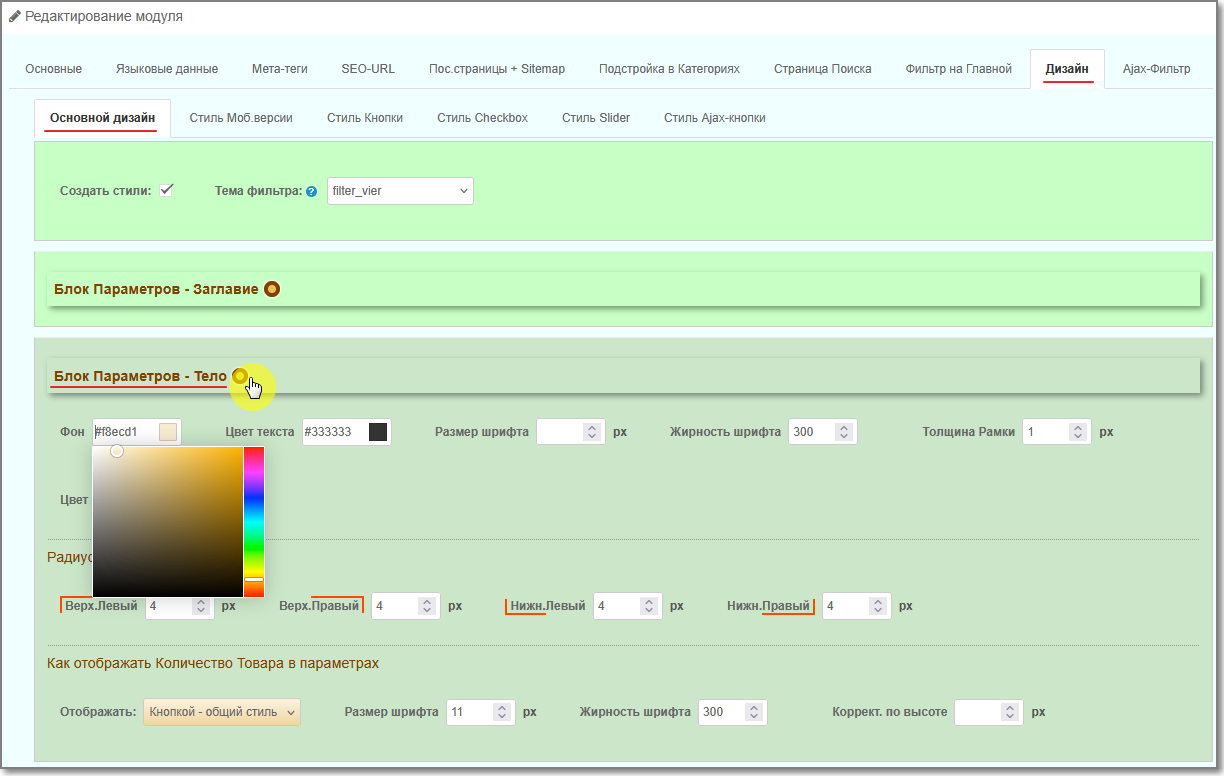
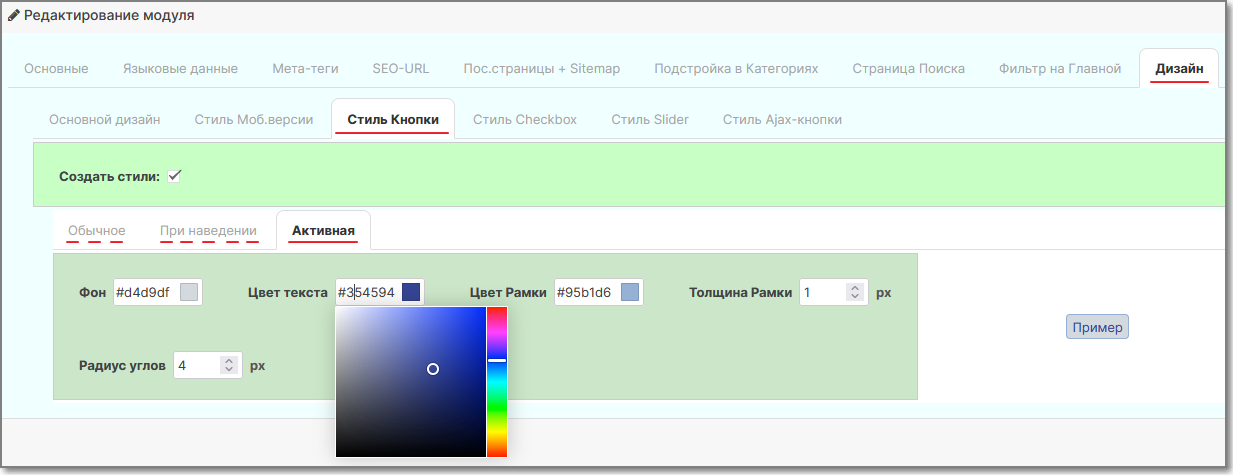
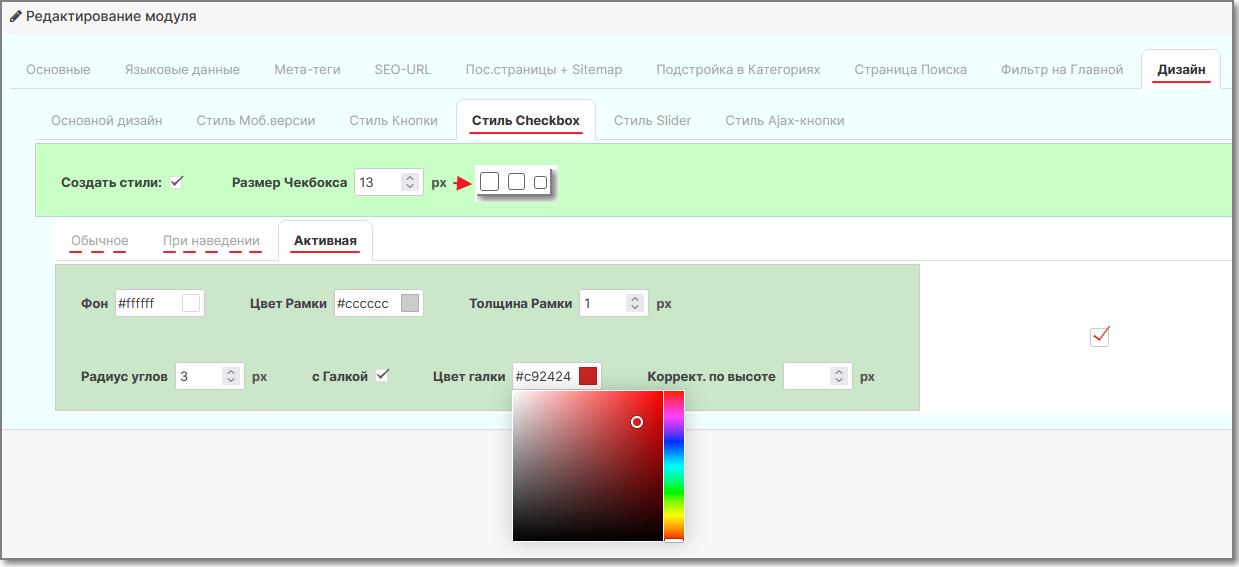
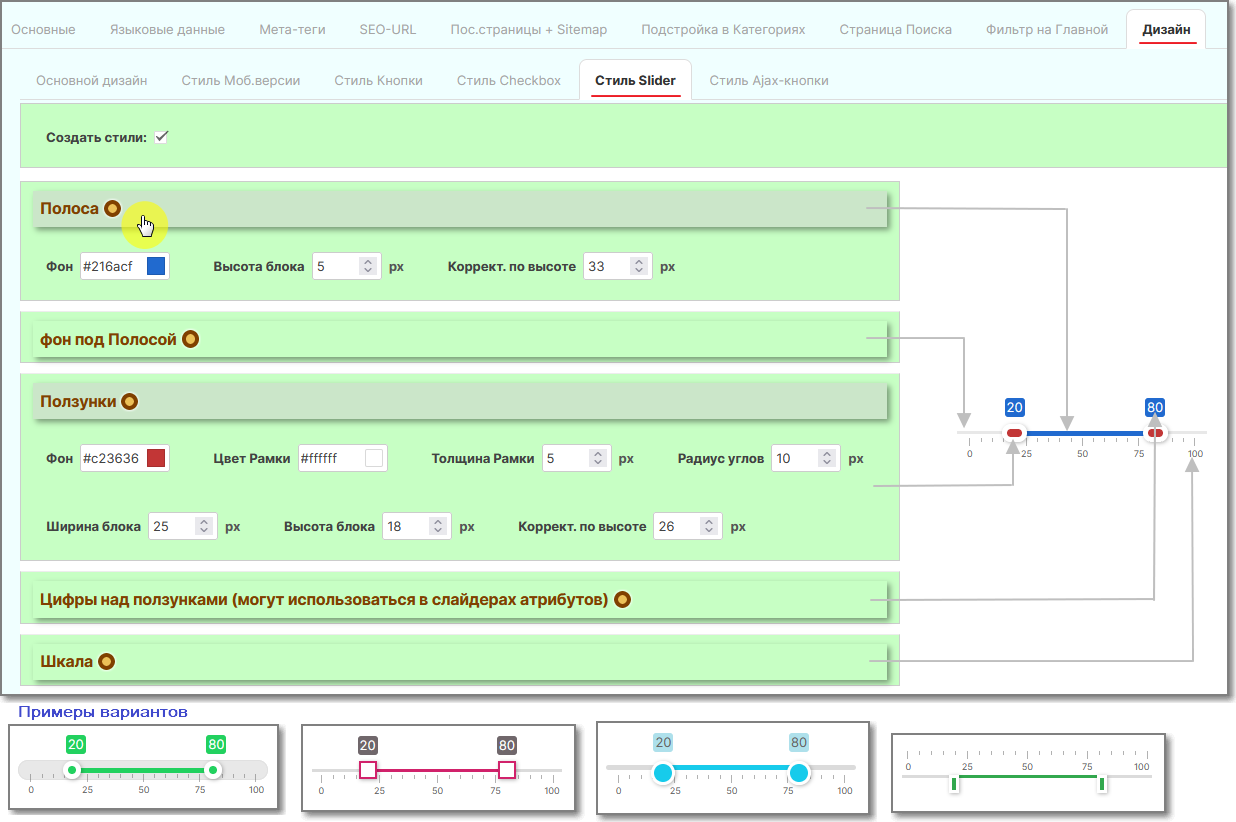
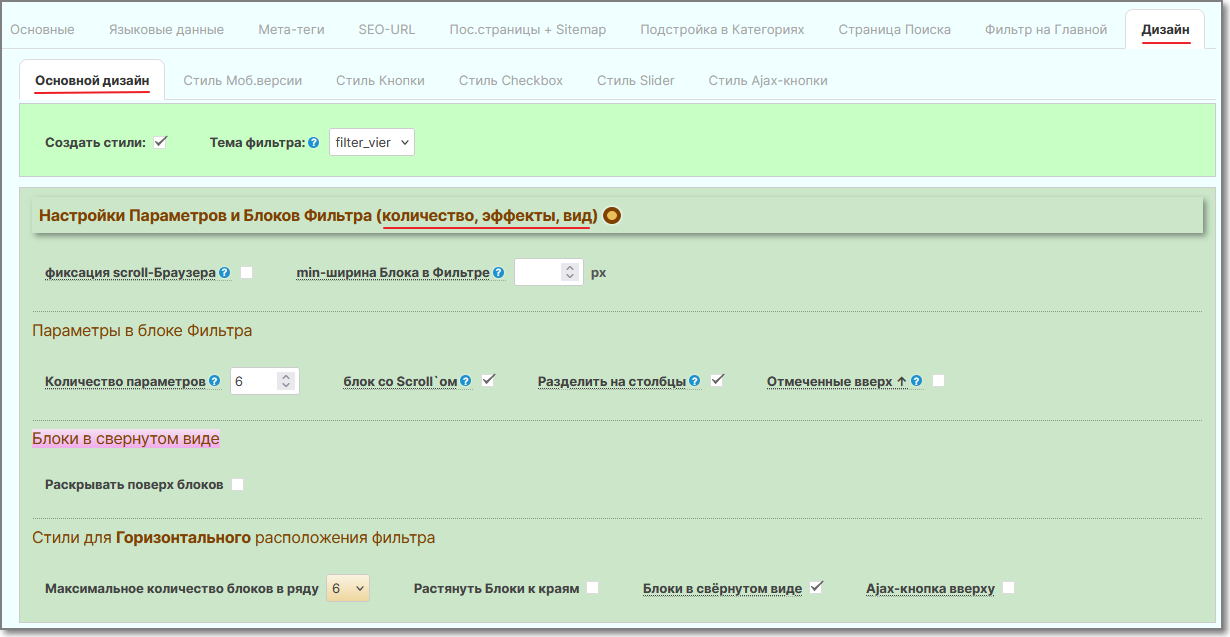
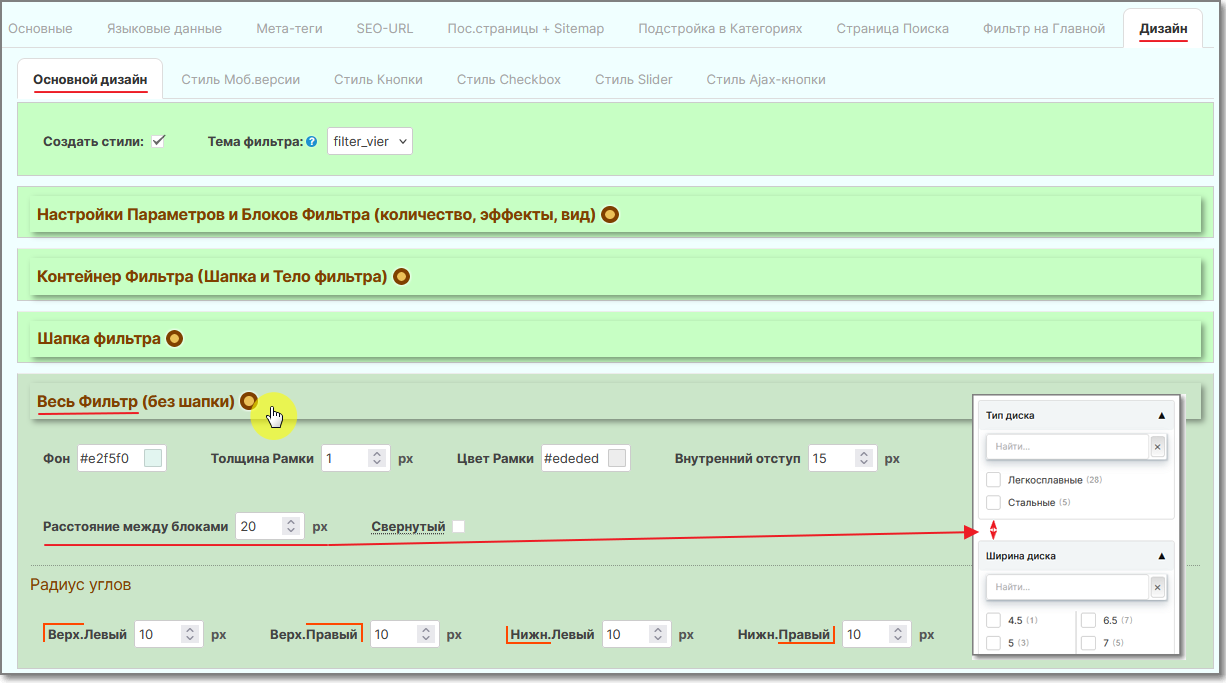
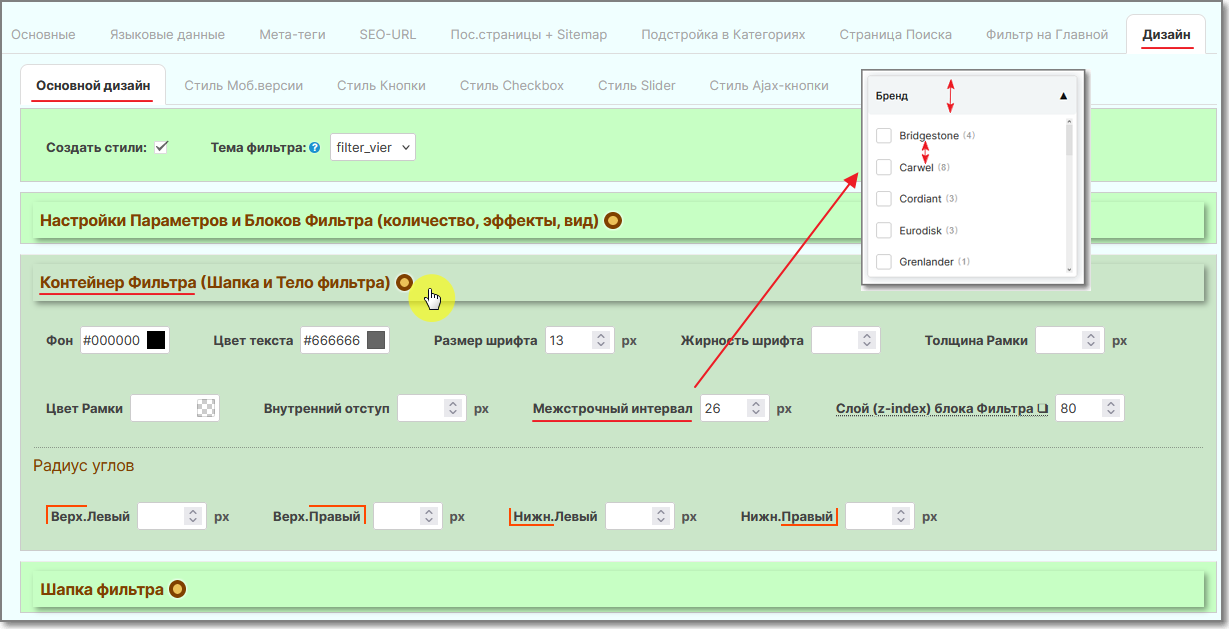
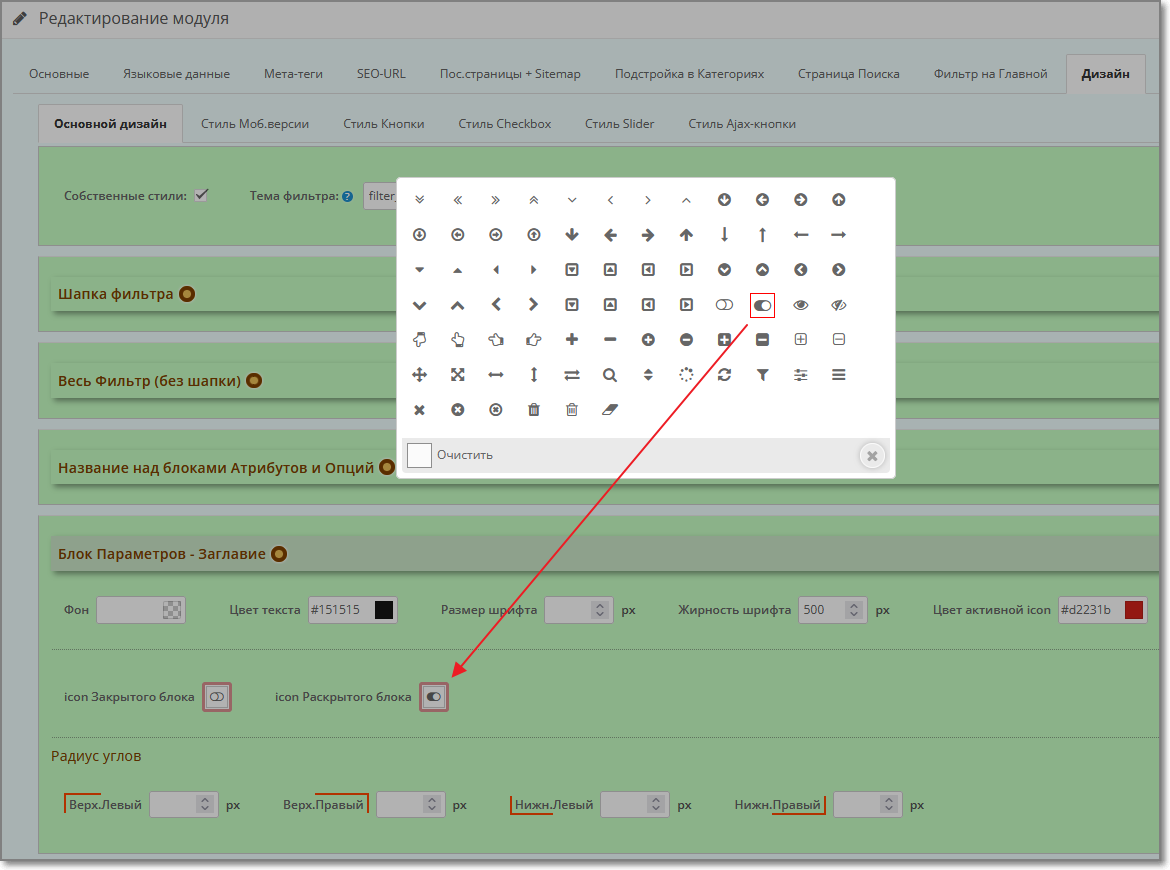
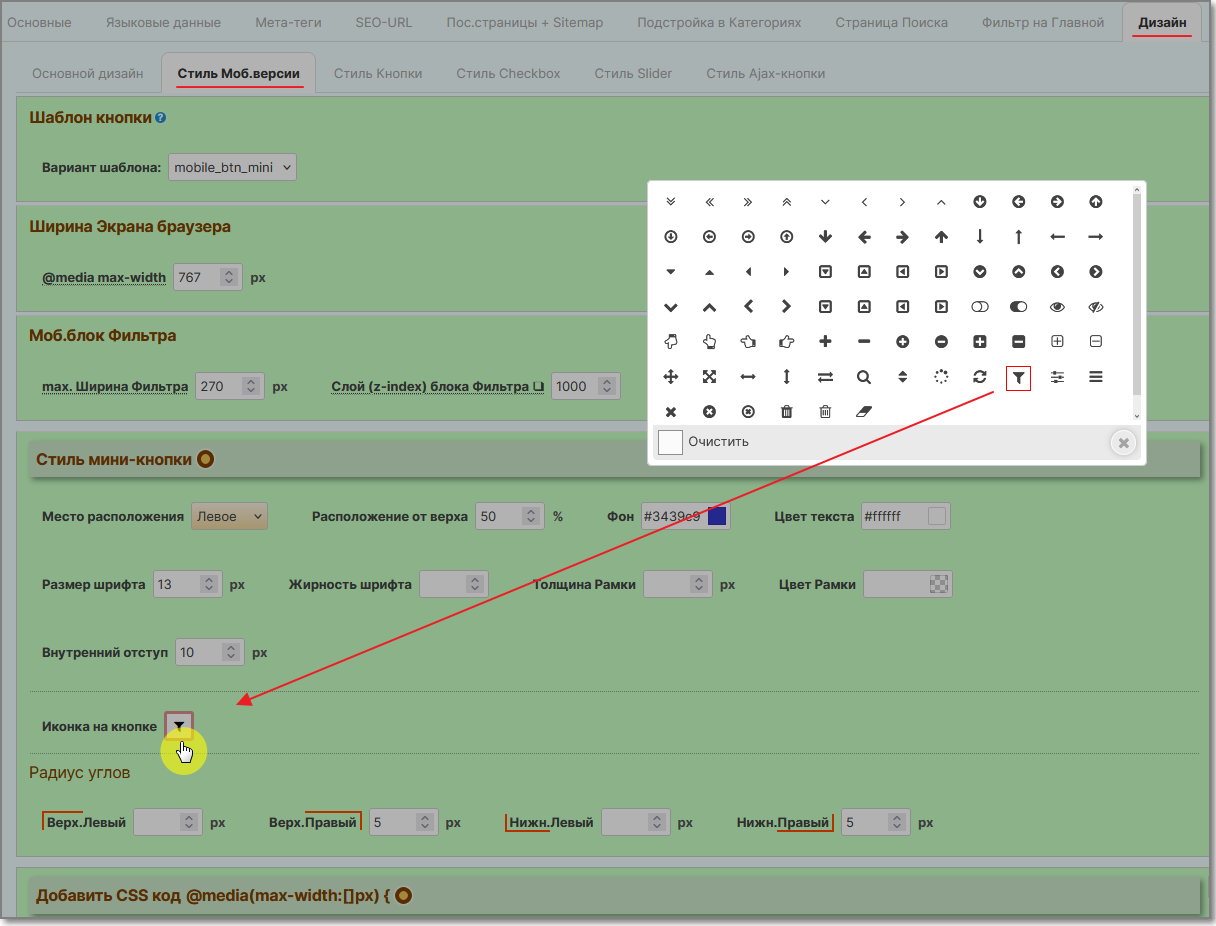
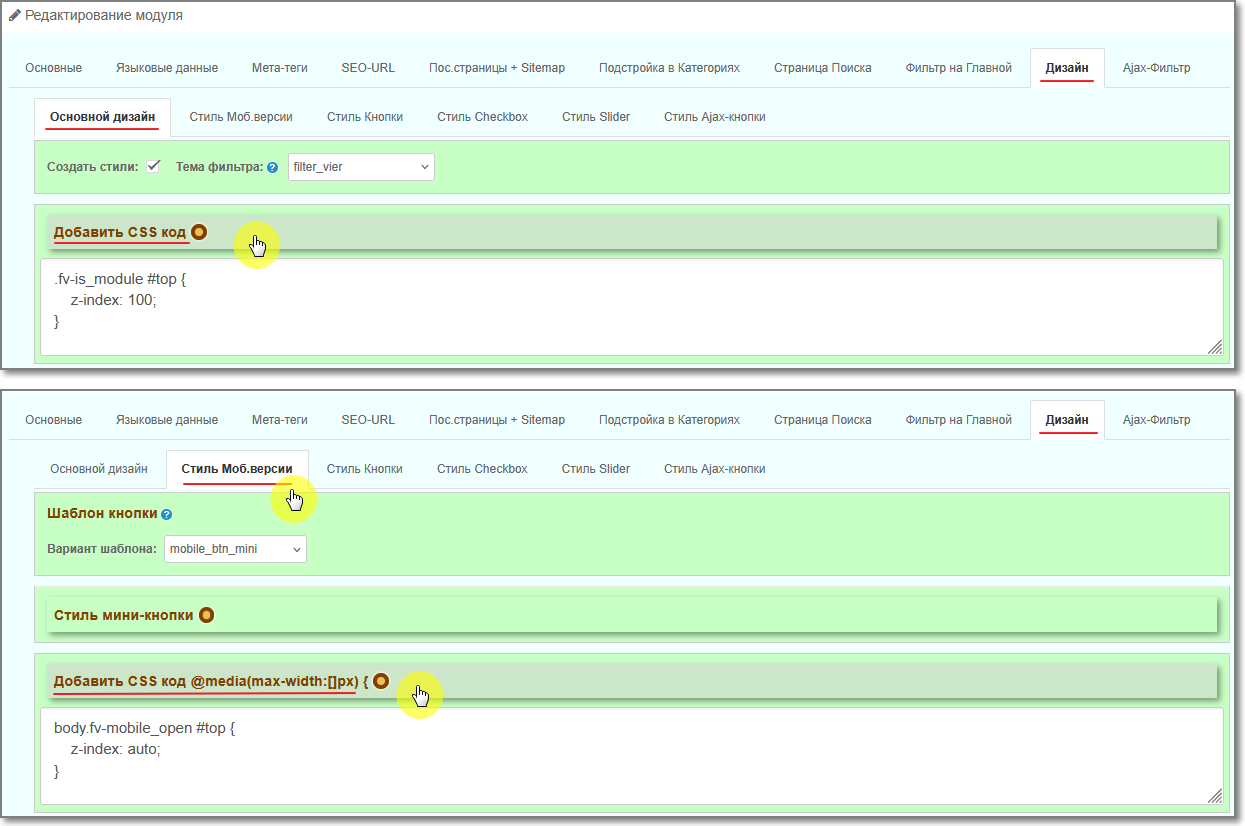
- Filter design designer: Appearance of blocks, design of Buttons, Checkboxes, Slider, Mobile styling, etc.
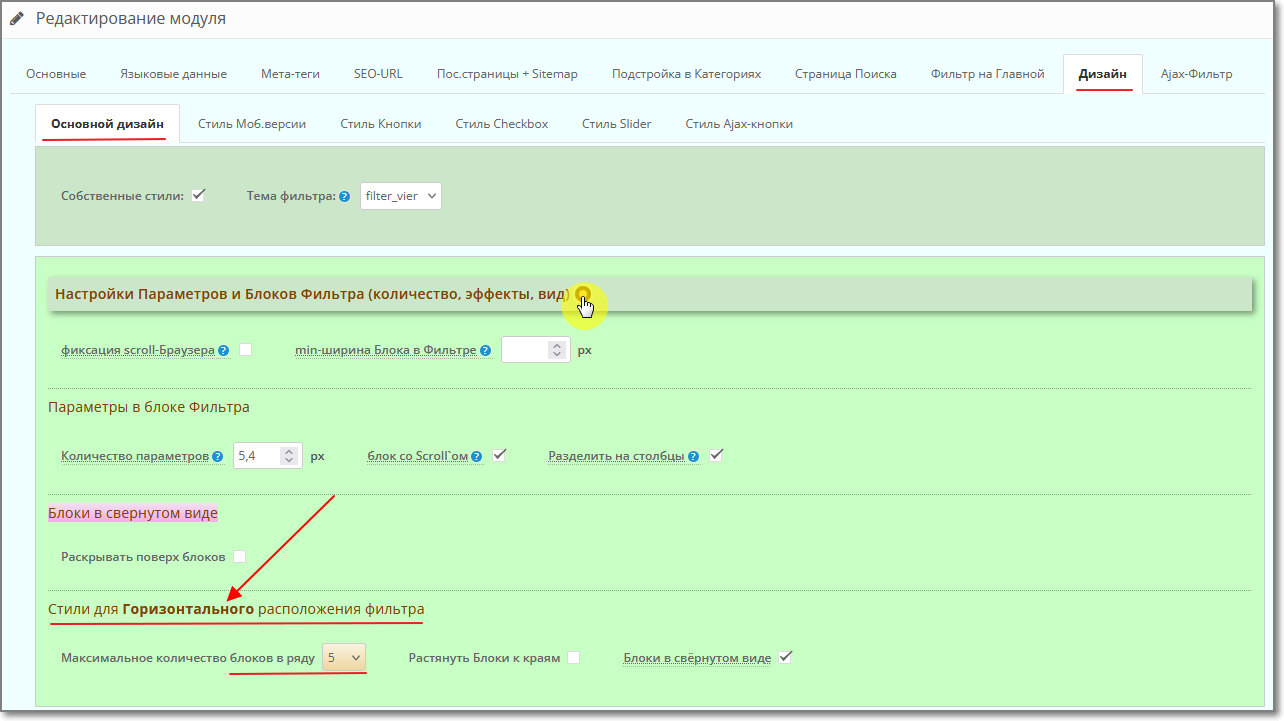
- Display Filter both Vertical and Horizontal (indicating the quantityblocks in a row). You can simultaneously use the Vertical and Horizontal placement of the Filter in different Layouts for different Categories (you cannot display a Filter twice in the same Layout).
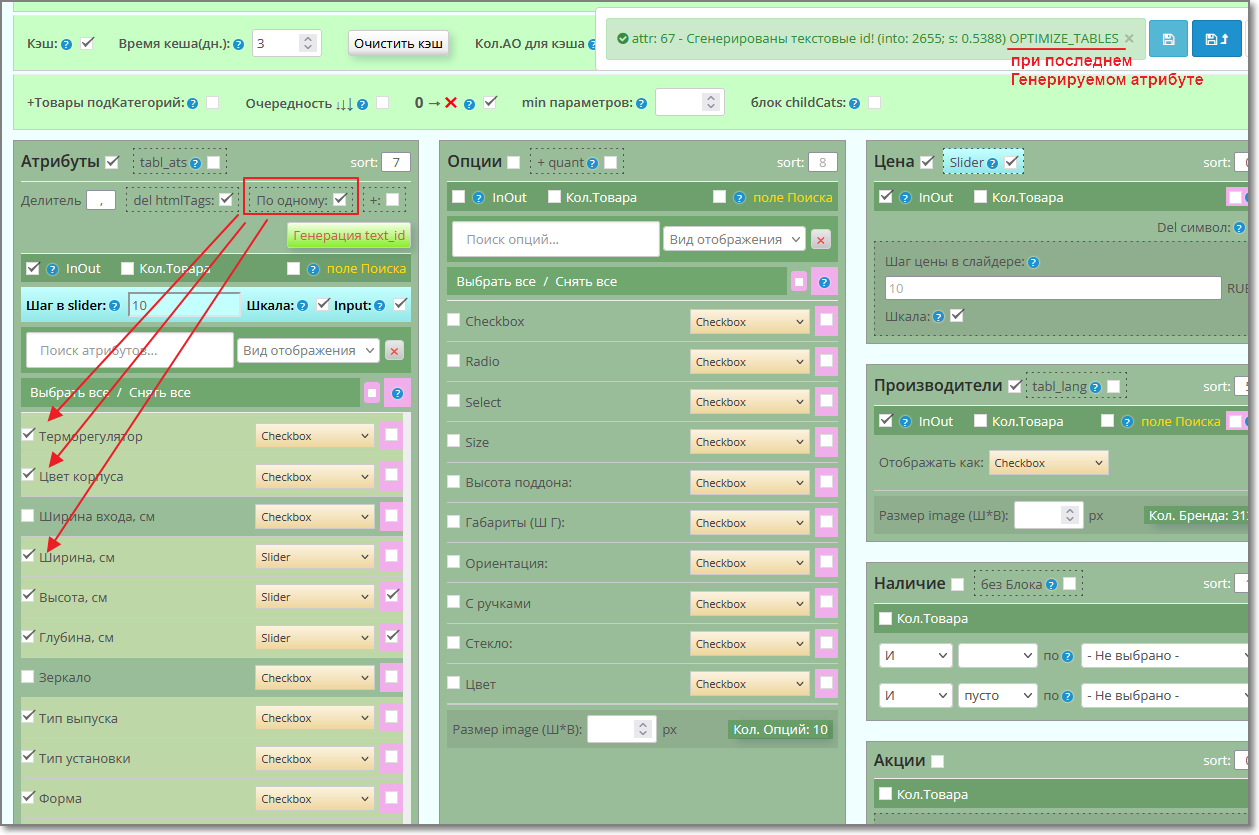
- 10 types of display of Attribute blocks: Checkbox, Switch(radio buttons), List(select), Buttons(+radio), Pictures(+radio, +check) - when using the "Attribute Text module Select" and Slider (if the Values are in digital format).
- 9 types of displaying blocks of Options and Manufacturers: Checkbox, Switch (radio buttons), List (select), Buttons (+radio), Pictures (+radio, +check).
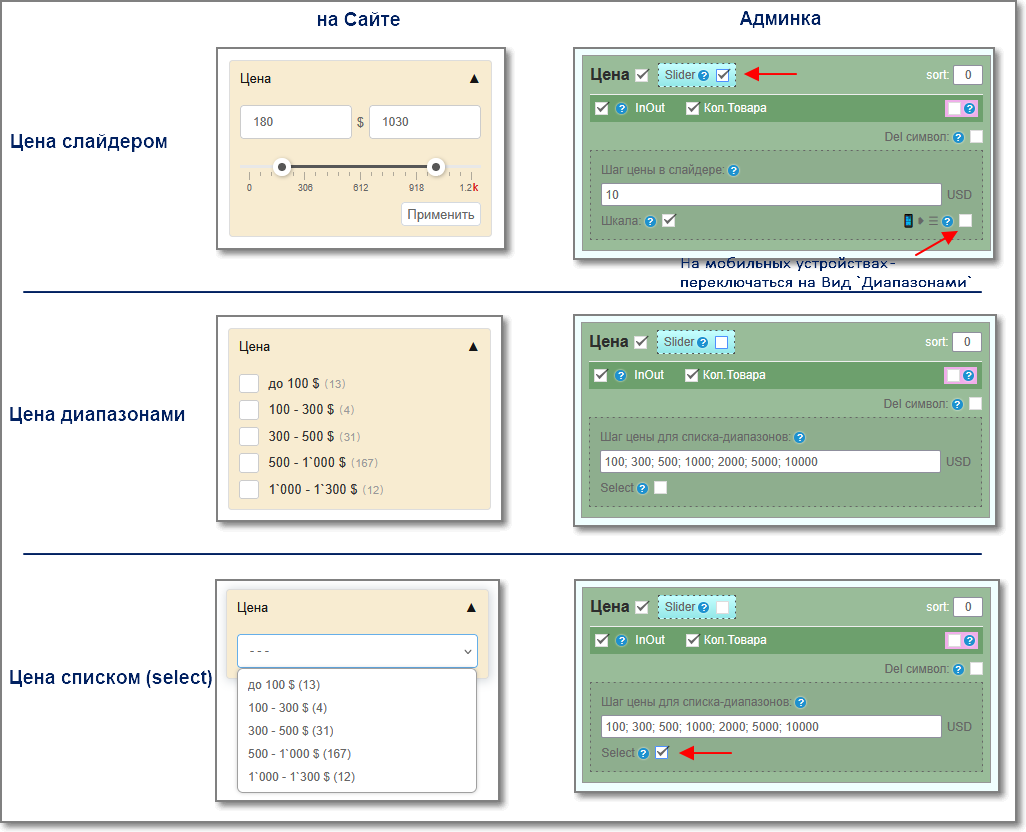
- 3 types of display of the Price block: Slider, Ranges (with checkboxes), List (select). Price formation may take into account Discounts, Promotions, and Taxes. (To generate a Price taking into account the price in Options, the code needs to be modified, taking into account the specifics of your site).
- the ability to automatically switch view of Prices with a slider in the Range List on mobile devices.
- Use multi-attribute values through delimiter.
- Filter by Attributes can also work without text Attribute Values (Group Attributes). (another usefulness of this functionality is thatallows you to “replace” sub-Categories with Attributes, preserving their CNC).
- The filter can simultaneously work with Attributes with Values and without Values, combining the latter into a list of attributes as values (the Attribute Group as the Block Name, and the Attributes themselves as value parameters).
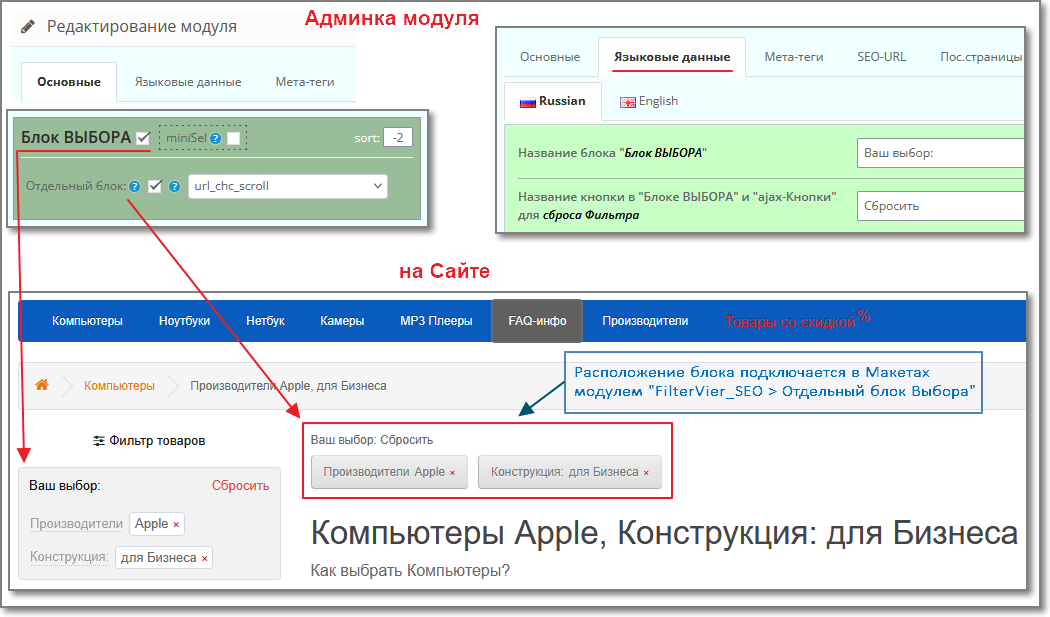
- Use Filter parameters clearing block.
- Works with sort, page and limit.
- Supports working with multi-stores (one admin panel).
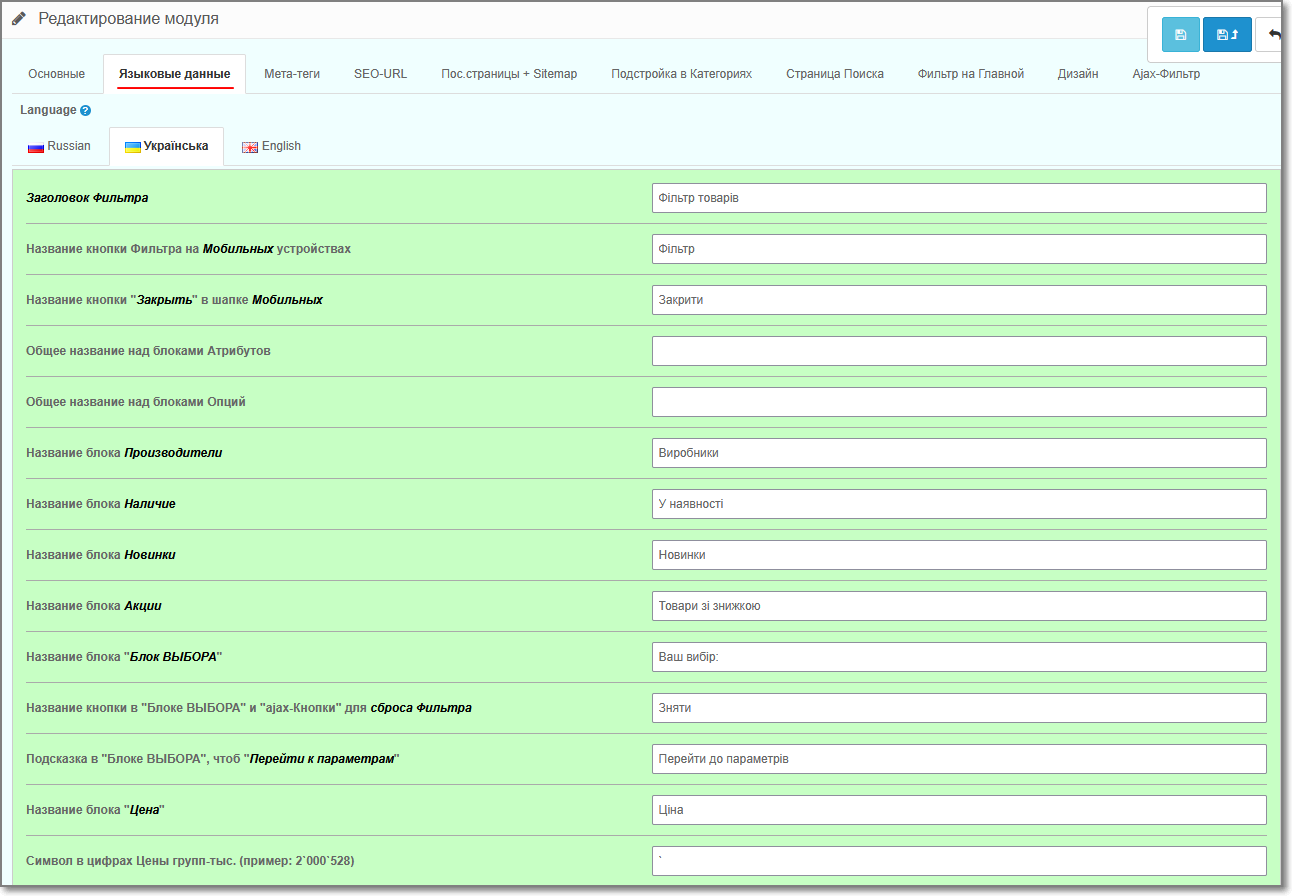
- Multi-Language, Multi-Currency.
- Uses its own request caching model, which allows code to be processed more quickly, as well as to excludeerrors that sometimes occur with the standard caching model in Opencart.
IMPORTANT
Before installing the module - FIX must be installed on the site - localcopy (many sites already use it - it is needed to load modules through the admin panel).
If it is not installed yet, then in the module archive in a separate folder /use_fix_ocmod/ there is this fix - localcopy_oc3x.ocmod.zip (or localcopy_oc2x.ocmod.xml - for OpenCart-2)
Please note that this Fix cannot be installed twice/repeatedly.
Before installing it, make sure that it has not already been installed on the site (it can also be installed in the /system/ folder. Usually in itsthe title contains part of the text localcopy).
After installing it - Update the modifiers, and only then install the modules.
Information - what kind of Fix this is and what it is needed for, here - https://liveopencart.ru/tips/oshibki-pri-ustanvke-ocmod-dopolnenij/
IMPORTANT
If you have version php8.1 or higher installed on your website, then ionCube Loader must be at least version 14.
!!!ATTENTION: - if you used another product filter on your site, be sure to disable it in the admin panel, and delete/disable (if any) its modifier.
Also check the /system/ folder - modifier forfilter may be located in it. (Usually there is part of the text filter in its name) – Delete this file or Rename its extension, for example, rename the .xml extension to ._xml
Then don’t forget to update the modifiers again in the admin panel.
The module is distributed according to the “as is” principle - whatever functionality it currently has, it means it exists, but the module is constantly being developed.
Technical support for the module is provided only to those persons who officially purchased the product.
It is prohibited to transfer the module to third parties without the consent of the author.
The license is provided for one site + multi-store with one admin panel (as well as for a test site, if it is test by name, it does not even have to be on the same domain as the main one).
The license is issuedfor life - both for the main site and for the test site, so changing the domain after activating the Personal Key is not provided.
When purchasing , the license key of the module is generated automatically, provided that you specified your website correctly when purchasing.
(it makes no difference: with www. or without it, with https:// (http://) or without it. If the site name is in Cyrillic, then indicate it in punycode)
A personal key for a test site can also be generated automatically if it is located on the same domain as the main one.
For a test site on a local server or technical domain of the host, I will provide a personal key - write, indicating: purchase account number, main site, test site.
In the admin panel of the module , activation of the Personal key occurs by pressingbuttons Activate.
If for some reason you are unable to Activate the License Key of the module, then write to me in a personal message, indicating: the purchase account number and the site for which you are trying to activate the license.
!!! When updating the module, , always clear the browser cache (by Ctrl+F5) and the rest of the cache that you may have on your website, Host.
And for Opencart 3 clear the cache in the developer settings (or even temporarily disable it).
And also during updates, re-Save all tabs in the module.
Additional information:
If you need to work with modules with standard filters, then you can use the Copying Standard Filters to Attributes module, whichwill “throw” them into attributes, and at the same time these filters will not only be in FilterVier, but also displayed in the Product Card (standard ones are not displayed).
So that in the Filter you no longer generate text_ids of the attributes, and so that the Filter applies them immediately, you can use the Attributes module - "Attribute Text Select" (ATS).
Its capabilities:
- work with multi-attribute values;
- use Images for Attribute Values;
- combine Attributes and their Values;
- bulk edit attribute values;
- bulk add/remove Attributes and their Values from Products;
and many more useful functionality.
Демо-сайт:
https://demo.oc-vier.com/computers/
Админка демо-сайта:
https://demo.oc-vier.com/admin/index.php?route=module/filter_vier
Логин: demo, пароль: demo
!!! When updating the module, always clear the browser cache (by Ctrl+F5) and the rest of the cache that you may have on your site, and for Opencart 3 - clear the cache in "Developer Settings" or temporarily disable it.
And also re-Save all tabs.
____ Changes (main) in versions of the Filter module____
#.65.1
2025-10-07:
- fixed code for generating meta tags in auto-Plantings.
- improved performance of the Filter js code.
- added functionality for mobile devices - auto-switching of the Price Slider to the Range List.
- slightly adjusted the Filter modifier code.
------------------------------------------------
#.65
2025-09-01:
- frontend of the module has been changed.
- the structure of frontend files has been changed: filter_vier.twig (filter_vier.tpl).If necessary, make your own edits only on the basis of them.
- optimization of the Filter operation.
- improved SEO functionality.
- the setting in the Meta tags "href js" now completely hides the Filter parameter links.
- styles have been adjusted taking into account some Templates.
- improved performance of the Filter js code.
- some functionality has been expanded in the module admin panel to make the work of site managers more convenient.
------------------------------------------------
#64
2025-03-07:
- the code of the admin and front module has been completely redesigned. - 90% new module.
------------------------------------------------
#63
2023-08-26:
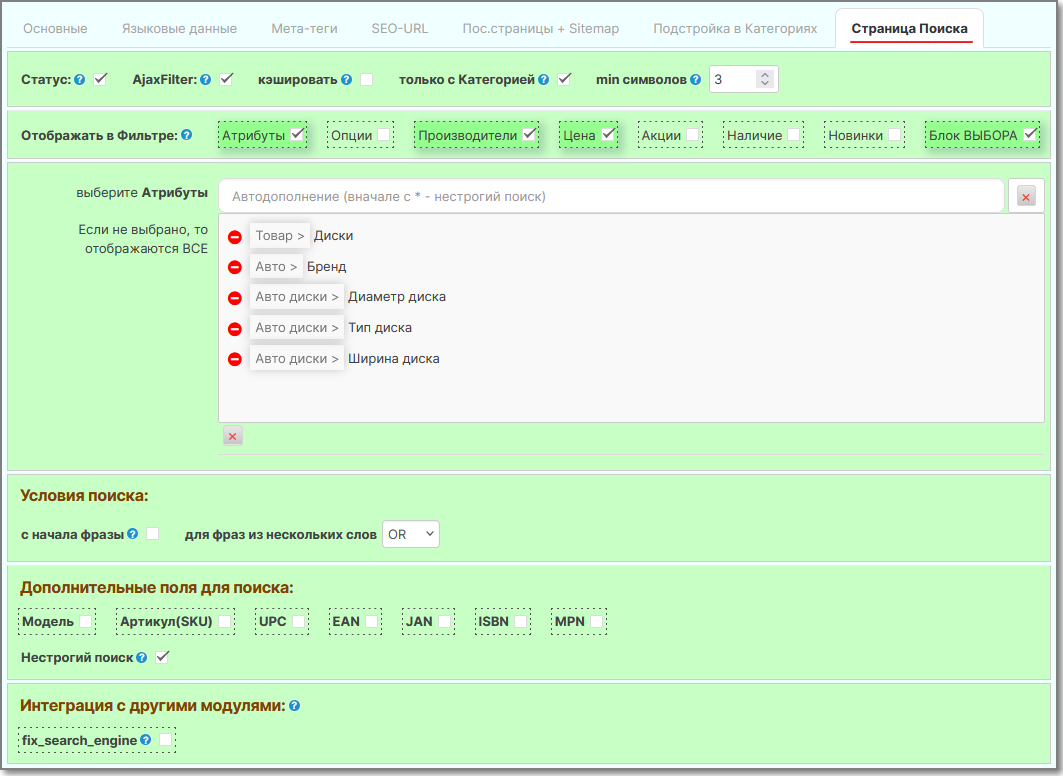
- added a “Search Page” tab with settings.
- added a “Filter on Home” tab with settings.
- in the “Basic” tab added settings: Number of AOs for cache andview_child_cat.
- added an additional view for displaying Prices as a select block.
- added Buttons:radio, image:radio to the display type of parameters - that is, their functionality will work in radio mode (switch).
- in the “Meta Tags” tab, I added an additional setting when enabling no_param_meta “But leave it for numbers”.
- in the “SEO_URL” tab added get-Filter, CNC get-Filter, Disable CNC on the `Search` page, Translit button. Also, when generating CNC in the fields: Manufacturers, Availability, New Products, Price and Promotions, CNC will be generated from the names assigned to these fields in the “Language data” tab, according to the selected language “Language for transliteration”.
- in the “Last Pages + Sitemap” tab, I changed the internal processing for form fields. This will allow further simplifiedintegrate with other modules.
- controllers and module models have been changed.
- !!! template file changed – filter_vier.tpl(filter_vier.twig) !!!
- slightly changed the style file – filter_vier.css
- !!! module modifier changed!!!!
- added another optional modifier `fix_home-page_mobil_mini-filter_vier_seo` to display a mini-button on the Home page when the Filter is located in the left or right sidebar.
------------------------------------------------
#.62
2022-07-07:
- !!! module modifier changed!!!! - We will definitely change it.
- !!! template file changed – filter_vier.tpl(filter_vier.twig) !!! - be sure to use the new template.
- slightly changed the style file – filter_vier.css
- added the “Sequence” setting for block output.
- added output in blocks fieldby Search.
- added additional settings for the “Availability” block and the “Selection” block. - they may need to be filled out.
- added new fields to the “Language Data”: for Cleaning in the “Selection” block and for the Search block.
- added control for some cases when the Manufacturer (not from the Filter) is displayed on the Category page - “Category+Manufacturer”.
2023-04-10:
- corrected the cache in the Filter for Options.
------------------------------------------------
#.61
2021-12-20:
- it became possible to manage (add or not show) the Scale for attribute sliders.
- in the “Landing Pages + Sitemap” tab I added a link to view the Landing Page.
- in the “Page Pages + Sitemap” tab added new fields: `Status`, `Store`, `Image`, `Sorting` and `Group`.
- in the “Last pages +” tabSitemap" has expanded the functionality of filtering by `Status`, `Store` (if there is more than one) and `Group`.
- in the “Adjustment in categories” tab, I added a display of its group to the attribute (for greater clarity).
- the code of controllers and module models has been corrected.
- module modifier changed.
------------------------------------------------
#.60
2021-07-26:
- it became possible to add input (windows) for the attribute slider.
- the code of controllers and module models has been corrected.
- module modifier changed.
------------------------------------------------
#.59+
2021-03-16:
- added the ability for the sitemap filter to add a Language prefix. For example /ua/sitemap_filter.xml (used in conjunction with other Multi-language modules).
------------------------------------------------
#.59
2021-01-15:
-!!! module modifier changed!!!! - We will definitely change it.
- The “Sitemap” tab has been moved to the “Sub.Pages” tab.
- added the ability to use your own Sitemap for the filter, and assign your own name if necessary.
- added integration with third-party modules for generating the robots meta tag.
- added the ability to generate auto-meta tags using your own Template.
- added the ability not to display “outdated” prev/next for canonical.
- added the ability to configure the display of the number of parameters for meta tags.
- in the “crumb” added the ability to control the number of displayed parameters or their length, depending on the selected settings.
- added the ability to group delete CNC (seo_url).
- added the ability to clear the fields of all CNC duplicates (seo_url).- all controller files and Filter models have been significantly changed.
- !!! template file changed – filter_vier.tpl(filter_vier.twig) !!!
- slightly changed the style file – filter_vier.css
- some functionality removed. – the filter module will now automatically detect it.
- corrected transliteration for generating CNC parameters.
------------------------------------------------
#.58+
2020-10-29
- !!! module modifier changed!!!!
- the controller and module model have been changed.
- corrected code for sitemap.
- fixed code for some templates.
------------------------------------------------
#.58
2020-02-28:
- !!! module modifier changed!!!!
- !!! template file changed – filter_vier.tpl(filter_vier.twig) !!!
- slightly changed the style file – filter_vier.css
- in the tab"Pos. pages" added fields for entering information. And also added fields for Search.
- two new tables are used to store data from “Landing Pages”: `filter_vier_hl` and `filter_vier_hl_lang` instead of one `filter_vier_hand_links`
------------------------------------------------
#.57
2019-12-16:
- in the “SEO_URL” tab, I added a control for generating a CNC – the output sequence in the CNC.
- in the “Adjustment in Categories” tab, I added display of the full path in the field for Categories and the ability to leave the field for Attributes empty.
- changed and optimized the codes of controllers and module models.
- added integration with modules: `KIT SERIES`, `Hyper Product Models`, `AO Tooltips` (hints for Options).
- adjusted output for meta tags: "keywords","description", "Heading" (H1), "Descriptions".
- (for those who understand) get parameters: `manufacturer_id` and `path` can now work in pairs.
- adjusted the style for mobil_mini (the filter template was also slightly changed).
- module modifier changed.
------------------------------------------------
#.56
2019-10-05:
- a new modifier is used for the module - !!!be sure to change it.
- front files changed: filter_vier.tpl (for OpenCart 3 filter_vier.twig) and filter_vier.css - added styles and code in the template.
- added display of Options and Manufacturers in the form of radio buttons and select.
- added integration with the module "Attribute Text Select".
- added functionality for automatic transition of filter operation in Mobile devices to Ajax.------------------------------------------------
#.55 .....................
And also re-Save all tabs.
____ Changes (main) in versions of the Filter module____
#.65.1
2025-10-07:
- fixed code for generating meta tags in auto-Plantings.
- improved performance of the Filter js code.
- added functionality for mobile devices - auto-switching of the Price Slider to the Range List.
- slightly adjusted the Filter modifier code.
------------------------------------------------
#.65
2025-09-01:
- frontend of the module has been changed.
- the structure of frontend files has been changed: filter_vier.twig (filter_vier.tpl).If necessary, make your own edits only on the basis of them.
- optimization of the Filter operation.
- improved SEO functionality.
- the setting in the Meta tags "href js" now completely hides the Filter parameter links.
- styles have been adjusted taking into account some Templates.
- improved performance of the Filter js code.
- some functionality has been expanded in the module admin panel to make the work of site managers more convenient.
------------------------------------------------
#64
2025-03-07:
- the code of the admin and front module has been completely redesigned. - 90% new module.
------------------------------------------------
#63
2023-08-26:
- added a “Search Page” tab with settings.
- added a “Filter on Home” tab with settings.
- in the “Basic” tab added settings: Number of AOs for cache andview_child_cat.
- added an additional view for displaying Prices as a select block.
- added Buttons:radio, image:radio to the display type of parameters - that is, their functionality will work in radio mode (switch).
- in the “Meta Tags” tab, I added an additional setting when enabling no_param_meta “But leave it for numbers”.
- in the “SEO_URL” tab added get-Filter, CNC get-Filter, Disable CNC on the `Search` page, Translit button. Also, when generating CNC in the fields: Manufacturers, Availability, New Products, Price and Promotions, CNC will be generated from the names assigned to these fields in the “Language data” tab, according to the selected language “Language for transliteration”.
- in the “Last Pages + Sitemap” tab, I changed the internal processing for form fields. This will allow further simplifiedintegrate with other modules.
- controllers and module models have been changed.
- !!! template file changed – filter_vier.tpl(filter_vier.twig) !!!
- slightly changed the style file – filter_vier.css
- !!! module modifier changed!!!!
- added another optional modifier `fix_home-page_mobil_mini-filter_vier_seo` to display a mini-button on the Home page when the Filter is located in the left or right sidebar.
------------------------------------------------
#.62
2022-07-07:
- !!! module modifier changed!!!! - We will definitely change it.
- !!! template file changed – filter_vier.tpl(filter_vier.twig) !!! - be sure to use the new template.
- slightly changed the style file – filter_vier.css
- added the “Sequence” setting for block output.
- added output in blocks fieldby Search.
- added additional settings for the “Availability” block and the “Selection” block. - they may need to be filled out.
- added new fields to the “Language Data”: for Cleaning in the “Selection” block and for the Search block.
- added control for some cases when the Manufacturer (not from the Filter) is displayed on the Category page - “Category+Manufacturer”.
2023-04-10:
- corrected the cache in the Filter for Options.
------------------------------------------------
#.61
2021-12-20:
- it became possible to manage (add or not show) the Scale for attribute sliders.
- in the “Landing Pages + Sitemap” tab I added a link to view the Landing Page.
- in the “Page Pages + Sitemap” tab added new fields: `Status`, `Store`, `Image`, `Sorting` and `Group`.
- in the “Last pages +” tabSitemap" has expanded the functionality of filtering by `Status`, `Store` (if there is more than one) and `Group`.
- in the “Adjustment in categories” tab, I added a display of its group to the attribute (for greater clarity).
- the code of controllers and module models has been corrected.
- module modifier changed.
------------------------------------------------
#.60
2021-07-26:
- it became possible to add input (windows) for the attribute slider.
- the code of controllers and module models has been corrected.
- module modifier changed.
------------------------------------------------
#.59+
2021-03-16:
- added the ability for the sitemap filter to add a Language prefix. For example /ua/sitemap_filter.xml (used in conjunction with other Multi-language modules).
------------------------------------------------
#.59
2021-01-15:
-!!! module modifier changed!!!! - We will definitely change it.
- The “Sitemap” tab has been moved to the “Sub.Pages” tab.
- added the ability to use your own Sitemap for the filter, and assign your own name if necessary.
- added integration with third-party modules for generating the robots meta tag.
- added the ability to generate auto-meta tags using your own Template.
- added the ability not to display “outdated” prev/next for canonical.
- added the ability to configure the display of the number of parameters for meta tags.
- in the “crumb” added the ability to control the number of displayed parameters or their length, depending on the selected settings.
- added the ability to group delete CNC (seo_url).
- added the ability to clear the fields of all CNC duplicates (seo_url).- all controller files and Filter models have been significantly changed.
- !!! template file changed – filter_vier.tpl(filter_vier.twig) !!!
- slightly changed the style file – filter_vier.css
- some functionality removed. – the filter module will now automatically detect it.
- corrected transliteration for generating CNC parameters.
------------------------------------------------
#.58+
2020-10-29
- !!! module modifier changed!!!!
- the controller and module model have been changed.
- corrected code for sitemap.
- fixed code for some templates.
------------------------------------------------
#.58
2020-02-28:
- !!! module modifier changed!!!!
- !!! template file changed – filter_vier.tpl(filter_vier.twig) !!!
- slightly changed the style file – filter_vier.css
- in the tab"Pos. pages" added fields for entering information. And also added fields for Search.
- two new tables are used to store data from “Landing Pages”: `filter_vier_hl` and `filter_vier_hl_lang` instead of one `filter_vier_hand_links`
------------------------------------------------
#.57
2019-12-16:
- in the “SEO_URL” tab, I added a control for generating a CNC – the output sequence in the CNC.
- in the “Adjustment in Categories” tab, I added display of the full path in the field for Categories and the ability to leave the field for Attributes empty.
- changed and optimized the codes of controllers and module models.
- added integration with modules: `KIT SERIES`, `Hyper Product Models`, `AO Tooltips` (hints for Options).
- adjusted output for meta tags: "keywords","description", "Heading" (H1), "Descriptions".
- (for those who understand) get parameters: `manufacturer_id` and `path` can now work in pairs.
- adjusted the style for mobil_mini (the filter template was also slightly changed).
- module modifier changed.
------------------------------------------------
#.56
2019-10-05:
- a new modifier is used for the module - !!!be sure to change it.
- front files changed: filter_vier.tpl (for OpenCart 3 filter_vier.twig) and filter_vier.css - added styles and code in the template.
- added display of Options and Manufacturers in the form of radio buttons and select.
- added integration with the module "Attribute Text Select".
- added functionality for automatic transition of filter operation in Mobile devices to Ajax.------------------------------------------------
#.55 .....................
Distribution method:
Paid
Opencart version:
LiveStore 3.*OCStore 3.*OpenCart 3.*OCStore 2.3OpenCart 2.3OpenCart 2.2OCStore 2.1OpenCart 2.1OpenCart 2.0
PHP verision:
PHP 7.2PHP 7.3PHP 7.4PHP 8.1PHP 8.2PHP 8.3PHP 8.4PHP 8.5
Activation:
Automatic
Getting files:
On site, in the personal account
Protection system:
IonCube
VQmod:
No
Ocmod:
Yes
Events:
No
Uploaded:
18.02.2017
Updated:
22.10.2026
Viewed:
93158
Sales:
1304
Write a review
Your Name:Your Review: Note: HTML is not translated!
Rating: Bad Good
Enter the code in the box below:

Файлы будут доступны после покупки
Articles about the product


On September 24, 2021, a radically new version of the product filter for Opencart, OCFilter, was released. Let's talk about what's new.

Creating landing pages using FilterVier or GigantFilter

A basic set of proven solutions, without which it is hard to imagine a convenient, stable, and sales-driven online store


Можно ли с помощью этого фильтра организовать подборку товара на сайте по 3-4 характеристикам?
Можно ли расположить этот фильтр (например в родительской категории) горизонтальным блоком с небольшим набором выбора характеристик?
Можно.
Можно.
Сейчас Фильтр на автомате определяет Список/Сетка отображения Товара, а не подключать в нём отдельную настройку.
может не Ширину карточке, а Тип отображения - Список/Сетка.
Фильтр к верстке любого Шаблона не имеет никакого отношения.
у Фильтра свои спец-классы и id. и только по ним идет обработка.
исключение - это когда Фильтр включён в режиме работы на Ajax и включён "без Перезагрузки страницы".
но и там Вы сами указываете в настройках Фильтра шаблонные идентификаторы для подгрузи Товара.
возможно, - что-то не настроили (или не правильно указали).
PS
в Личке писали, но этим вопросом/решением не поинтересовались.
Более 40 тысяч товаров на сайте. Фильтр работает быстро и отзывчиво как в обычной браузерной так и в мобильной версии сайта.
Отдельная благодарность разработчику за помощь в установке, базовой настройке и донастройки модуля под наш сайт и товар. Все сделано оперативно и с учетом наших пожеланий.
Рекомендую!