Your shopping cart is empty!

SmartPars - Smart Product Parser
Price: 2 375 ₽ 2 500 ₽
From 1 purchase of this product, the price is: 2 375 ₽
From 2 purchase of this product, the price is: 2 250 ₽
From 3 purchase of this product, the price is: 2 125 ₽

Additional from the author:
Author: ТГ @Stas_Clear
Write to the author
Sales: 1 (Average rating 0 на основании 0 отзывов)
Need paid help? Contact the site administration
Opencart version:
Sales: 1 (Average rating 0 на основании 0 отзывов)
Need paid help? Contact the site administration
Opencart version:
LiveStore 3.*OCStore 3.*OpenCart 3.*
Smart product parser SmartPars
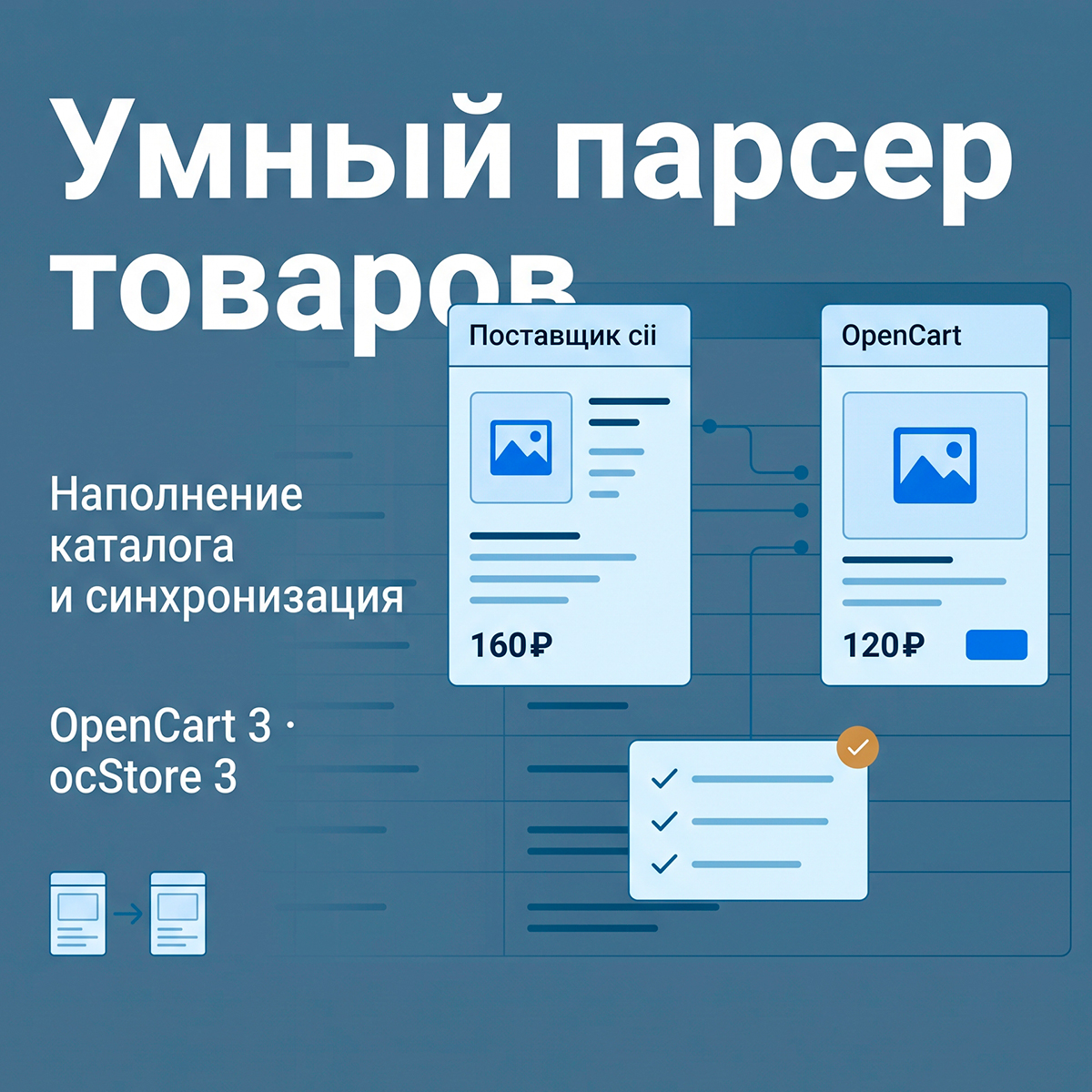
Fill your store with products without the tedious manual copying.SmartPars helps you transfer product names, descriptions, prices, photos, and specifications from supplier websites, and then update the necessary data.
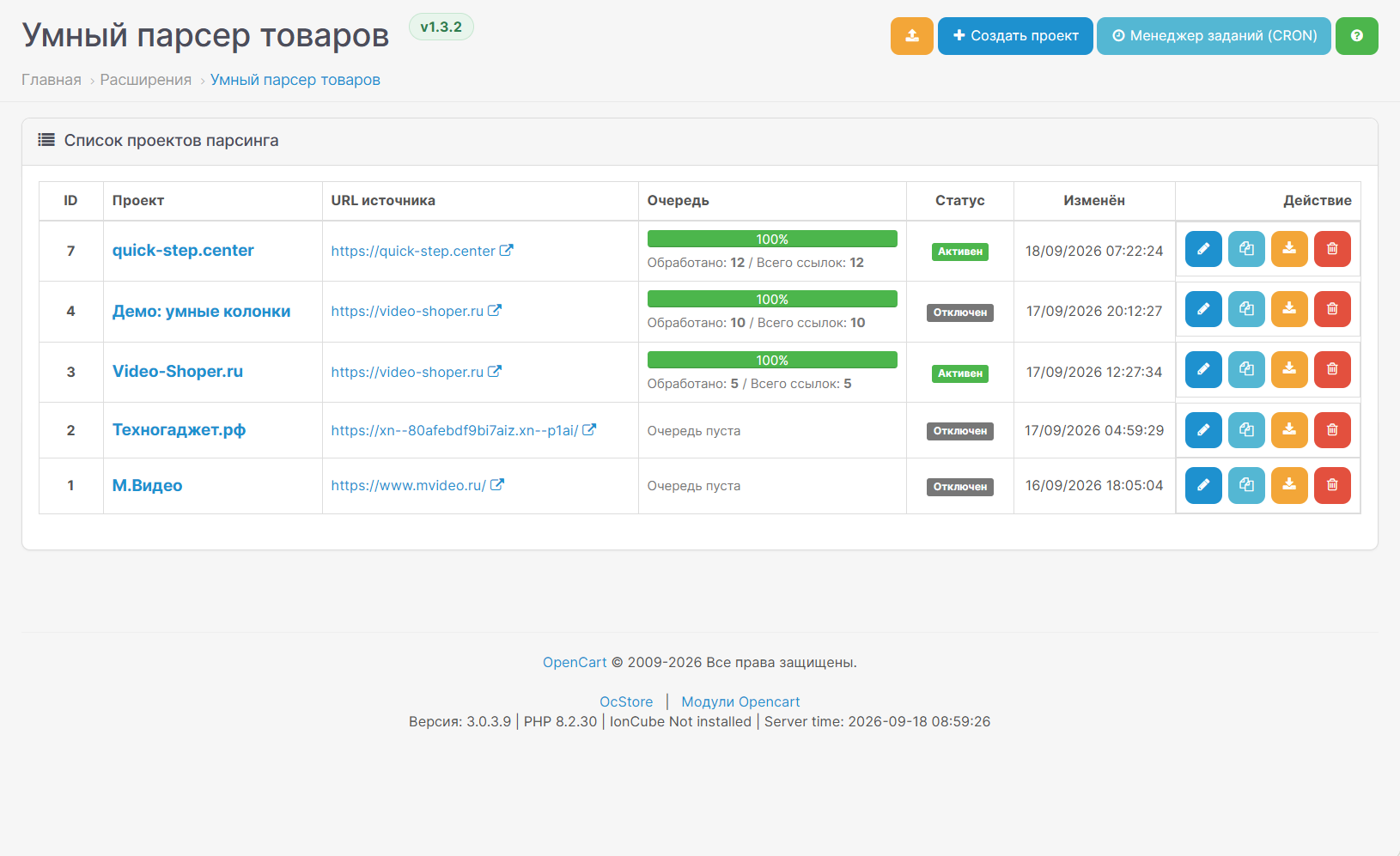
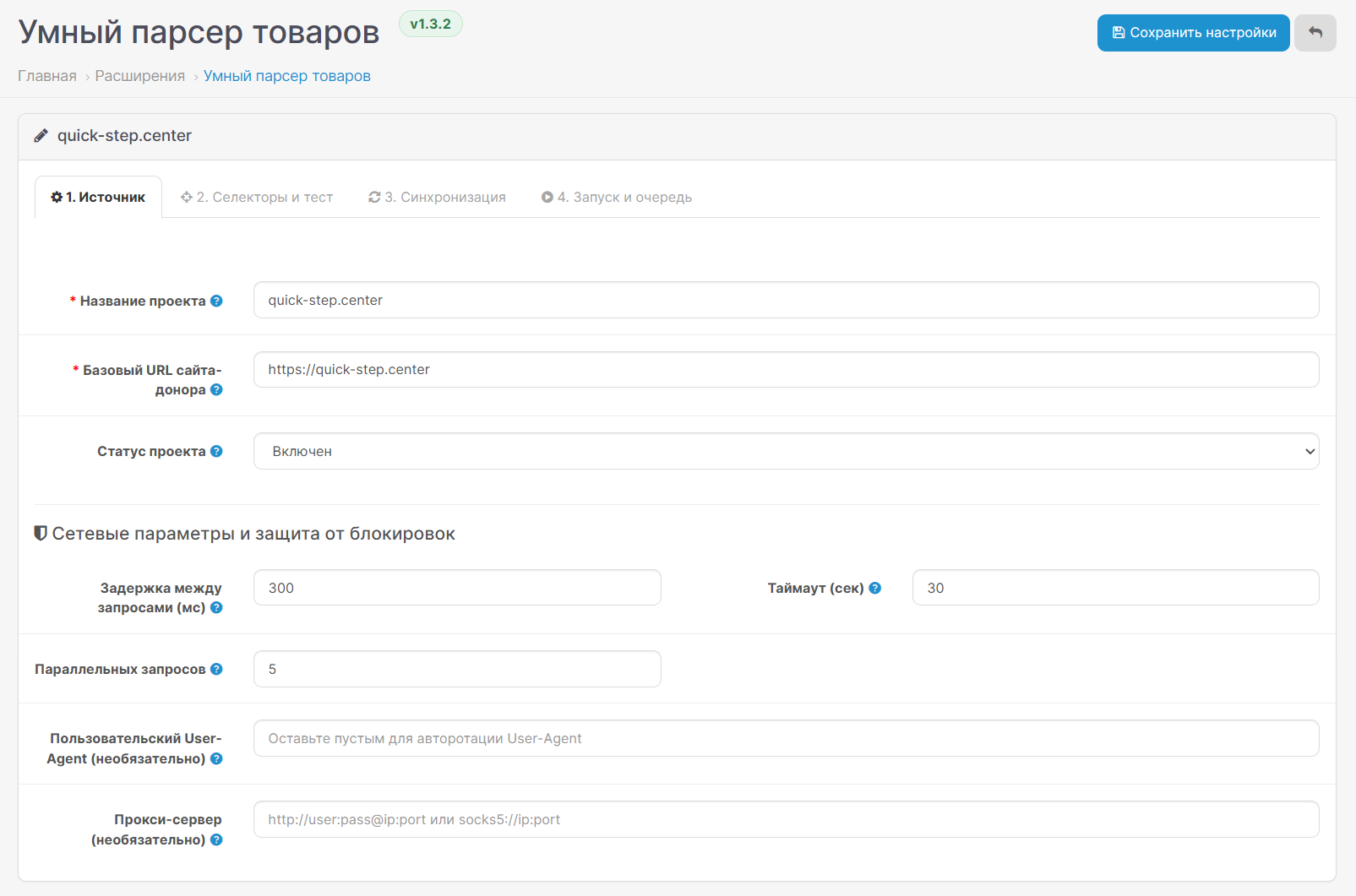
The module isn't tied to a single product niche. It's suitable for electronics, tools, furniture, auto parts, building materials, and other products. A separate project with its own settings is created for each source website.
Video Review
For those who find it time-saving
What the module can do
Check first, then import
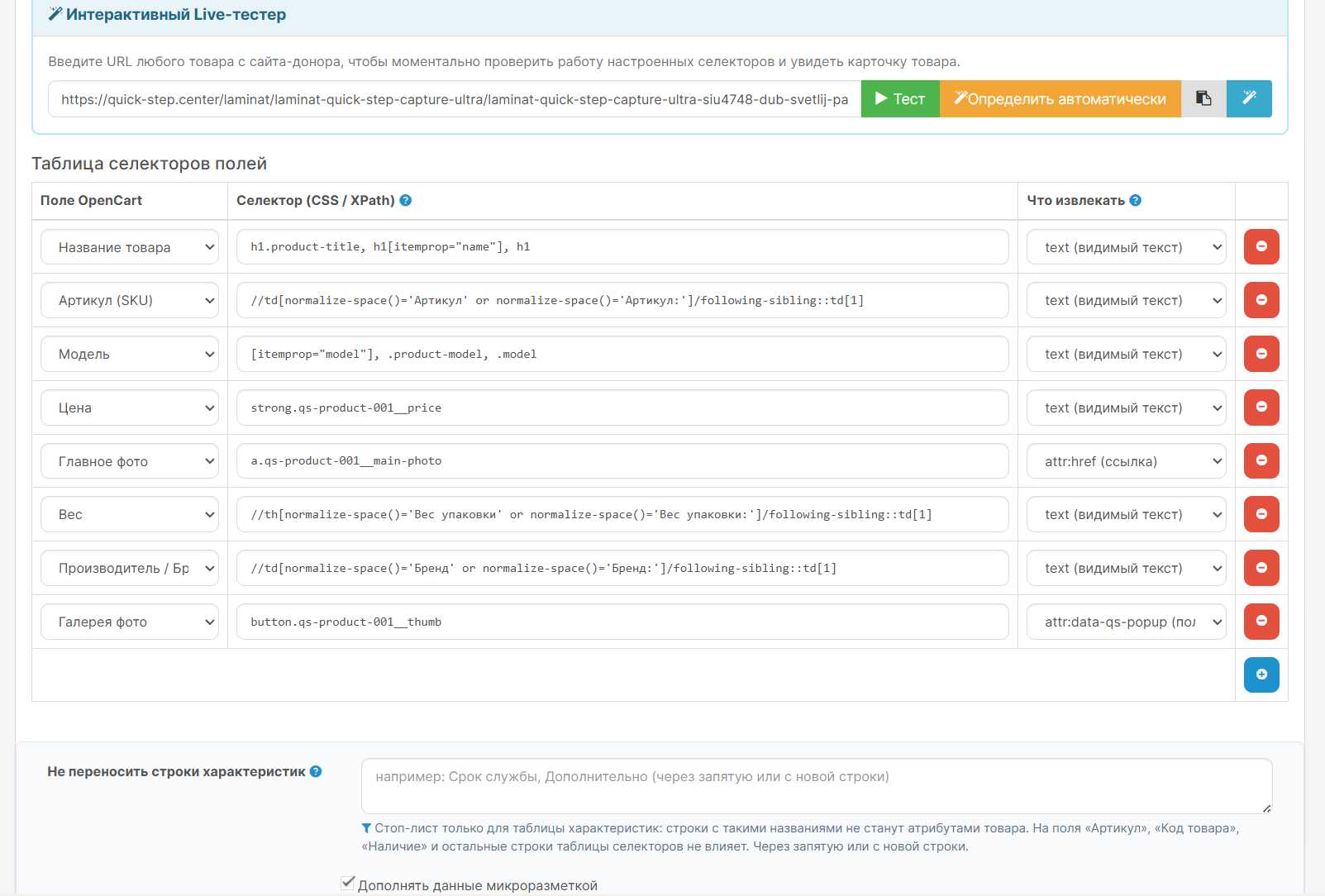
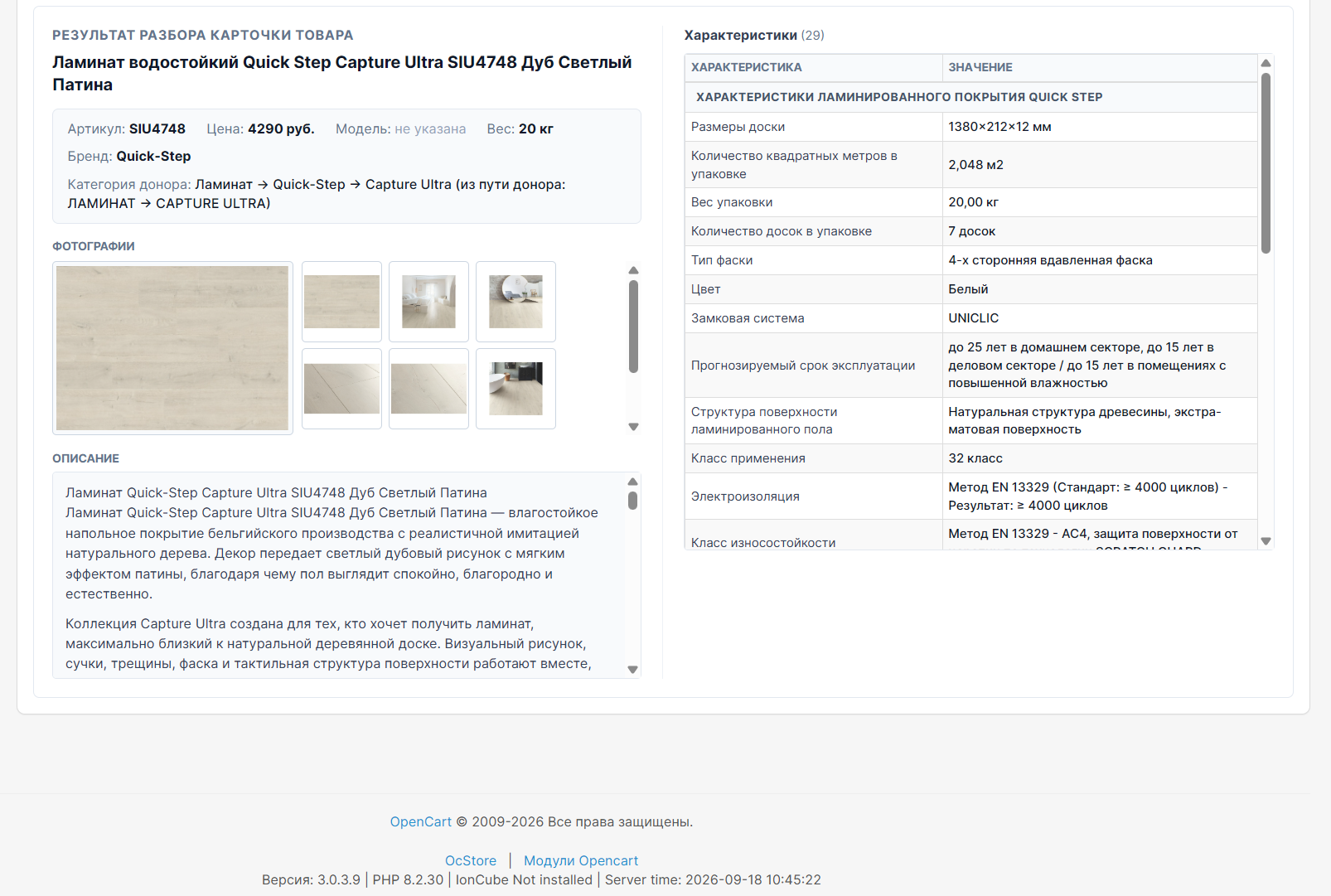
Paste a link to a single product and see what the module found: name, price, photos, and specifications.
Automatic detection helps fill in the collection rules. For a custom page, you can manually refine the settings.
A separate preview shows how the data will change after your rules are applied and which categories the product will fall into. This check does not create any products in the store.
How to get started
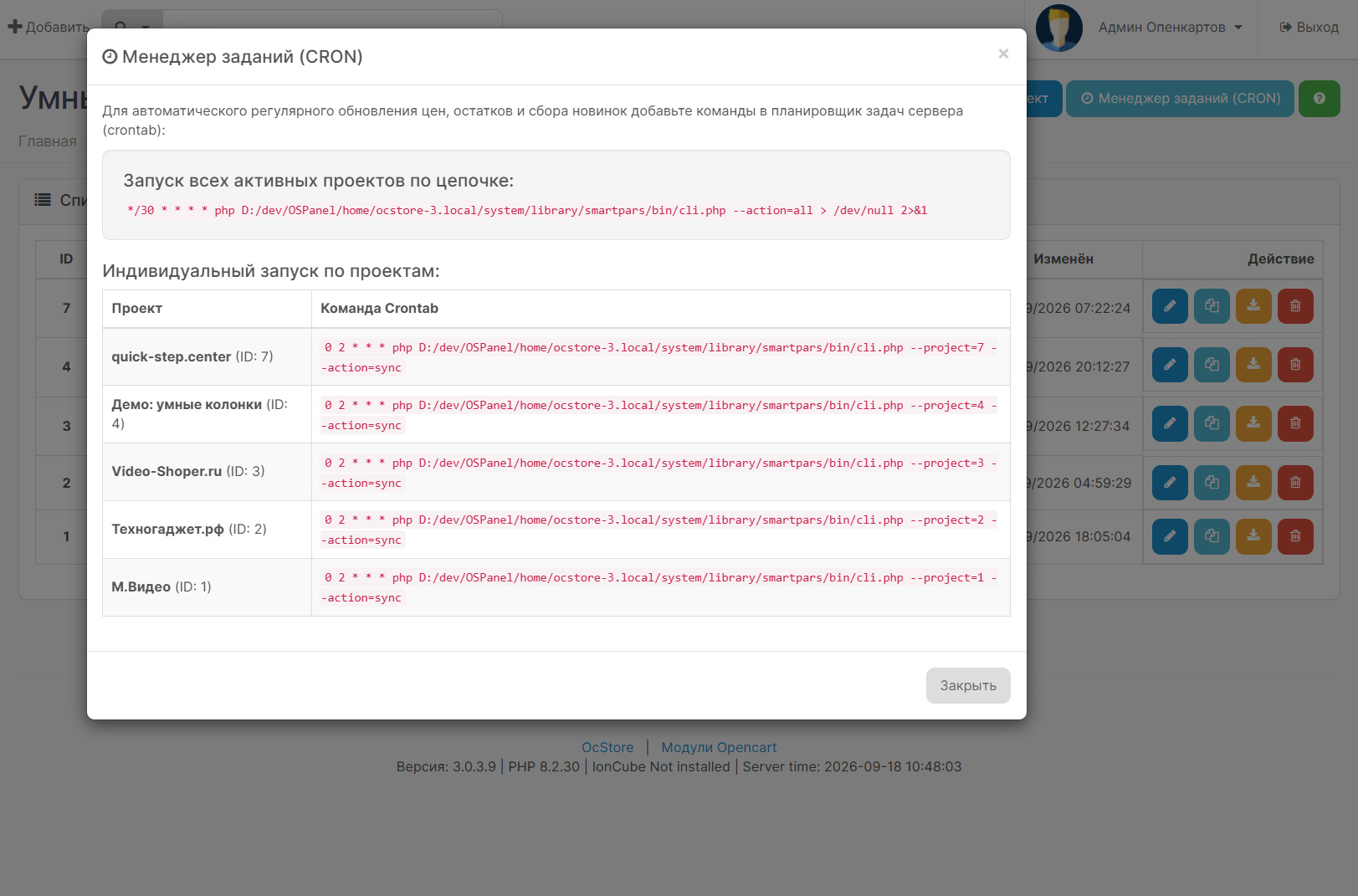
For normal mode, you can set up automatic scheduled updates using your hosting service. Browser mode requires Chrome to be running, even when running on a schedule.
Installation
A separate Chrome extension archive is used for browser data collection. It does not need to be uploaded to the OpenCart installer.
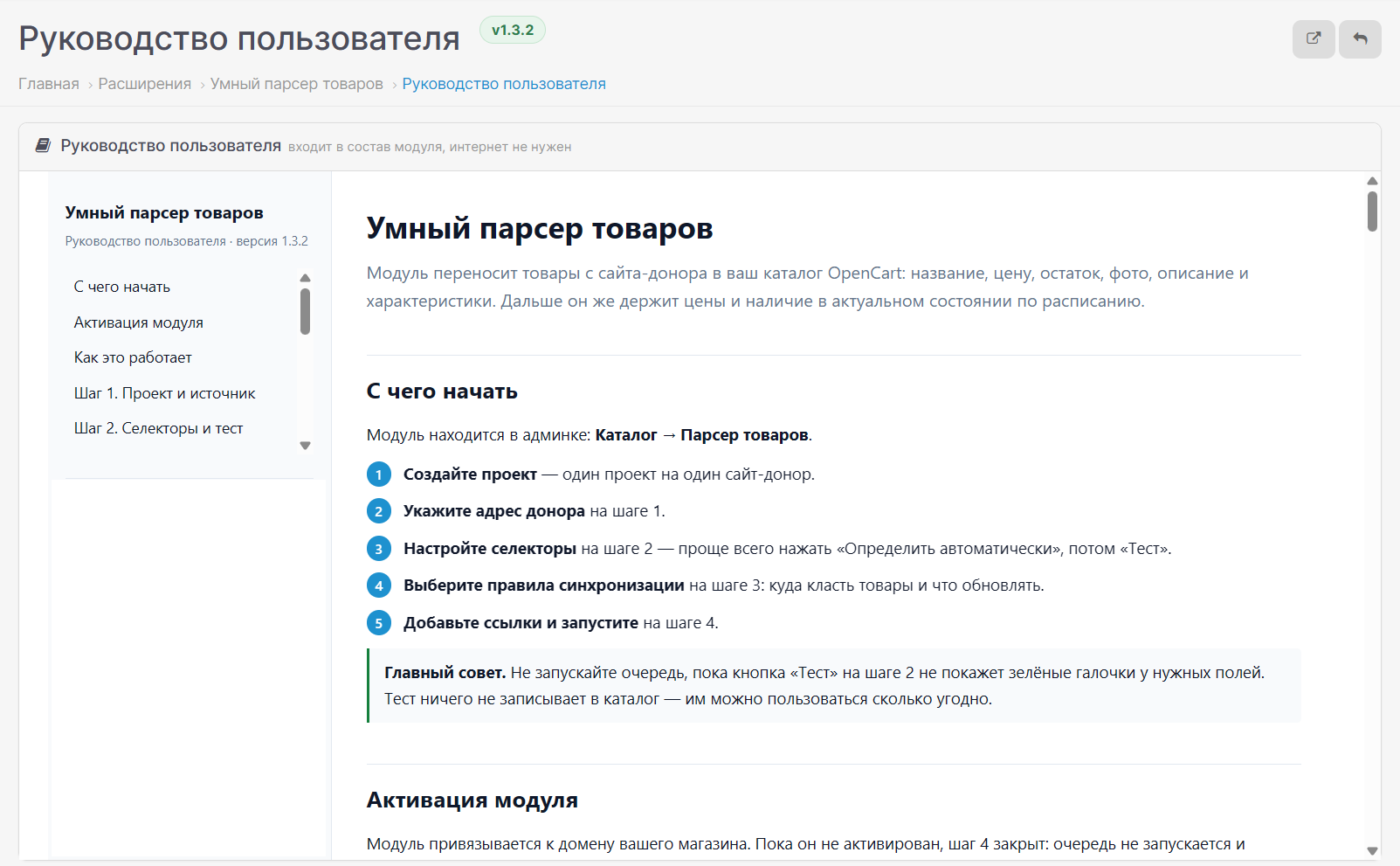
The built-in instructions are available via the "User Guide" button in the module.
Important before purchasing
Collection capability depends on the specific website.The website's design, security, and data availability may affect the module's operation. Automatic detection helps with configuration, but does not guarantee ready-made rules for every page.
If you are unsure whether your source is suitable, send the author a link to the category and a sample product before purchasing.
Use materials that you have permission to transfer.
Compatibility
OpenCart 3.0.x and ocStore 3
PHP: 7.4, 8.0, 8.1, 8.2, 8.3, 8.4.
Compatibility with custom builds and third-party modifications requires separate testing.
Support
Updates are unlimited. Support includes installation consultations and module bug fixes on the specified compatible versions.
Customization for the source website, adaptation to custom builds, and additional modifications are purchased separately.
An activation key is required to work on the store's domain.
Fill your store with products without the tedious manual copying.SmartPars helps you transfer product names, descriptions, prices, photos, and specifications from supplier websites, and then update the necessary data.
The module isn't tied to a single product niche. It's suitable for electronics, tools, furniture, auto parts, building materials, and other products. A separate project with its own settings is created for each source website.
Video Review
For those who find it time-saving
- For store owners— helps transfer supplier cards without manually filling in each product.
- For stores with a large assortment— processes links in a queue and displays the result for each product.
- For those who work with several Suppliers— saves individual settings for each source.
- For those who design cards themselves— allows you to update prices without overwriting your own descriptions and photos.
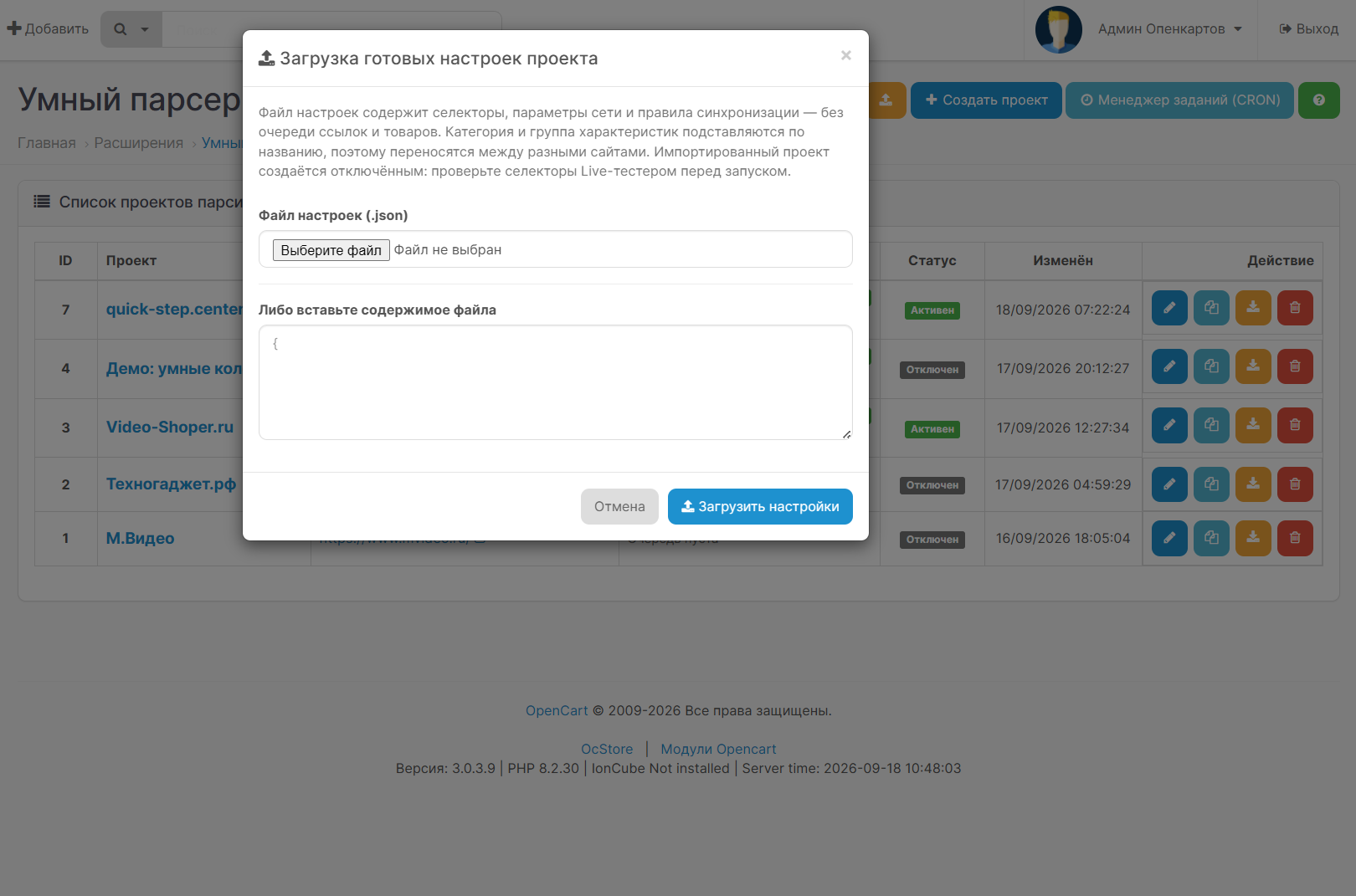
- For studios and specialists— allows you to copy projects and transfer settings between stores.
What the module can do
- Create and update products.Add only new items, update existing ones, or combine both Actions.
- Transfer characteristics with groups.Save not only the values, but also the characteristic sections available from the source.
- Upload photos.Save the main image and available additional photos in the store.
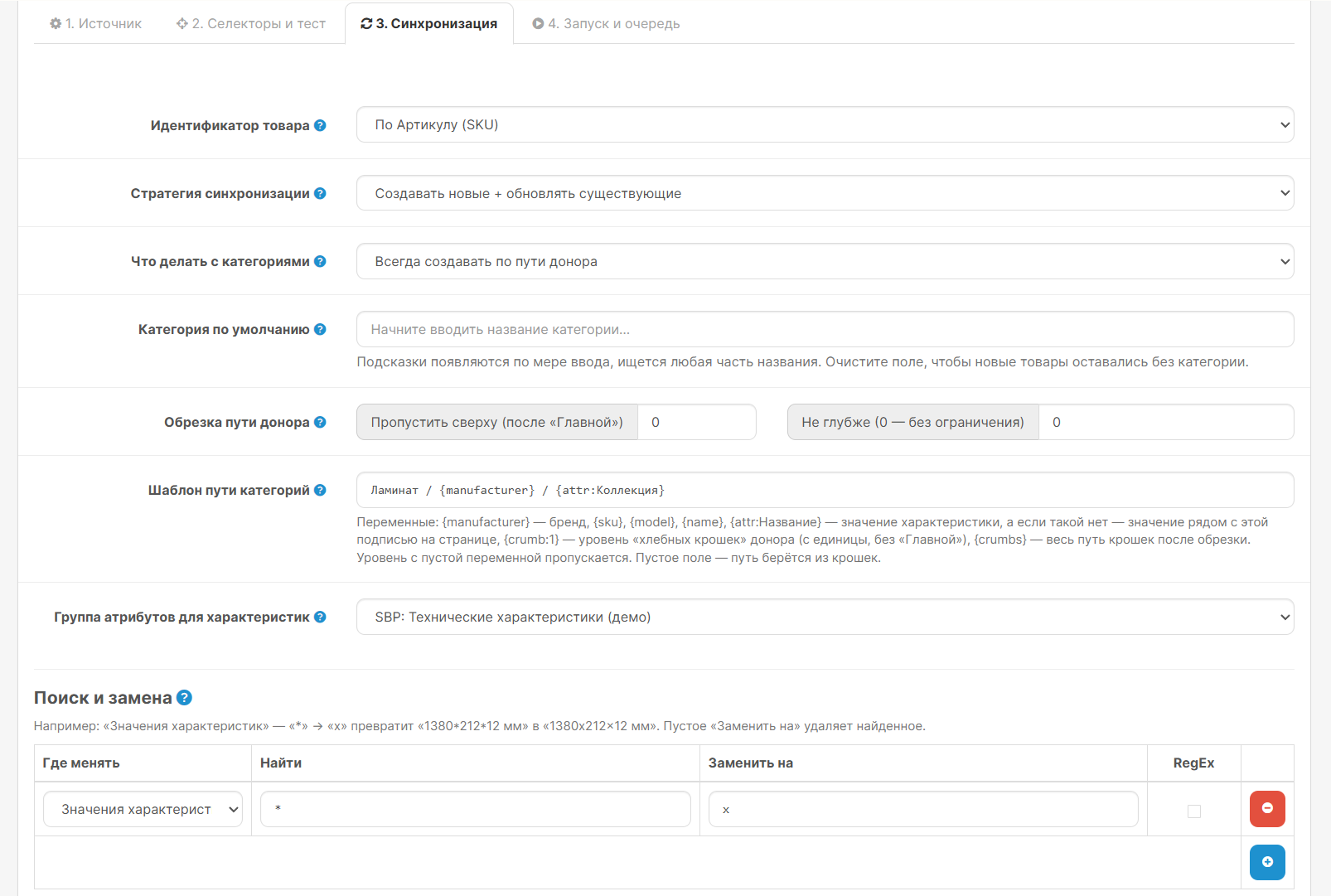
- Categorize products.Use the selected category or create a tree based on the source data.
- Transfer the manufacturer, weight, and dimensions.Fill in the relevant fields if this data is available on page.
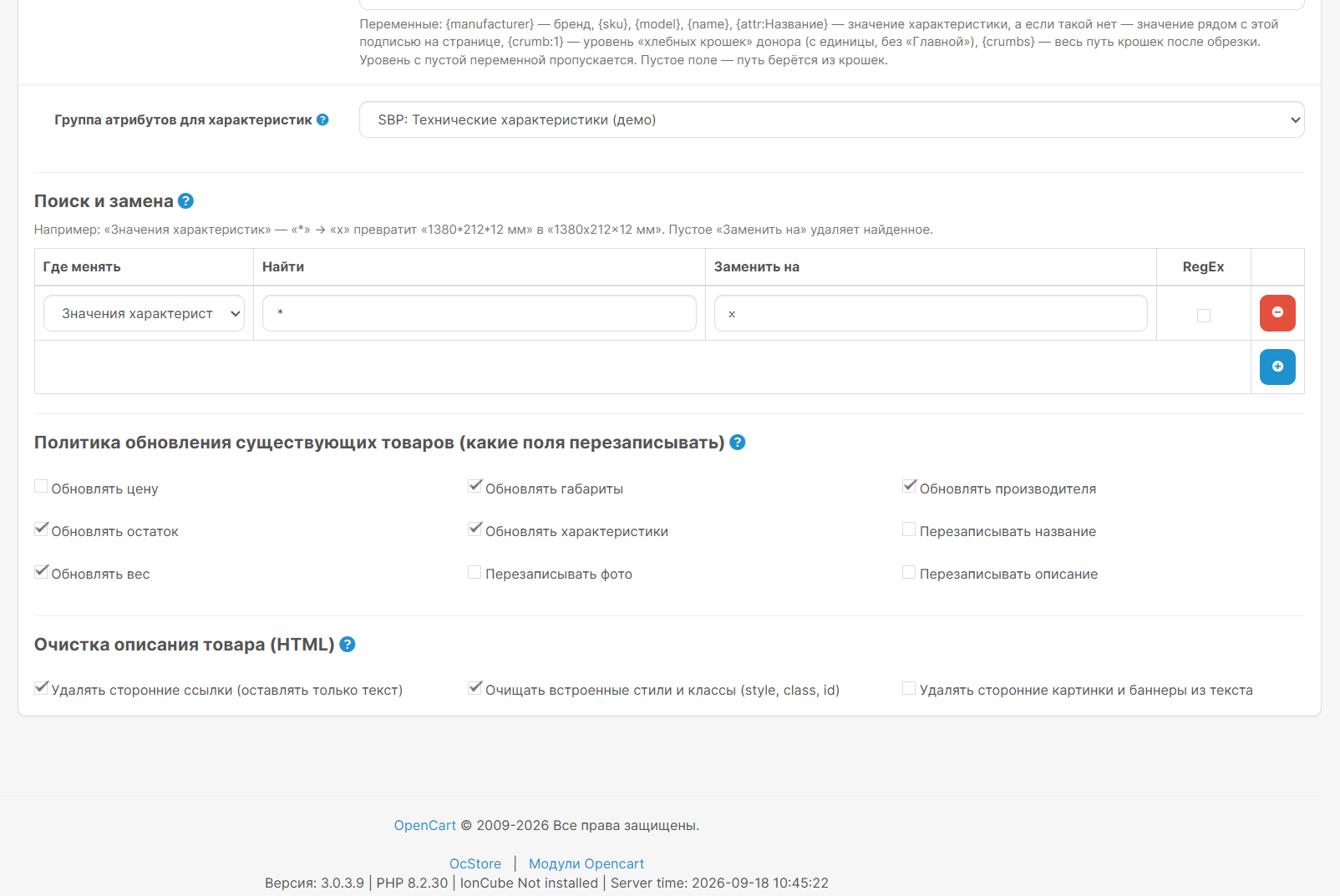
- Apply markup and replace text.Change prices according to specified rules, replace words, and clear descriptions.
- Update only selected fields.You decide which data is allowed to change during re-import.
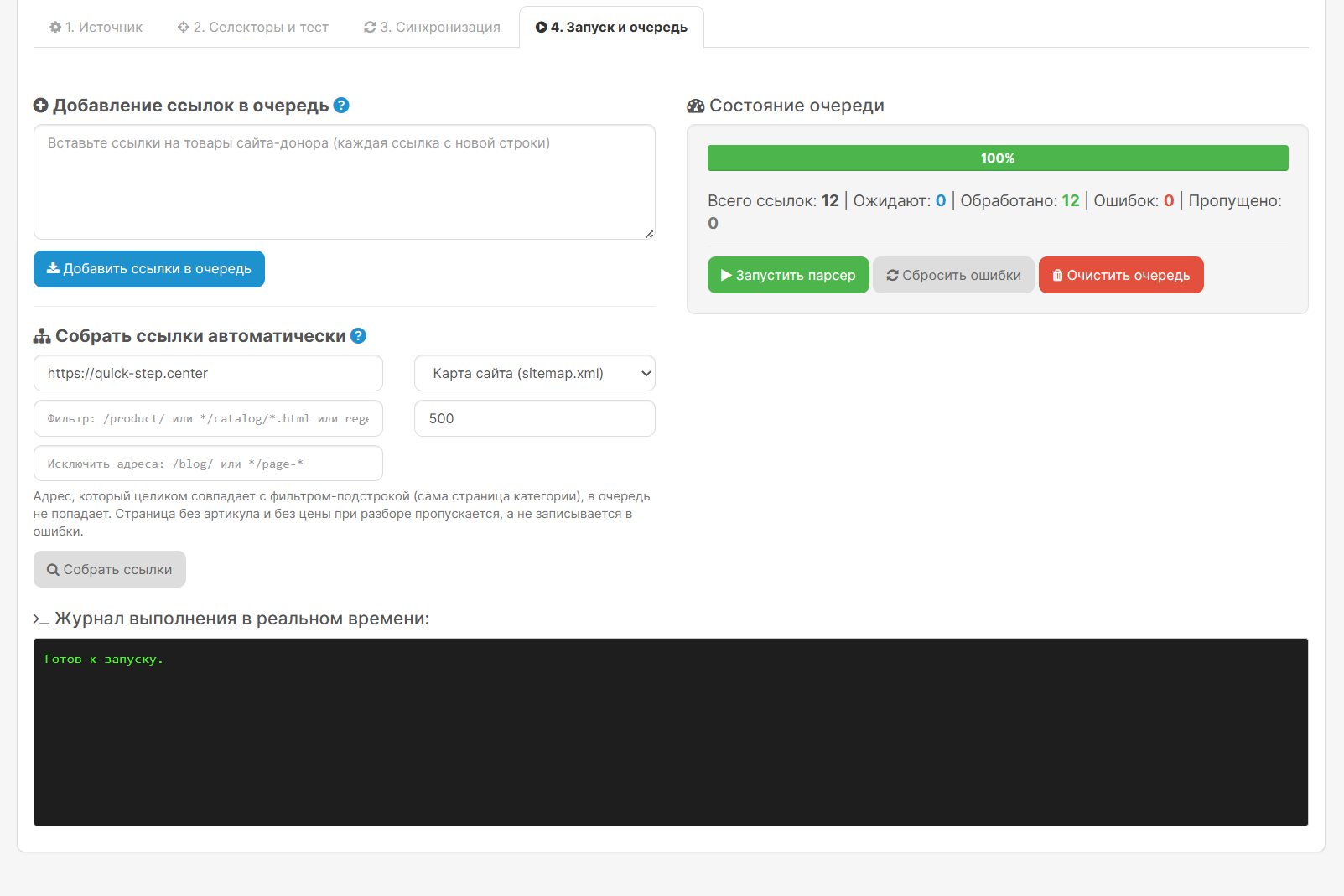
- Collect product links.From the sitemap or supported category with page navigation.
- Manage the queue.View results, repeat errors, pause, and continue Later.
Check first, then import
Paste a link to a single product and see what the module found: name, price, photos, and specifications.
Automatic detection helps fill in the collection rules. For a custom page, you can manually refine the settings.
A separate preview shows how the data will change after your rules are applied and which categories the product will fall into. This check does not create any products in the store.
How to get started
- Install the module and activate it with a key for your store.
- Create a project and specify the source website address.
- Check one card and configure the transfer of the required fields.
- Select categories, markup, and update rules.
- Add links manually or collect them from a supported category or sitemap.
- Run the import and check the results.
For normal mode, you can set up automatic scheduled updates using your hosting service. Browser mode requires Chrome to be running, even when running on a schedule.
Installation
- Download the .ocmod.zip module archive via "Extensions → Install Extensions."
- Update modifiers.
- Install "Smart Product Parser" from the list of modules and open its settings.
- Grant access rights to your user group if necessary.
- Activate the module and create the first project.
A separate Chrome extension archive is used for browser data collection. It does not need to be uploaded to the OpenCart installer.
The built-in instructions are available via the "User Guide" button in the module.
Important before purchasing
Collection capability depends on the specific website.The website's design, security, and data availability may affect the module's operation. Automatic detection helps with configuration, but does not guarantee ready-made rules for every page.
- The module does not solve CAPTCHA and does not guarantee bypassing blocking.
- The completeness of the characteristics and photos depends on the data available from the source.
- If the source site changes, you may need to update the project settings.
- Automatic crawling of all nested sections of the entire site is not included in this version.
If you are unsure whether your source is suitable, send the author a link to the category and a sample product before purchasing.
Use materials that you have permission to transfer.
Compatibility
OpenCart 3.0.x and ocStore 3
PHP: 7.4, 8.0, 8.1, 8.2, 8.3, 8.4.
Compatibility with custom builds and third-party modifications requires separate testing.
Support
Updates are unlimited. Support includes installation consultations and module bug fixes on the specified compatible versions.
Customization for the source website, adaptation to custom builds, and additional modifications are purchased separately.
An activation key is required to work on the store's domain.
Distribution method:
Paid
Opencart version:
LiveStore 3.*OCStore 3.*OpenCart 3.*
PHP verision:
PHP 7.4PHP 8.0PHP 8.1PHP 8.2PHP 8.3
Activation:
Manually, upon request via private messagesManually, upon request via emailManually, via the author's website
Getting files:
On site, in the personal account
Protection system:
Custom
VQmod:
No
Ocmod:
Yes
Events:
No
Uploaded:
18.09.2026
Updated:
23.09.2026
Viewed:
214
Sales:
1
Write a review
Your Name:Your Review: Note: HTML is not translated!
Rating: Bad Good
Enter the code in the box below:


Файлы будут доступны после покупки


